VIVOTEK - Built with Reliability
User's Manual - 35
To recruit cameras:
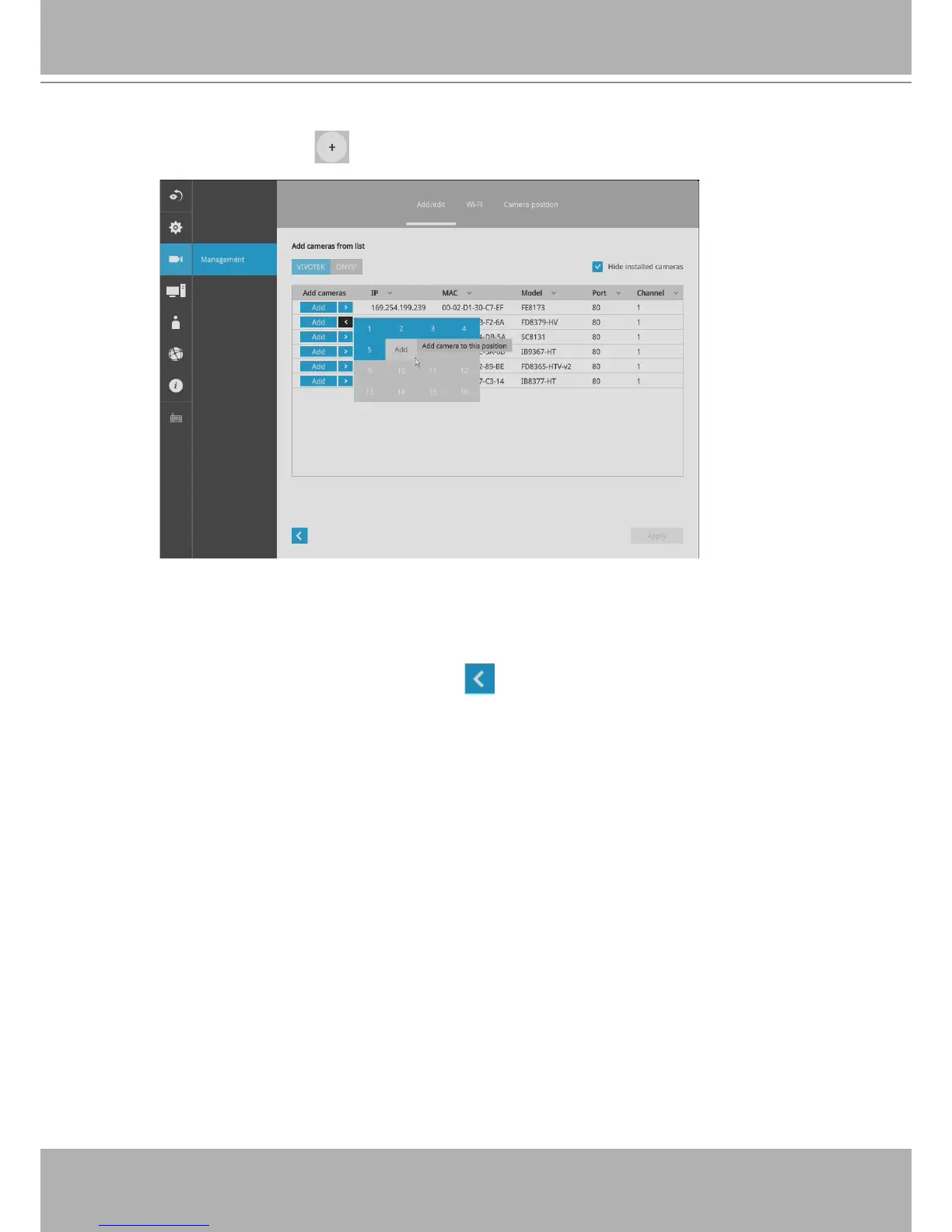
1. Click on the Add button. A list of cameras in the same subnet will appear.
2. Click the
Add
button, the camera will be placed at an unoccupied position. You may
also expand the menu on the side of the Add button to select a position number.
3. When a camera is added, it should appear on the graphical placement below.
4. Click the Apply button after you added cameras.
5. You may click the page back button to return to the previous window.


 To Next Page