28
Setting Surround Sound
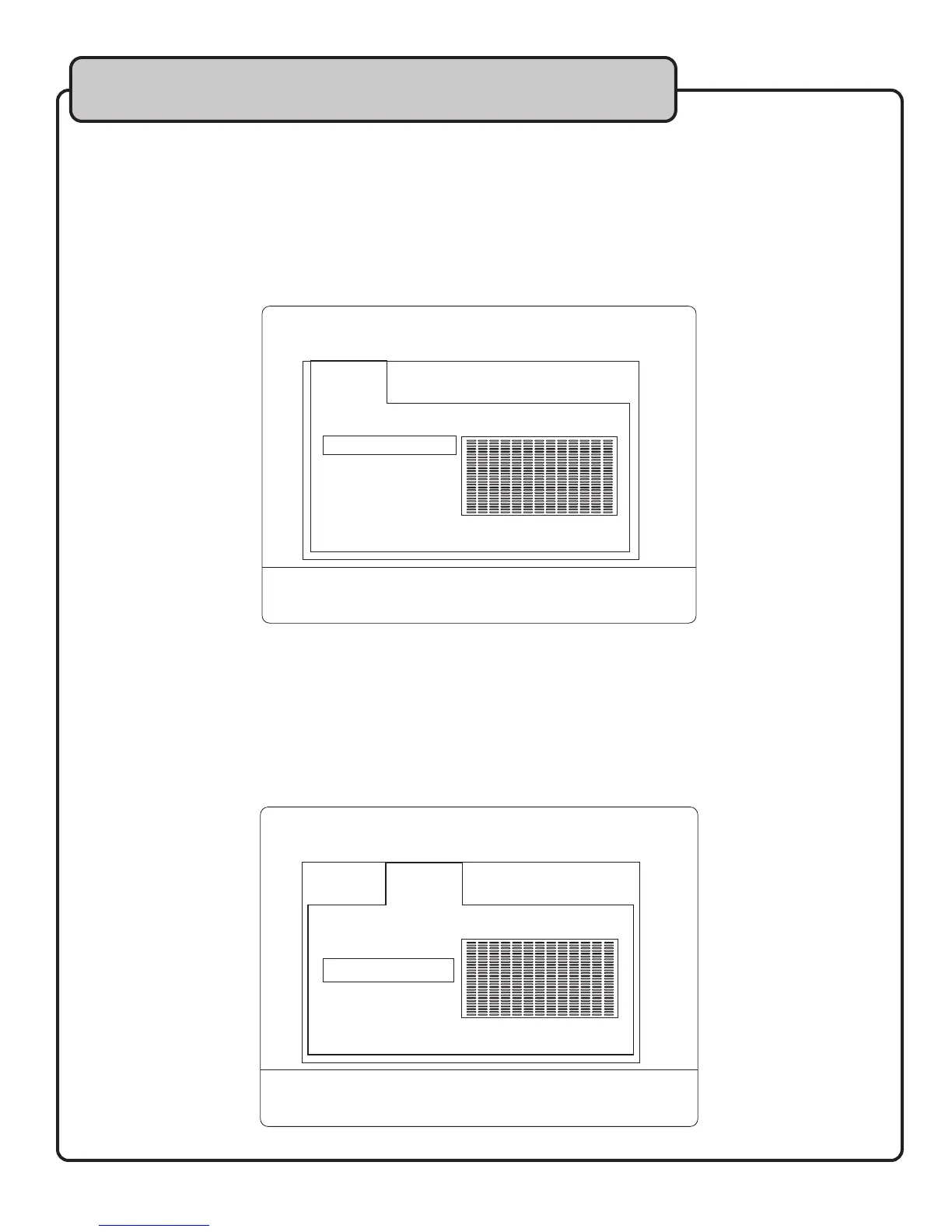
You can apply a surround sound setting to enhance the sound of source music. The surround settings are designed
to simulate different acoustical settings: CONCERT, CHURCH, PASSIVE, WIDE and LIVE.
NOTE: Surround sound does not apply to microphone/music instrument audio on CH 1-4.
To apply a surround sound setting using the remote control:
1. Press the AUDIO button.
2. Using the DOWN ARROW button to choose a surround sound setting.
3. Press ENTER to apply the surround sound setting.
Setting the Equalizer
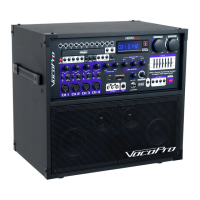
You can customize particular frequencies in the source music by setting the equalizer. The equalizer is similar to
adjusting the MUSIC HI/LO music control, but with more detail over the midrange frequencies.
To adjust the equalizer using the remote control:
1. Press the AUDIO button.
2. Press the RIGHT ARROW button to move to the EQ tab.
3. Press the DOWN ARROW button to select an EQ preset.
4. Press ENTER to apply the preset.
General Operations
SRND
OFF
CONCERT
CHURCH
PASSIVE
WIDE
LIVE
EQ BAND KEY
SRND
STANDARD
CLASSIC
ROCK
JAZZ
POP
USER
EQ BAND KEY


 To Next Page