Page 14UG10519-2.0 - Air Motion User Guide V2.0
5.2 Mounting the U Bracket
Step 4:
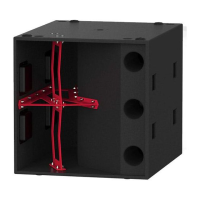
Finally reattach the 12” LF driver with the four
M8 socket cap Allen bolts, taking care not to
over tighten.
Figure 5.6: M8 socket cap reattaching
Note:
The U bracket is threaded for the
bolt on one side only. Ensure that
the threaded side faces the 8”
MHF driver and the non-threaded side faces
the 12” LF driver.
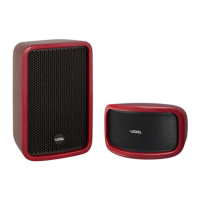
Figure 5.5: M12 x 70 mm bolt insertion
Step 3:
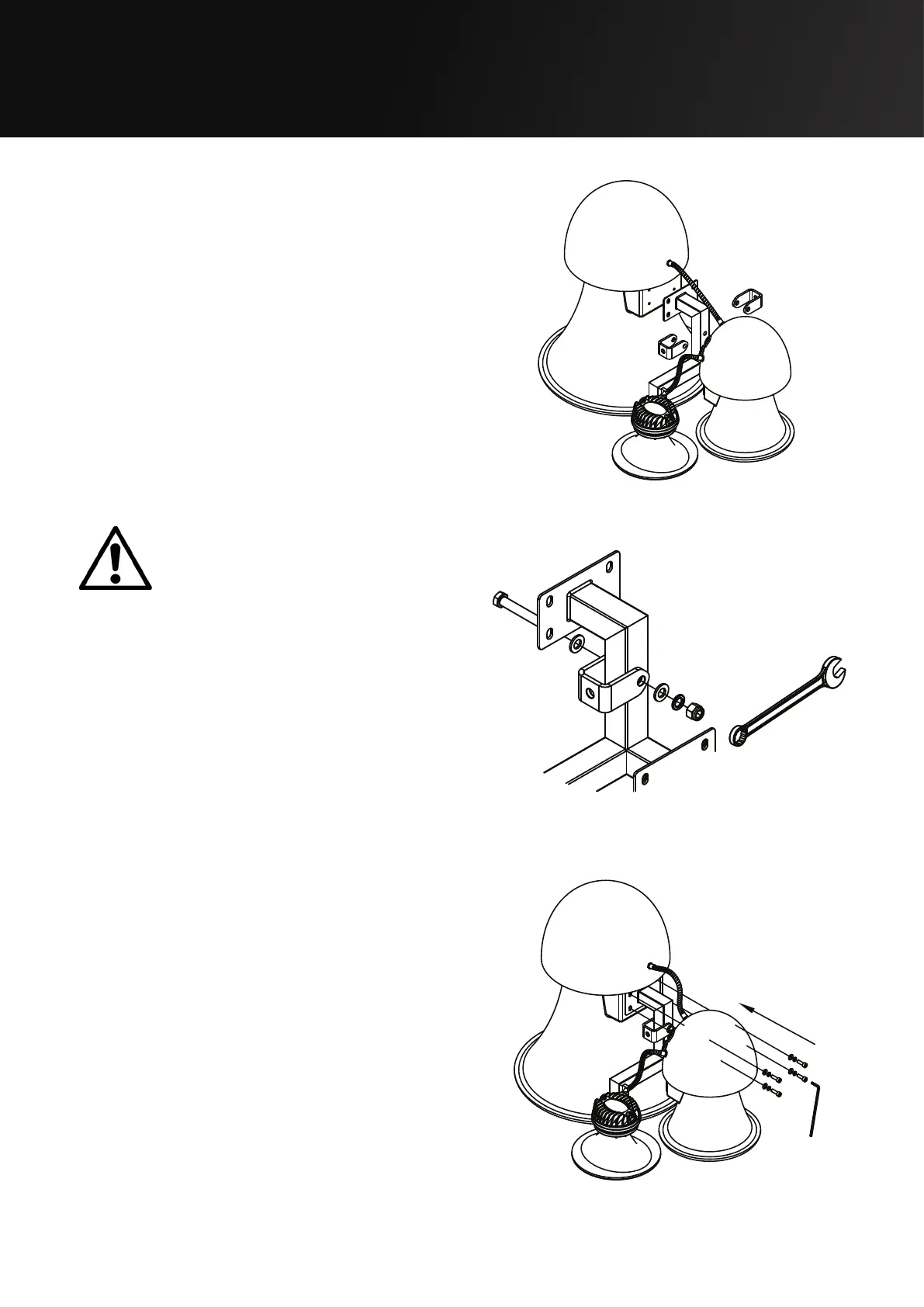
Insert the U bracket for the desired
orientation. Then insert the M12 x 70 mm
bolt through the non-threaded side of the
U bracket, 12” LF driver side, and tighten the
bolt. Then tighten the M12 Aerotight nut to
the 8” mid driver side.
Figure 5.4: U bracket positioning


 To Next Page