Page 15UG10519-2.0 - Air Motion User Guide V2.0
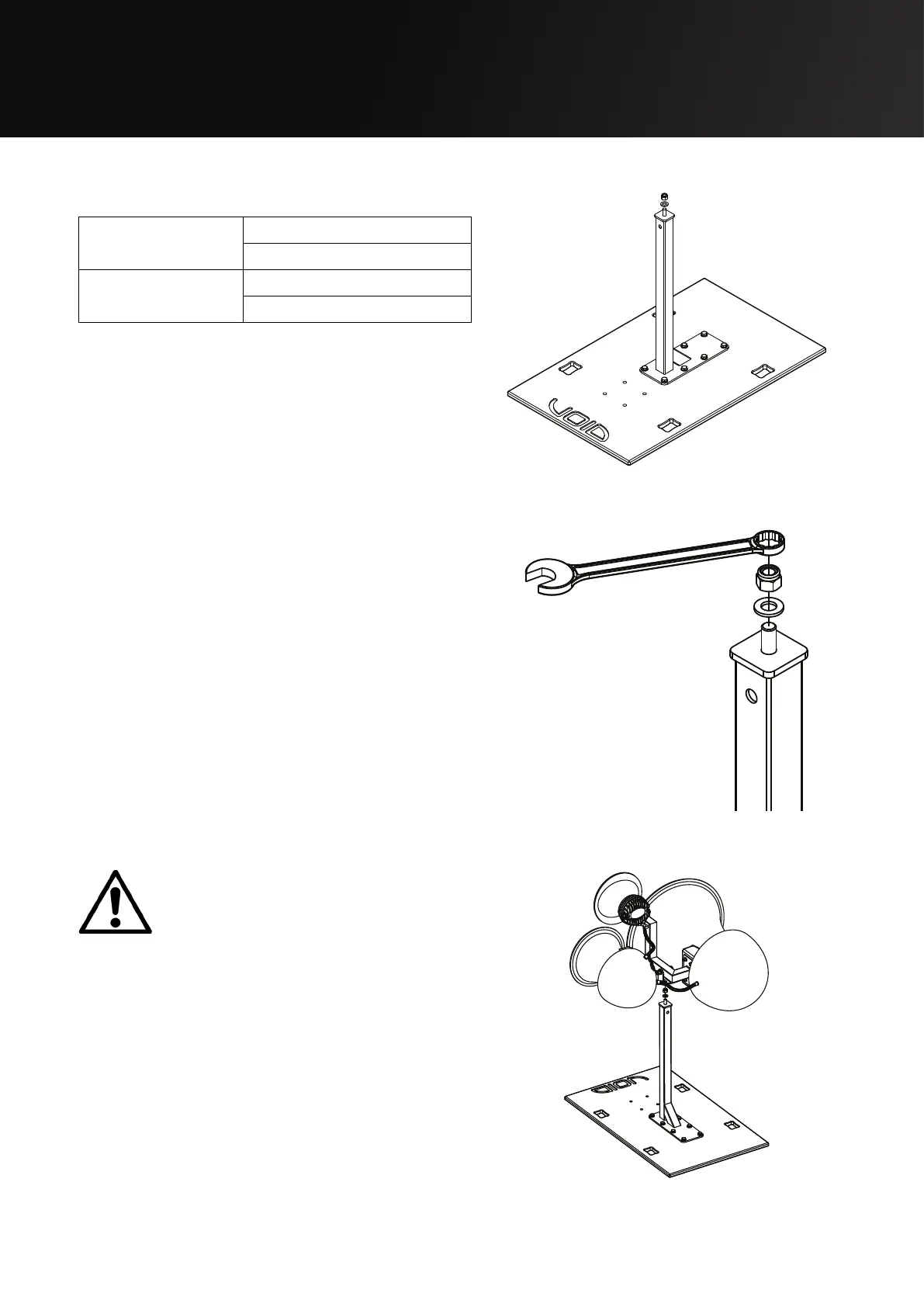
5.3 Air Motion Ground Stacking
Parts required:
Stasys X V2/Xair
Mounting Board
White - IT1592
Black - IT1591
TU - Multi Bracket
(600mm)
White - IT1089
Black - IT1088
Step 1:
Remove M12 nut from the stand using a 19 mm
ratchet spanner.
Figure 5.7: Stasys Xair/X V2
mounting board with bracket
Figure 5.8: M12 Aerotight nut removal
Step 2:
Lift the Air Motion with two
people (with one hand on the
edge of the horn flare and the
other supporting the weight of the drivers at
the rear) and position the mounting hole over
the stand bolt. For safe handling locations see
section 2.
Figure 5.9: Air Motion mounting


 To Next Page