Page 13UG10519-2.0 - Air Motion User Guide V2.0
5.2 Mounting the U Bracket
Step 1:
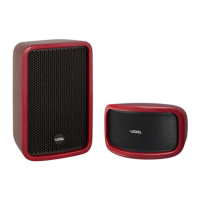
Lay a soft lint-free rug clear of debris on
a work surface to avoid damage to the
loudspeaker. Place the Air Motion with the
horns face down and remove all four M8
socket cap Allen bolts from the 12” LF driver.
Figure 5.2: M8 socket cap removal
Step 2:
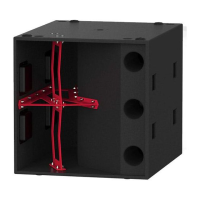
Remove the 12” LF driver from the main
bracket taking care not to place any strain on
the cable connecting to the 8” mid driver.
Figure 5.3: M8 LF driver removal
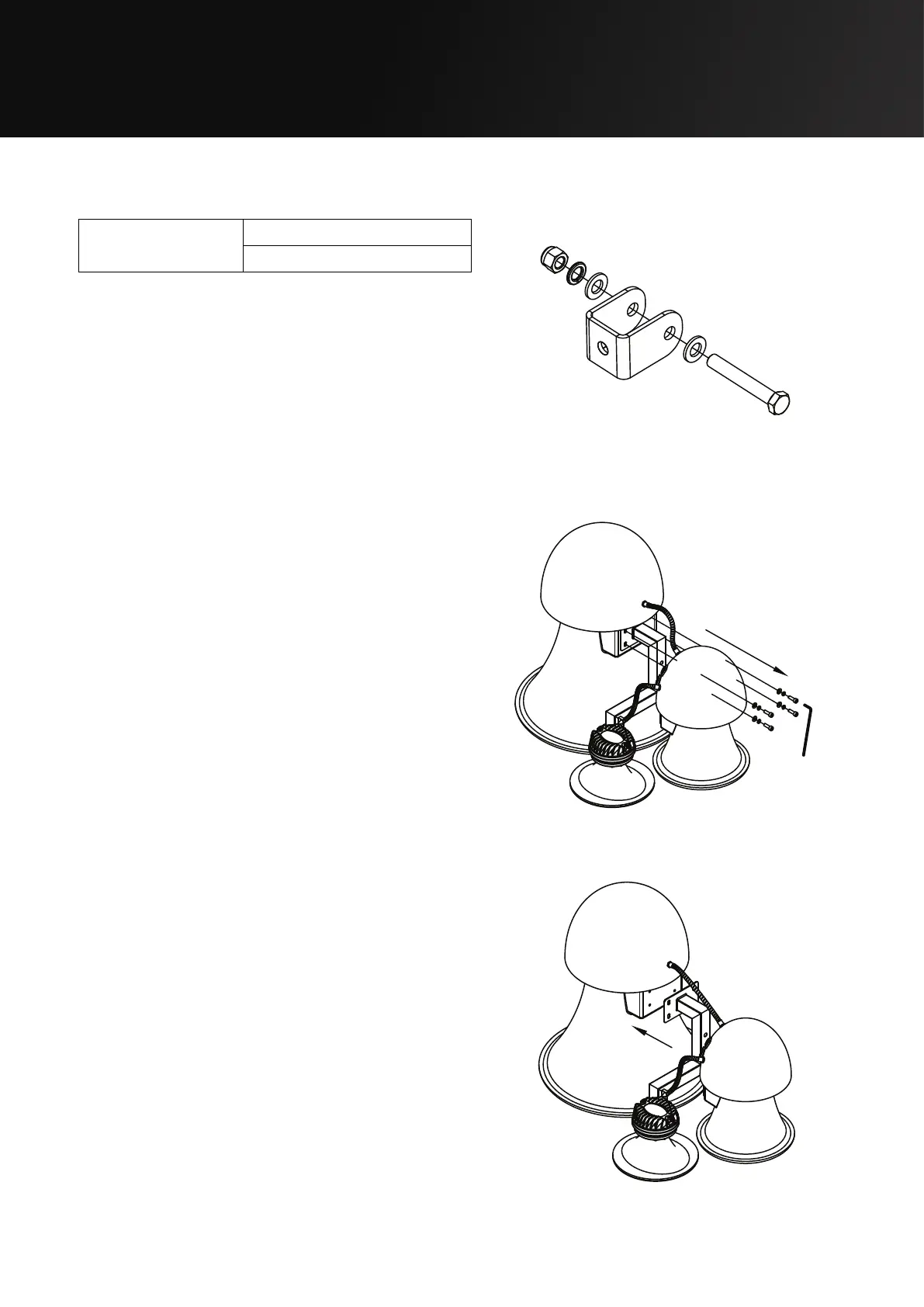
Parts required:
TU - Stud Bracket
White - IT1085
Black - IT1083
Figure 5.1: TU Stud Bracket


 To Next Page