Page 19UG10519-2.0 - Air Motion User Guide V2.0
5.5 Ceiling Mounting
Parts required:
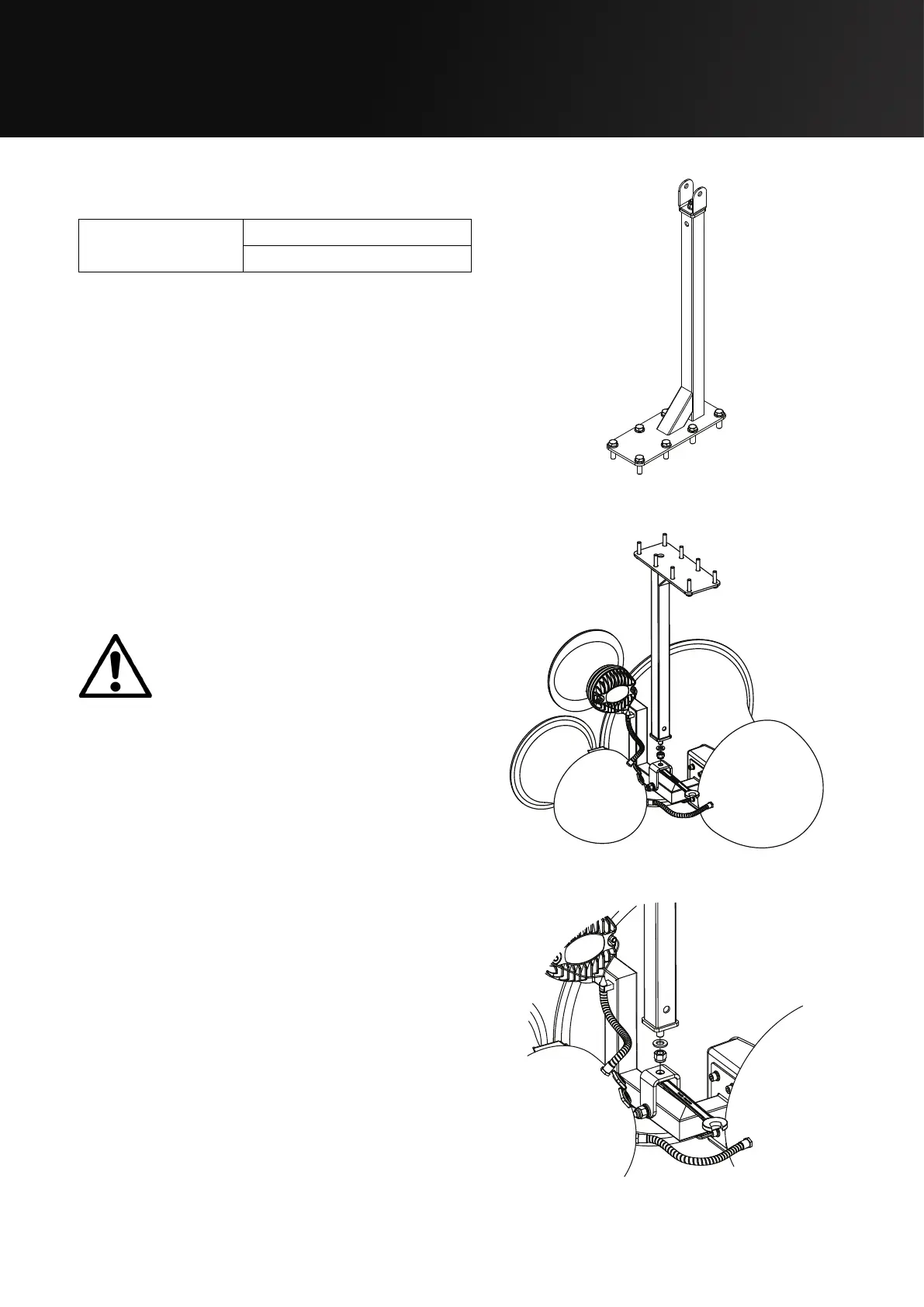
TU - Multi Bracket
(600mm)
White - IT1089
Black - IT1088
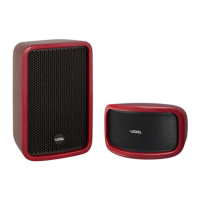
Step 1:
Lift the Air Motion into position making sure
to hold it by the safe lifting positions detailed
in section 2.
All eight bolts must be fitted when
securing the bracket to the ceiling.
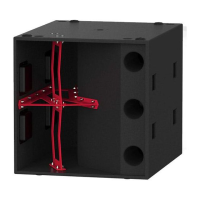
Step 2:
Attach the Air Motion the bracket with the
M12 Aerotight nut using a 19 mm ratchet
spanner.
Figure 5.20: TU - Multi Bracket
Figure 5.21: Air Motion ceiling mount
Figure 5.22: Air Motion ceiling mount detail


 To Next Page