Page 21UG10519-2.0 - Air Motion User Guide V2.0
5.6 Truss Mounting
Parts required:
TU - Truss Bracket
White - IT1082
Black - IT1081
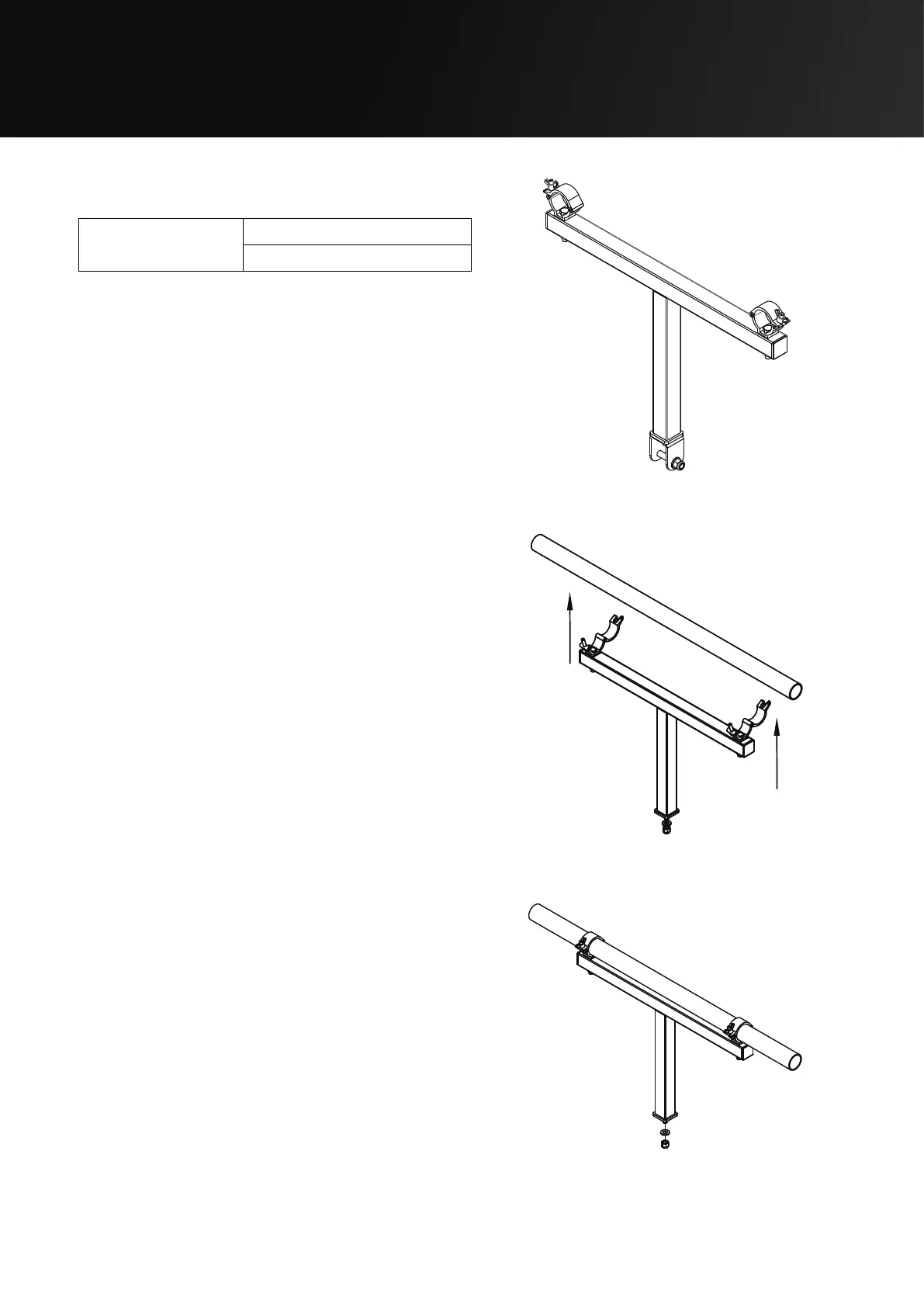
Step 1:
Remove the wing-nuts from the couplers and
position the bracket in the desired location
on the truss.
Step 2:
Tighten the wing-nuts on the couplers so
that the bracket is securely fastened. Remove
the M12 Aerotight nut using a 19 mm ratchet
spanner.
Figure 5.25: TU - Truss Bracket
Figure 5.26: Positioning the truss bracket
Figure 5.27: Attaching the truss bracket


 To Next Page