EasyManua.ls Logo

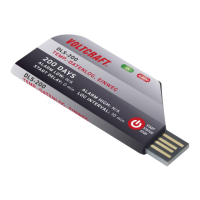
VOLTCRAFT DL-210TH - User Manual

VOLTCRAFT DL-210TH
192 pages
Go to English
Print Icon
To Next Page IconTo Next Page
Loading...
DATENLOGGER
BEDIENUNGSANLEITUNG
Seite 3 – 52
DATA LOGGER
OPERATING INSTRUCTIONS
Page 53 – 96
ENREGISTREUR DE DONNÉES
MODE D’EMPLOI
Page 97 – 144
DATALOGGER
GEBRUIKSAANWIJZING
Pagina 145 – 191
Best.-Nr. / Item No. / Nº de commande / Bestelnr.:
1435090 DL-200T Temperature
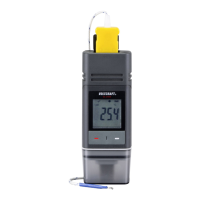
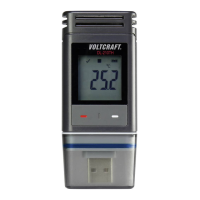
1435091 DL-210TH Temperature/Humidity
1435092 DL-220THP Temperature/Humidity/Air Pressure
VERSION 05/17

Table of Contents

Questions and Answers

VOLTCRAFT DL-210TH Specifications

General IconGeneral
Accuracy Temperature±0.5 °C
InterfaceUSB
Measurement Range Humidity0 to 100 %RH
Accuracy Humidity±3% RH
Data Storage Capacity16, 000 measurements
Power Supply2 x AA batteries
Logging interval1 sec to 24 hrs
Measurement Channels2 (Temperature, Humidity)
Resolution0.1°C / 0.1% RH
Sampling Interval1 sec to 24 hrs
Battery Lifeup to 1 year

Summary

3. Intended Use

Product Description and Safety Warnings

Describes the data logger's purpose, models, and highlights improper use hazards.

6. Safety Instructions

General Safety

Covers warnings for children, packaging, product protection, and handling.

Operational Safety

Details on safe operation in specific environments and battery handling.

7. Operating Elements

Device Components

Identifies and illustrates the physical parts of the data logger.

LC Display Symbols

Explains the meaning of icons and indicators on the LC display.

9. Initial Operation

11. Configuration

Install Software

Steps to install the Voltsoft software for configuration.

Measurement Settings

Configuring logging parameters like sampling rate and units.

Start Conditions

Defining options for starting data recording.

Stop Conditions

Defining options for stopping data recording.

Alarm Settings

Configuring LED alarms and limit pause functions.

12. Overview of Operation Modes, Settings and LC Display Indications

Operation Modes Explained

Details various operational modes and their settings.

13. Logging Data

Start and Stop Recording

Procedures for initiating and ending data logging.

14. Create PDF Report

15. Delete Data

16. Upgrade Firmware

17. Reset to Default Firmware

18. Troubleshooting

Computer Recognition Issues

Solutions for problems with the computer not recognizing the data logger.

PDF Generation Issues

Solutions for problems related to generating PDF reports.

Related product manuals