Need help?
Do you have a question about the VOLTCRAFT SEM5000 and is the answer not in the manual?
General safety rules, prohibition of modification, and repair guidelines.
Defines safe indoor usage locations and warns against hazardous environments.
Safe handling, connection procedures, and usage limitations to prevent hazards and damage.
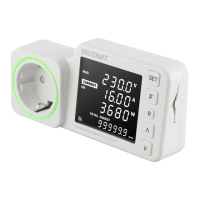
Identifies and describes the physical components, ports, and controls of the energy logger.
Explains the meaning of various symbols displayed on the device's screen for user understanding.
Illustrates device indications for SD card status, including insertion, recognition, and errors.
Instructions for entering, navigating, and exiting the device setup mode for configuration.
Details how to enable or disable the night mode, affecting display and LED ring.
Procedure for setting the device's current time, date, and 12/24-hour format.
Guides for setting electricity tariffs and currency for cost calculation.
Configuration of normal and low standby power consumption limits.
Inputting CO₂ emission values per kWh for tracking environmental impact.
Setting power or current limits to trigger an overload alarm and notification.
Functions for deleting stored data, measurements, and resetting various settings.
Explains the function and meaning of LED ring colors and backlight states.
Introduces CURRENT and FORECAST modes for analyzing power consumption and costs.
Guides for switching through different display indications based on load conditions.
Explains using the forecast mode to predict energy consumption, costs, and CO₂.
Setting up and starting automatic measurement periods for logging consumption data.
Accessing and viewing previously stored measurement data from the logger.
Process for exporting logged data from the logger via the SD card.
Instructions for updating the device's firmware using an SD card.
Proper disposal of electrical equipment according to WEEE regulations.
Guidelines for the safe and legal disposal of batteries and rechargeable batteries.
Technical specifications for voltage, frequency, current, power, and power factor ranges and tolerances.
 General
| Measurement Parameters | Temperature, Humidity |
|---|---|
| Interface | USB |
| Logging interval | 10 s to 24 h |
| Measurement Range (Temperature) | -20°C to +60°C |
| Measurement Range (Relative Humidity) | 0% to 100% |
| Resolution | 0.1 °C, 0.1 % RH |
| Data Storage Capacity | 16000 |
| Functions | Min/Max Value |
| Operating Temperature | -20°C to +60°C |

 To Next Page