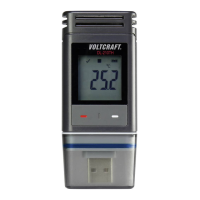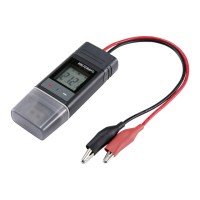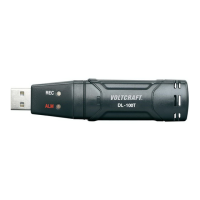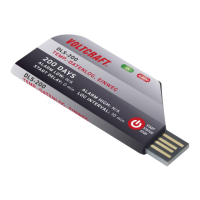
Why is the LC display off on my VOLTCRAFT Data Loggers?
- DDeanna MorrisAug 5, 2025
If the LC display is off on your VOLTCRAFT Data Logger, first check if the LC display was disabled during configuration. If not, try replacing the battery.
Why is the LC display off on my VOLTCRAFT Data Loggers?
If the LC display is off on your VOLTCRAFT Data Logger, first check if the LC display was disabled during configuration. If not, try replacing the battery.
How to fix VOLTCRAFT DL-240K Data Loggers not recognized by computer?
If your computer doesn't recognize the VOLTCRAFT Data Logger, verify that 'USB' is displayed on the data logger after plugging it in. If it does, try connecting to a different USB port. Also, ensure that the USB mass storage device function is enabled on your computer.
What to do if my VOLTCRAFT DL-240K Data Loggers do not generate PDF file?
If the VOLTCRAFT Data Logger does not generate a PDF file, check if the data logger is recognized by your computer and is displayed as a new mass storage device. Also, check if the data logger is upgrading the firmware.
Why is there no LED alarm on my VOLTCRAFT DL-240K Data Loggers?
If there is no LED alarm on your VOLTCRAFT Data Logger, verify that the LED alarm is enabled in the configuration file. Also, check if the alarm has been paused.
How to fix unrealistic information on VOLTCRAFT Data Loggers LC display?
To resolve unrealistic information on the LC display of your VOLTCRAFT Data Logger, reset the data logger to the default firmware.
| Measurement Range (Humidity) | 0 to 100 % RH |
|---|---|
| Resolution (Temperature) | 0.1 °C |
| Resolution (Humidity) | 0.1 % RH |
| Accuracy (Temperature) | ±0.5 °C |
| Accuracy (Humidity) | ±3 % RH |
| Interface | USB |
| Channels | 2 (Temperature and Humidity) |
| Logging Rate | 1 second to 24 hours |
| Measurement Range (Temperature) | -40 to 70 °C |
| Data Storage Capacity | 32000 readings |
| Power Supply | Lithium battery |
| Battery Life | Up to 1 year (depending on logging rate and temperature) |
Welcome message and general information about the Voltcraft product.
Explains warning symbols and CE compliance markings used in the manual.
Describes the DL-240K's purpose as a temperature data logger.
Lists the items included with the data logger package.
Highlights key features like LC display, USB design, IP40 protection, and logging capabilities.
Provides essential safety guidelines for using the data logger and its battery.
Identifies and describes the physical buttons, display, and ports of the data logger.
Explains the meaning of various symbols shown on the data logger's LC display.
Details the meaning of different LED light patterns and their corresponding states.
Guides users through initial setup like handling the protective cap and connecting to a computer.
Instructions for connecting and safely disconnecting the data logger from a PC.
Setting recording start/stop modes and device date/time.
Describes the functions of the ENTER button for various operations.
Covers essential steps before the first operation, including foil removal and battery insertion.
Step-by-step guide for installing or replacing the battery.
Overview of configuring the data logger via software or website.
Instructions for installing Voltsoft software and overview of its functions.
Steps to create a config file using software and load it onto the data logger.
Explains how to access and use the online configuration tool.
Details Logger ID, start/stop conditions, and sampling rate.
Options for determining when the data logger begins and ends recording.
Setting the date and time for recording to start and stop.
Configuring the frequency of data measurement and recording.
Configuring alarm settings, including LED alarms and pause functions.
Managing LED alarms and the pause function for limit alarms.
Setting specific low and high alarm values.
Customizing the content and format of PDF reports.
Defining PDF file names and report content elements.
Options for creating, loading, or resetting configuration files.
How to check active start and stop modes.
Details various operating modes and their corresponding settings.
Describes six different logging scenarios based on start/stop conditions.
Describes time-based and circular logging scenarios.
Explains how different modes are indicated on the LC display.
General information and precautions for data logging.
How to access the function menu and control recording start/stop.
How to view the time until recording starts or ends.
Steps to select thermocouple type and adjust offset.
Managing alarm pause and viewing max/min measurements.
Steps to generate and save a PDF report of the recorded data.
Instructions for deleting recorded data from the logger.
Guide for downloading and installing firmware updates.
Steps to reset the data logger to its factory firmware settings.
Common problems and their solutions for the data logger.
How to open and view CSV data files, including separator settings.
Guidelines for cleaning and maintaining the data logger.
Disposal guidelines for the electronic device and batteries.
Detailed specifications of the data logger, including power, protection, and ranges.
Loading...