43
LED FLASH
INTERVAL
SelecthowfasttheLEDcontrollights(2,3)shallash.Chooseanintervalof5,10,15,20,
25 or 30 seconds.
ENABLE DISPLAY
RemovethecheckmarkfromthecheckboxtoturnofftheLCdisplay,orcheckthecheck-
box to turn on the LC display.
Whenusingthedataloggeratextremelylowtemperatures,choosealonger
sampling rate to decrease power consumption and to prolong the battery life.
“MEASUREMENT” options - “ALARM SETTING”
Congurealarmsettingsinthe“Measurement”tab:
ENABLE LED
ALARM
TheLEDalarmindicateswhenameasuredvalueisoutsidethedenedrange.
TodisabletheLEDalarm,removethecheckmarkinthecheckbox.
To enable the LED alarm, check the checkbox .
Whenusingthedataloggeratextremelylowtemperatures,disabletheLED
alarm to decrease power consumption and to prolong the battery life.
LIMIT PAUSE
FUNCTION
During recording, the limit alarm can be suspended.
Select“ENABLE”or“DISABLE”toenable/disablethepausefunction.
Pause function will not stop the recording.
LOW ALARM/
HIGH ALARM
Select parameter(s) by checking parameter checkboxes and specify the low and high
alarm in numbers.
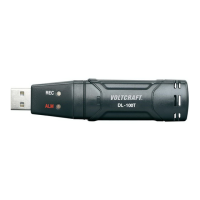
TheredLEDcontrollight(2)isashing,whenmeasuredvalueisoutsideofthe
denedrangeoflowandhighalarmvalue.


 To Next Page