26
In the setup, you can dene, e.g., the shape of the ow channel and the associated parameters. Further settings refer to the auto
power off function and the settings for MAX, MIN and AVG. You can also delete saved data via the setup.
Measuring units for channel dimensions
Channel shape and parameters
Unit
Duct Shape
inch/cm
Specied area for ow measurements
Auto-Power-off
(Automatic Deactivation)
SLEEP Auto off/on
Menu setting ENU 1, 2, 3
Delete Memory Mem clear Yes/No
Push the button “SETUP” for 2 seconds to call or terminate the setup menu. If the setup mode is active, the word “SETUP” appears
in the lower area of the display.
Push “Unit ” or “Unit ”, to scroll to the setup option that you want to change.
Push “Avg/Rec” to conrm your selection.
Push “Unit
” or “Unit ” repeatedly until the desired value for your setting is displayed.
Push “Avg/Rec” to conrm your selection and save the new settings.
The setup can be called in mode “MAX MIN/AVG”.
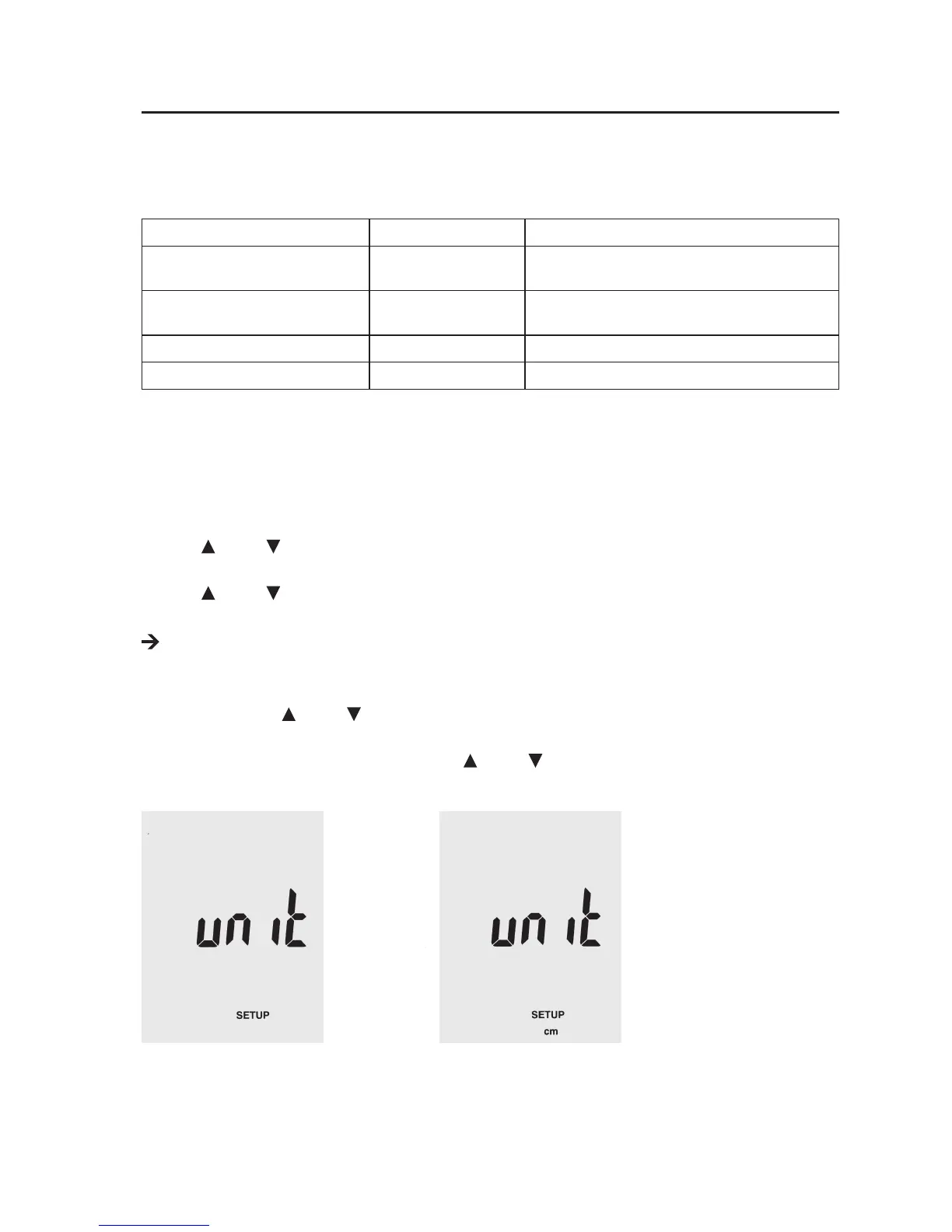
In setup mode, push “Unit ” or “Unit ”, until “unit” appears in the display.
Push “Avg/Rec” to conrm your selection.
Select the measuring unit “in” (inch) or “cm” by pushing “Unit
” or “Unit ” until the desired setting appears in the display.
Push “Avg/Rec” to conrm and save your selection.






 To Next Page