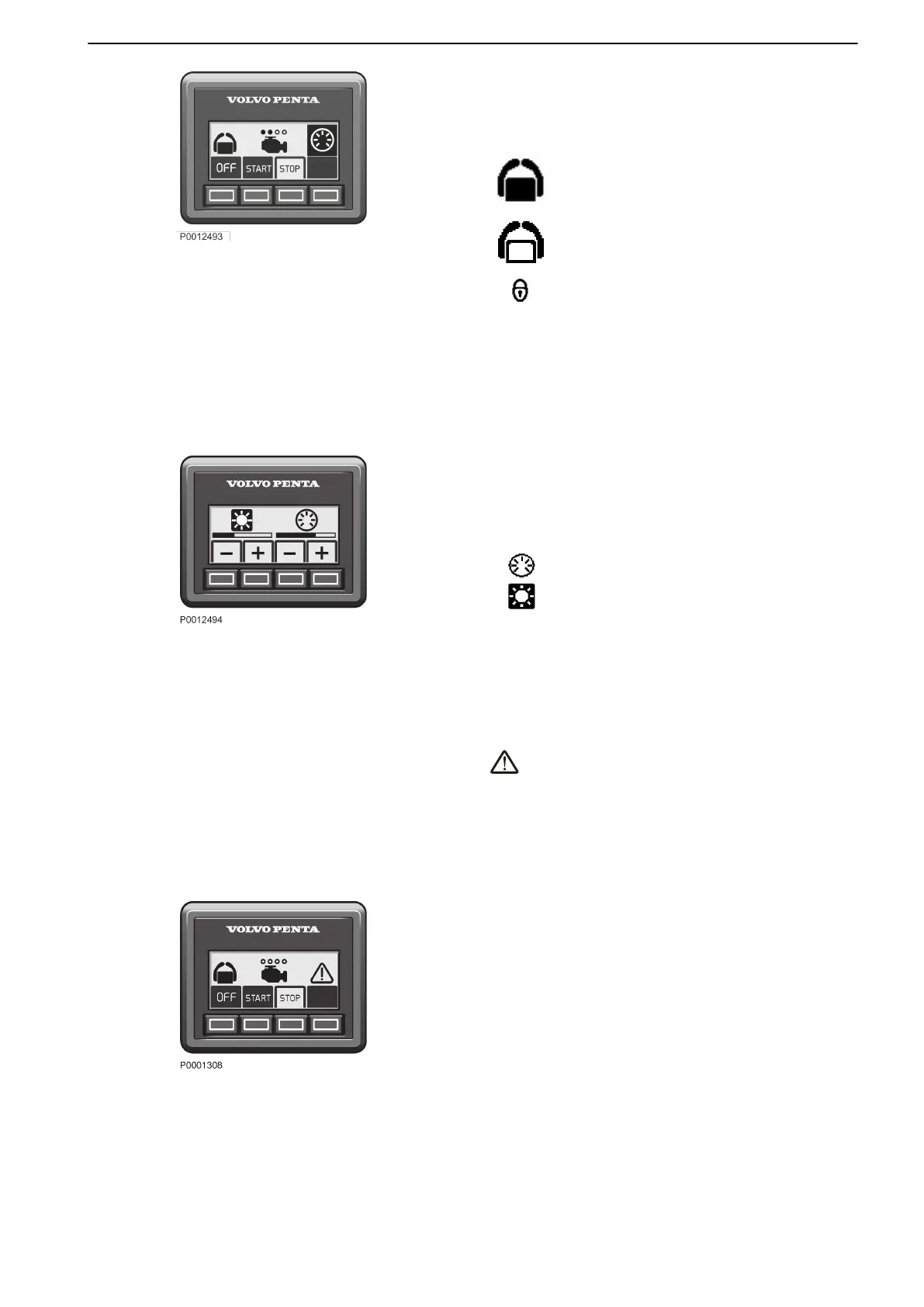
Twin installation
Both engines in a twin installation must be running
before the docking station can be activated.
The helm station is inactive.
The helm station is active and the docking
function is switched on.
The helm station is locked.
Start/Stop
Press the STOP and START buttons to stop and start
all engines.
The circles above the engine symbols show which
engines are running. An empty circle means an engine
is running.
Contrast and backlighting
The button on the far right is used to adjust contrast
and panel backlighting. The button is also used to
confirm fault messages.
Backlighting
Contrast
Press the button to adjust the contrast and the
backlighting.
Use + and – to increase or reduce the contrast or
backlighting.
Adjustments affect all screens in the system.
Fault message
is displayed on the screen when the system
discovers a fault.
All fault messages must be acknowledged.
Acknowledge by pressing the button; if the fault is
accompanied by an audible signal, the signal will be
silenced. Go to the information display to obtain
information regarding the alarm.
Contact a Volvo Penta workshop for a complete
readout of all fault messages.
For further information on how to handle fault
messages and recommended actions, refer to the
Fault handling, page 87 and Fault Code
Register, page 91 chapters.
Instruments and Controls
47713726 12-2021 © AB VOLVO PENTA 33










 To Next Page