VONETS——VAR11N 150M Mini WIFI Router
35
Ø After the search is completed, the list will show the wireless signal around the
hotspot information, including SSID, channel, signal percentage, encryption mode,
encryption algorithms, network mode.
Ø If the list is blank after searching, please click refresh list to scan again.
Ø If your WIFI router doesn’t open SSID broadcast, it is not displayed in the list, you
can choose the below input manually to enter your WIFI SSID, Channel and
Network mode, click Next button.
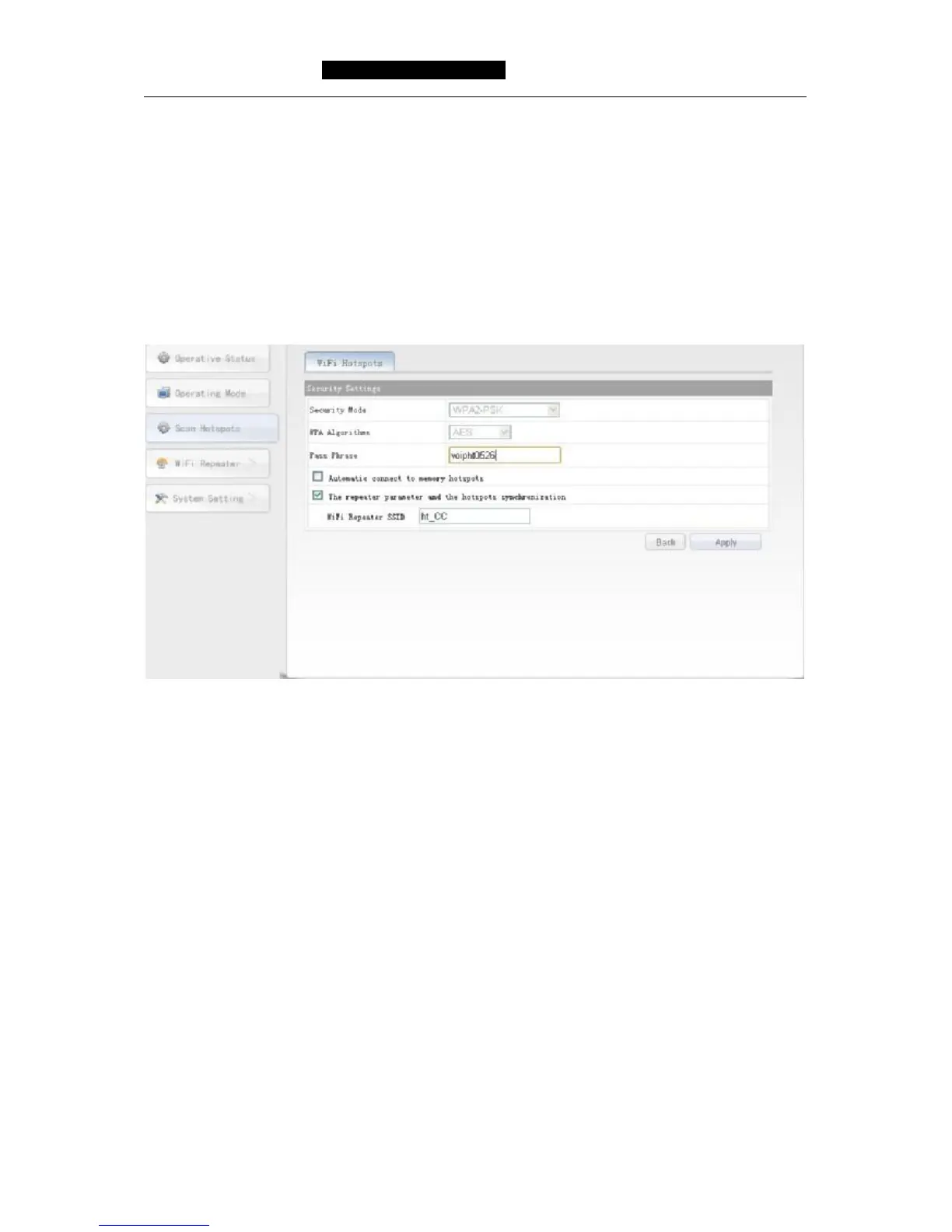
Ø Choose a correct WIFI hotspot, then click next, will appear the following:
Ø Security Mode: The security mode of hotspot now, the gray state can’t be changed.
Ø Encryption algorithm: The encryption algorithm of hotspot now, the gray state
can’t be changed.
Ø Pass Phrase: Input the password of hotspot.
Ø Automatic connect to memory hotspots: The default is not selected, after
selecting it, this device will automatically go after rebooting before searching with
wireless hotspots, configure by the signal strength, the user can choose the actual
situation.
Ø The repeater parameter and the hotspots synchronization: The default is selected,
after submitting the form, the device's wireless password, encryption mode,
encryption algorithms, channel, network mode will be same as hotspots, exempt
the user’s trouble to set the device again.
Ø WIFI repeater SSID: Because the same SSID can’t be the same in the same
network, this device SSID will be the hotspot SSID and automatically add the last
two characters of the MAC address of this device, the user can also change the
SSID of your favorite
Ø Back: Click Back button to return the Scan Hotspot page.



 To Next Page