38
Kinetics Analysis
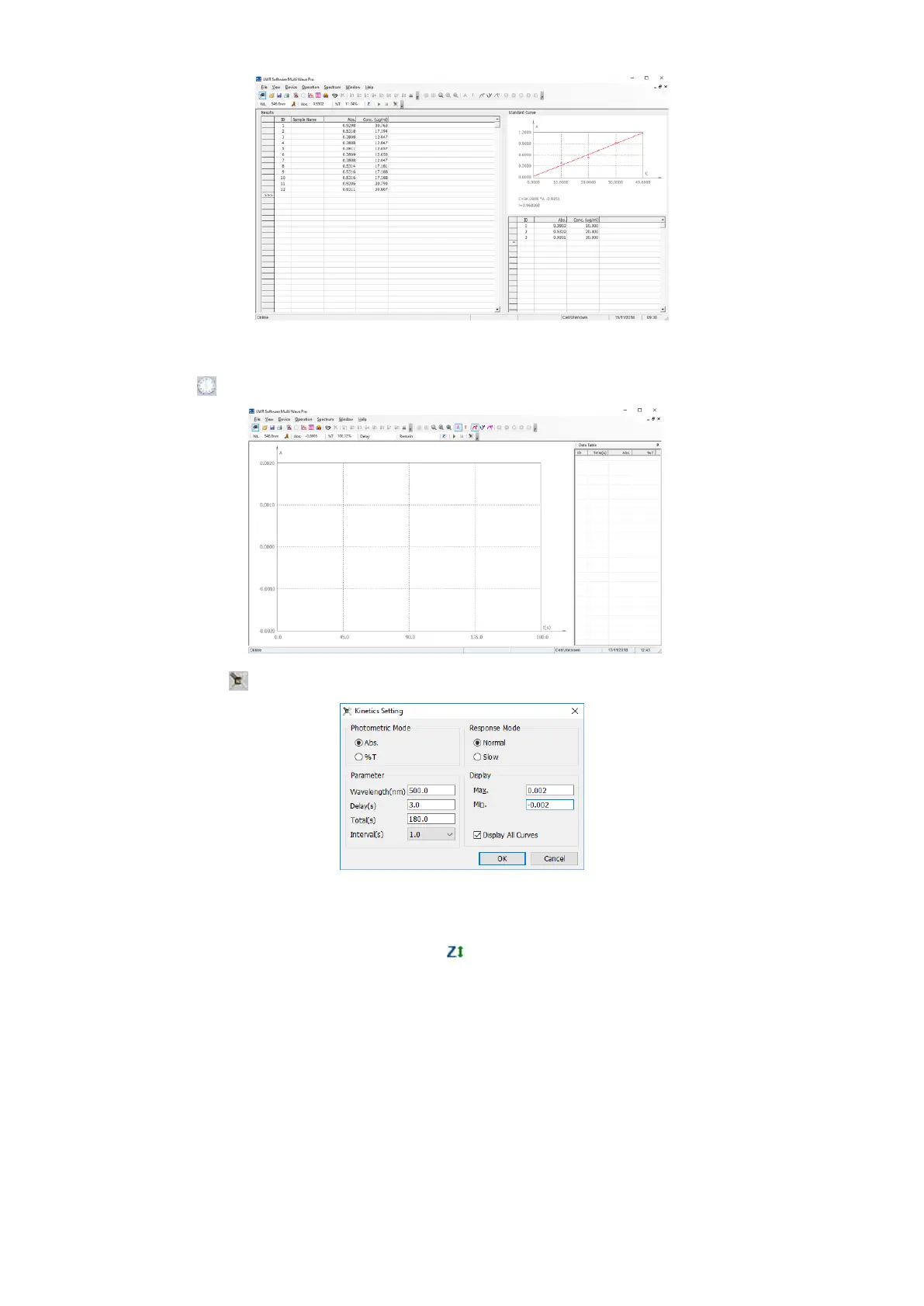
We will introduce how to measure a sample’s change over a selected period of time.
1. Click the icon to begin a new test of Kinetics;
2. Click the button of to set the parameters;
3. Choose Photometric Display Mode, input the Wavelength, Display Time, Total Time, Intervals, Responsible
Mode and Coordinates Values;
4. Click OK to finish and exit setting;
5. Pull the reference into the light path and click icon in the Tool Bar to do blank.
6. Pull the sample into the light path and click the button of to begin the test.You can click icon in the Tools Bar to
cancel at any time.



 To Next Page