Operating
Instructions
Read all the safety instructions and the pre start
up section of this manual and the engine manual
before operating the Dingo.
DINGO K94 - SERIES I, II, III Revision 1.3 September 2020
Page 11
Caution
- Do not operate any of the control
levers (including auxiliary lever) unless you are
standing with both feet on the platform and firmly
holding the grip handles.
IMPORTANT! Ensure the auxiliary hydraulic
lever is in the centre position before attempting
to start engine. The most common cause of „hard
to start/engine, will not turn over fast enough,
battery does not have enough power‟ type starting
problems is that the auxiliary lever has been left on
or knocked into gear and the engine is trying to
start under load.
Control Panel / Levers
Key Switch
The key switch, used to start the engine, var-ies
on petrol and diesel models. Check engine
manufacturer's manual for starting instructions.
To shut engine off, rotate key to OFF position
(counter clockwise direction).
Throttle
Move control forward to increase engine speed
and rearward to decrease engine speed.
Choke
For instructions regarding use of the choke (pet-rol
models) refer to the engine manufacturer's manual.
Drive Control Levers
To go forward, slowly push the right and left
drive control levers forward.
To go backward, slowly pull the right and left
drive control levers backward.
To go straight, apply equal pressure to both
drive control lever
To turn, decrease pressure on the drive control
lever closest to the direction you want to turn. The
farther you move the drive control levers in either
direction, the faster the machine will move in that
direction.
To slow or stop, move or release the drive control levers into
neutral. (If released the control levers will automatically
return to neutral).
Attachment Tilt Lever
To tilt/crowd attachment forward, slowly push the
tilt lever forward.
To tilt attachment backward, slowly pull the tilt
lever backward.
Loader Arms Lever
To lower Dingo arms, slowly push arm lever
forward.
To raise Dingo arms, slowly pull arms lever
backward.
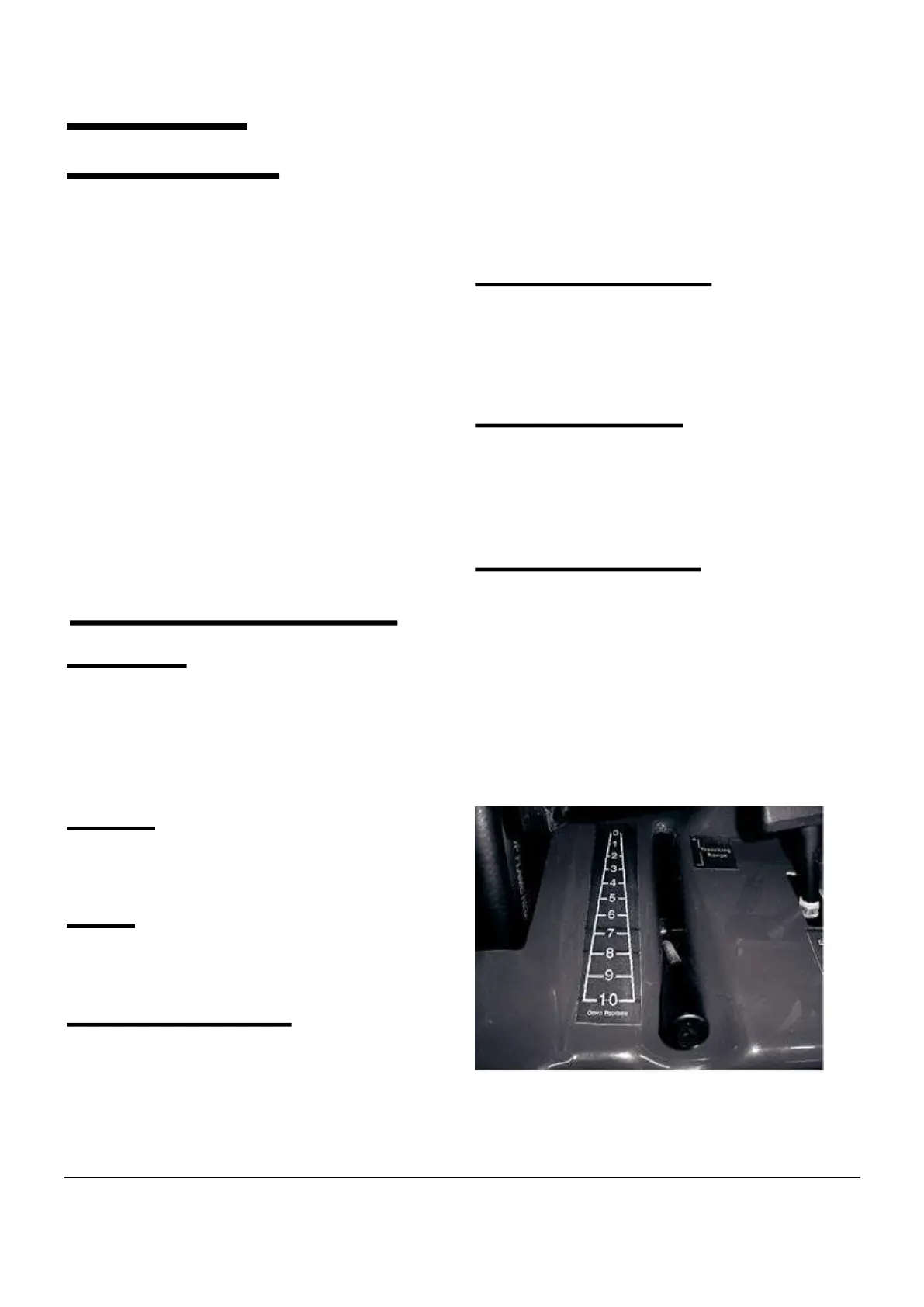
Flow Divider Control
In its normal operating position no flow division is
taking place. Moving the lever forward diverts oil
flow to the attachment and less is available to the
Dingo wheels and arms. This allows for greater
concentration of power where it is needed most.
The flow divider is mainly used for
trenching, rotary hoeing and stump grinding
where it is important for the attachment to
have as much power as possible and ground
speed is not important.


 To Next Page