11
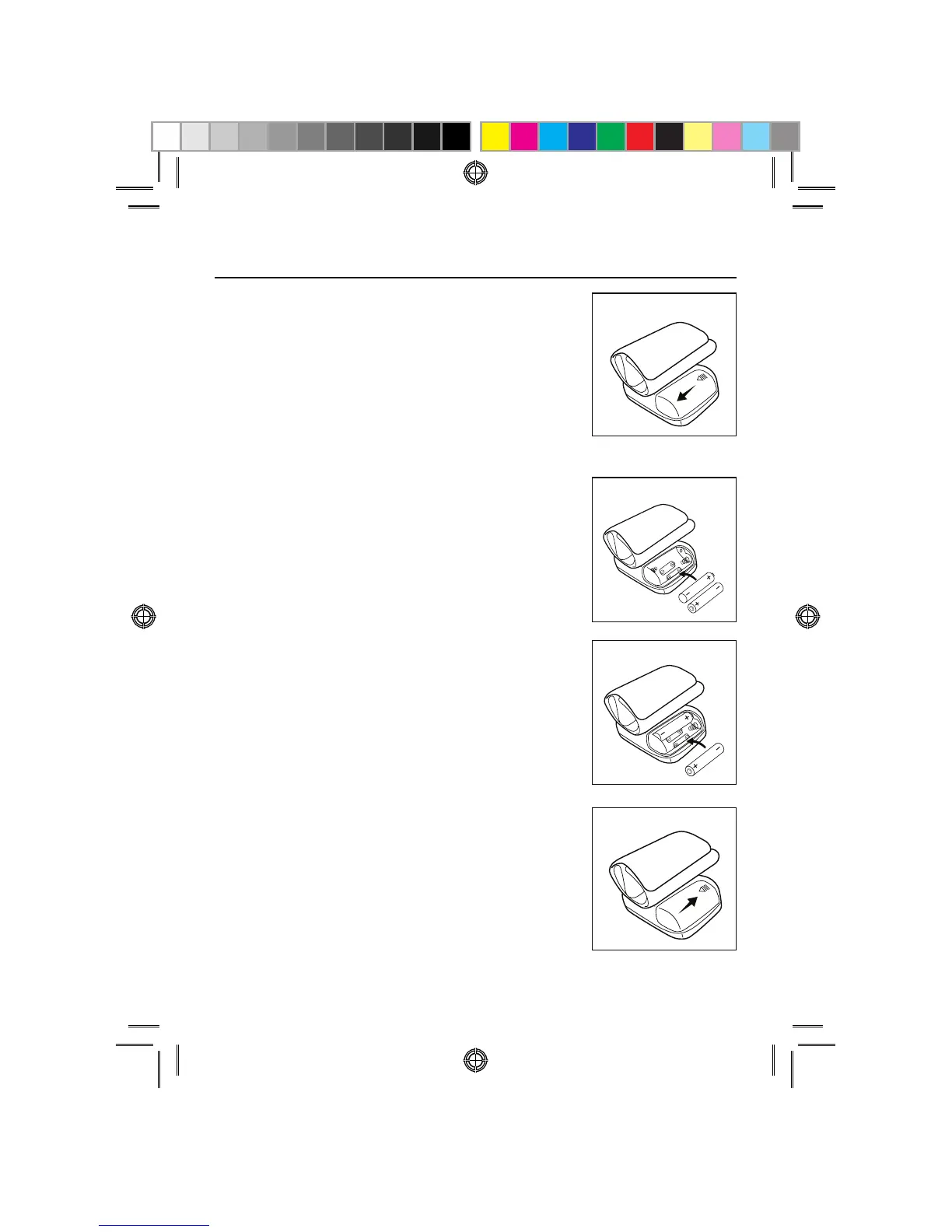
INSTALLING BATTERIES
5IFCBUUFSZDPWFSJTMPDBUFEBMPOHUIF
side of the monitor. Remove battery
cover by pressing down and pulling
away from the monitor.
*OTUBMMCBUUFSJFTBDDPSEJOHUPUIF
polarity indications inside the
DPNQBSUNFOUBTTIPXOJOGJHVSF
Battery Type: 2 Alkaline LR03
“AAA” size
*OTFSUUIFPUIFSCBUUFSZBDDPSEJOH
to the polarity indications inside the
DPNQBSUNFOUBTTIPXOJOGJHVSF
3FQMBDFUIFDPWFSCZJOTFSUJOHJU
back into place.



 To Next Page