BXTR6438
Trailer Wood Chipper
Controls
27
4.8 Display Screens
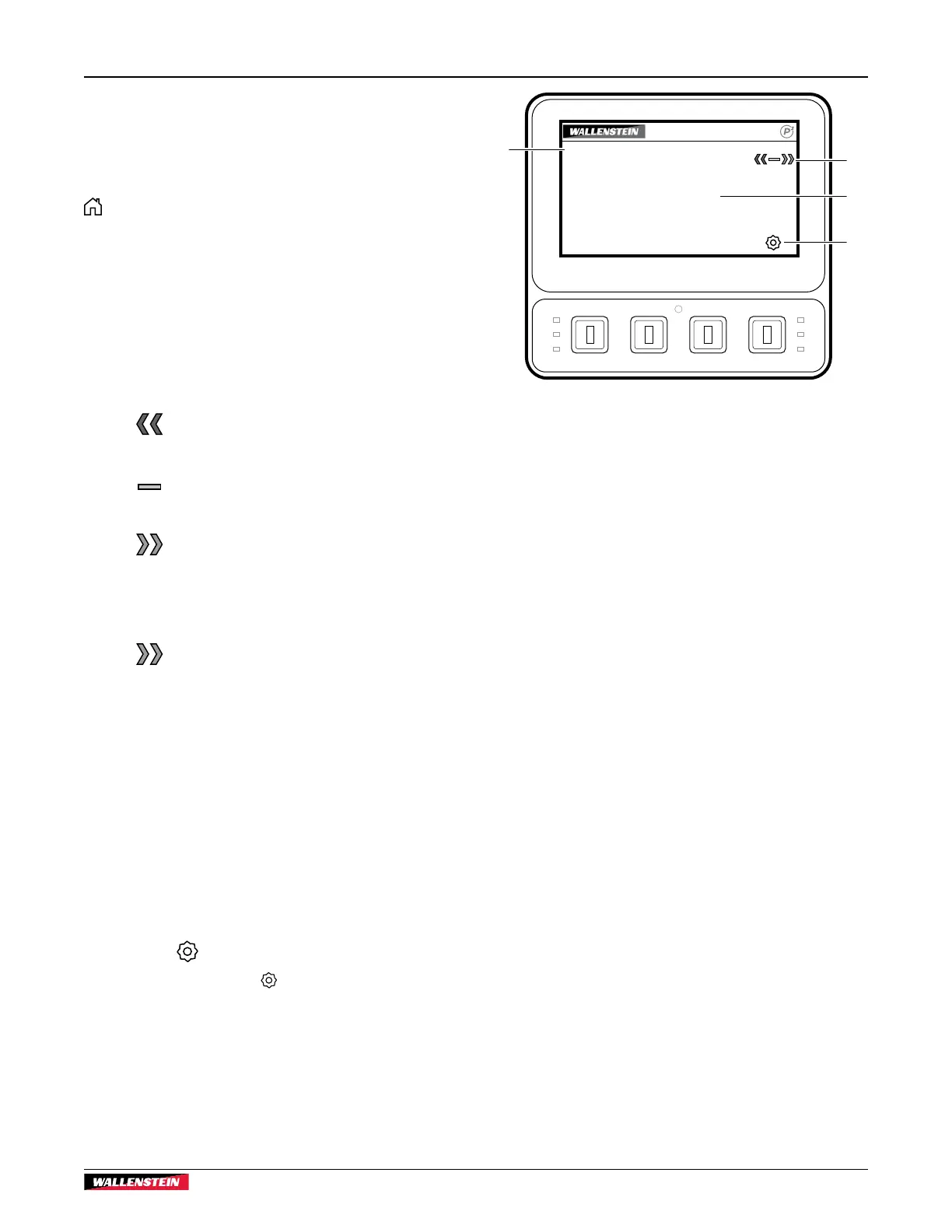
Main screen
The Main screen is the default screen that is displayed when the
ignition key is in the ON position. Pressing the soft key below
Home on any screen opens the Main screen.
If the display is left unattended (approximately 60 seconds), the
system returns to the Main screen.
The Main screen displays:
1. Feed Position
Feed roller drive position is displayed with colored icons to
indicate direction.
REVERSE
REVERSE (red arrows) – feed rollers are
reversing. Material in the rollers is pulled
back, away from the rotor.
NEUTRAL
NEUTRAL (amber) – feed rollers are
stopped.
FORWARD
FORWARD (green arrows) – feed rollers
are going forward. Material in the rollers is
pushed into the rotor.
LOW RPM
LOW RPM (green arrows) – with the feed
control bar in Forward, the feed rollers
are not moving because rotor rpm is
too low for chipping. When the engine
speed increases above the minimum start
speed and the feed rollers start to move,
FORWARD is displayed.
2. Rotor Speed (rpm)
Displays the speed (revolutions per minute) the rotor is
turning. A value of 0000 indicates the rotor is not turning.
3. Hours
Counts the total operating hours of the rotor. (Engine hours
are displayed on the hour meter beside the ignition key. Use
the engine hours as a service interval guide.)
4. Settings
Press the soft key below Settings to open the Settings
Menu screen.
0:00 HOURS
ROTOR SPEED
FEED POSITION
NEUTRAL
RPM
0000
1
2
3
4
Fig. 16 – Main screen


 To Next Page