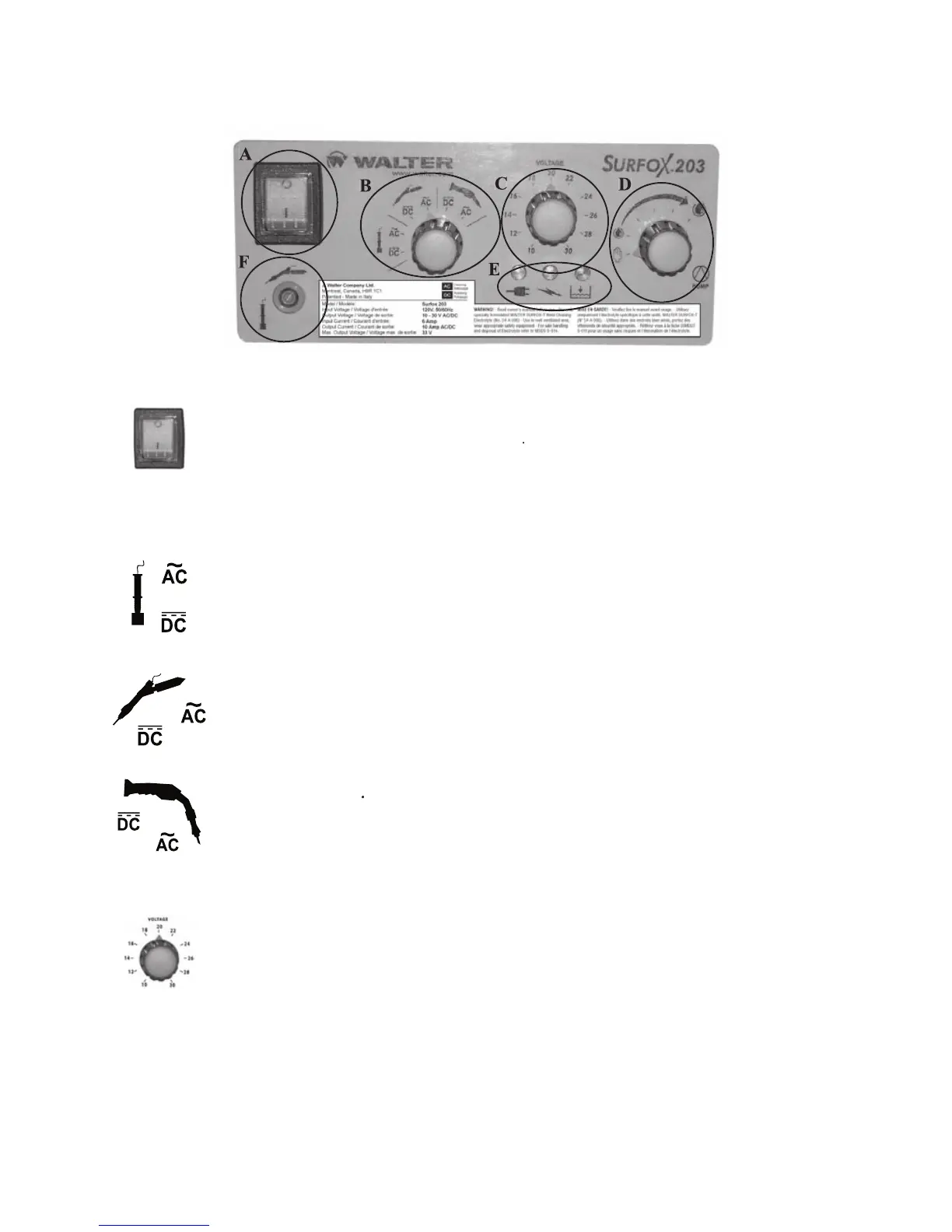
Turns the main power to the unit
Select this setting when using a Marking Wand which has been
plugged into the accessory outlet. Select AC for stainless steel and DC for aluminum.
Select this setting when using the Mini Wand which has been plugged into
the accessory outlet. Select AC for cleaning and DC for polishing.
Select this setting when using the Hand Wand attached to the Surfox unit.
Select AC for cleaning and DC for polishing.
C) VOLTAGE REGULATOR SWITCH
Select a lower voltage for cleaning on delicate surfaces (mirror finish).
Select a higher voltage for thicker plates. The selector controls the voltage for all outlets (except
the Marking Wand which is preset at 12 Volts when the wand selector is positioned for the
Marking Wand (either AC or DC)).


 To Next Page