VI - USING THE HAND WAND TO CLEAN AND PASSIVATE
VI - USING THE HAND WAND TO CLEAN AND PASSIVATE
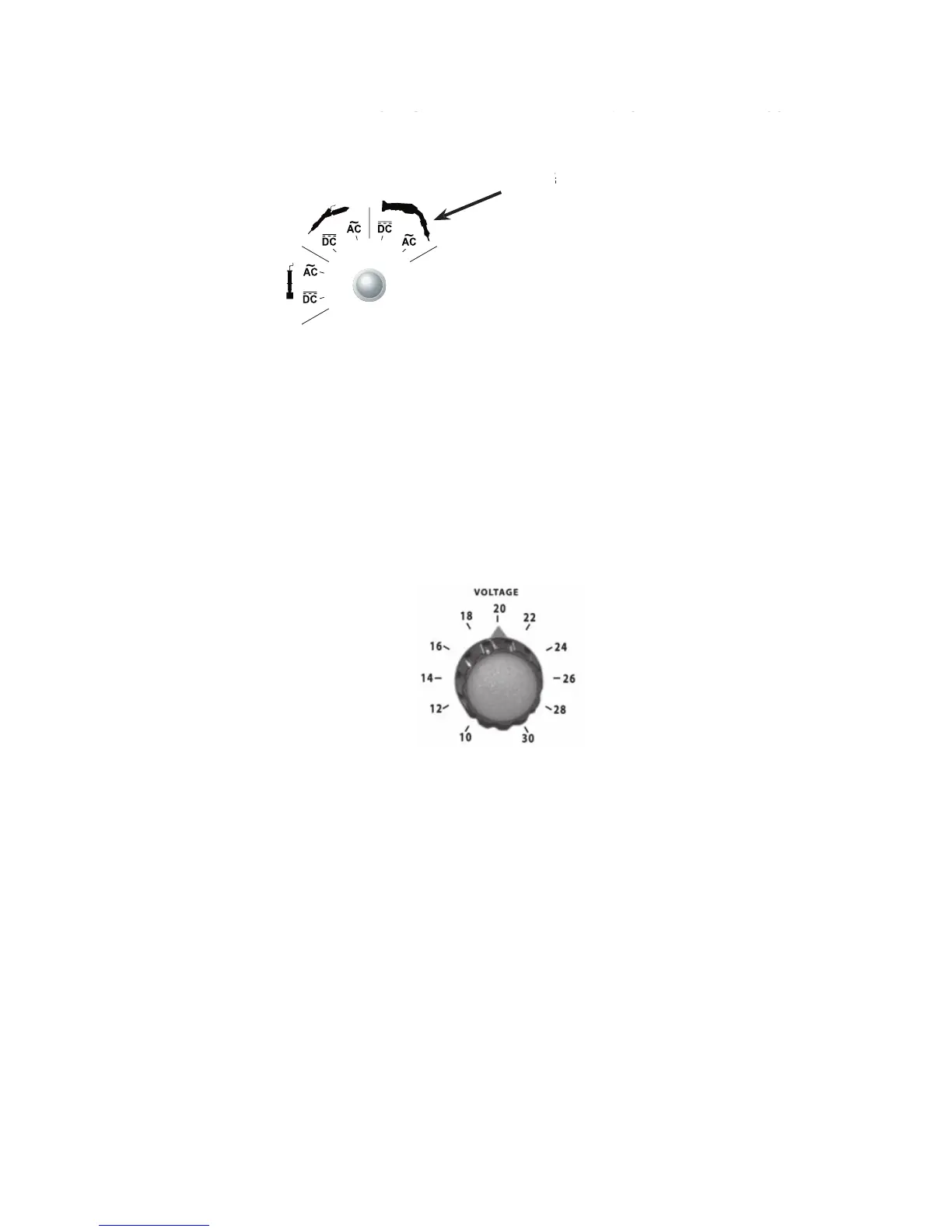
A) SELECTING THE PROPER MODE
B) SELECTING THE PROPER VOLTAGE TYPE, AC or DC
for cleaning and passivating the weld.
for cleaning, passivating and polishing the weld. The cleaning and passivating process takes longer in the
DC mode than in the AC mode.
DC mode is used to polish the weld bead to match the surface of the finish.
When using the polishing mode (DC), use plenty of Surfox-T solution.
C) SELECTING THE PROPER VOLTAGE SETTING
Recommended voltage settings:
AC mode for cleaning and passivating:
her voltage for mill finish parts or thick plates. When
working on delicate surfaces, mirror finish or very thin gauge, lower the voltage.
Example: Mill finish 14 gauge 26 volts
Polished finish 16 gauge 18 volts
Mirror finish 16 gauge 12 volts
If uncertain of the material type, start at a lower voltage and increase as necessary. If the
voltage is too high, it can alter the surface by leaving a white halo effect.
DC mode for cleaning, passivating and polishing:
igher voltage for mirror finish. When working on
mill finish parts, use a lower voltage.
Example: Mill finish 14 gauge 12 volts
Polished finish 16 gauge 18 volts
Mirror finish 16 gauge 28 volts
When using the DC setting,
the Surfox-T solution will become slightly yellow or darken.
VI - USING THE HAND WAND TO CLEAN AND PASSIVATE


 To Next Page