Waltron User Manual 101-016-B.3
3041 Silica Analyzer
5 USER INTERFACE
5.1 USER INSTRUCTIONS
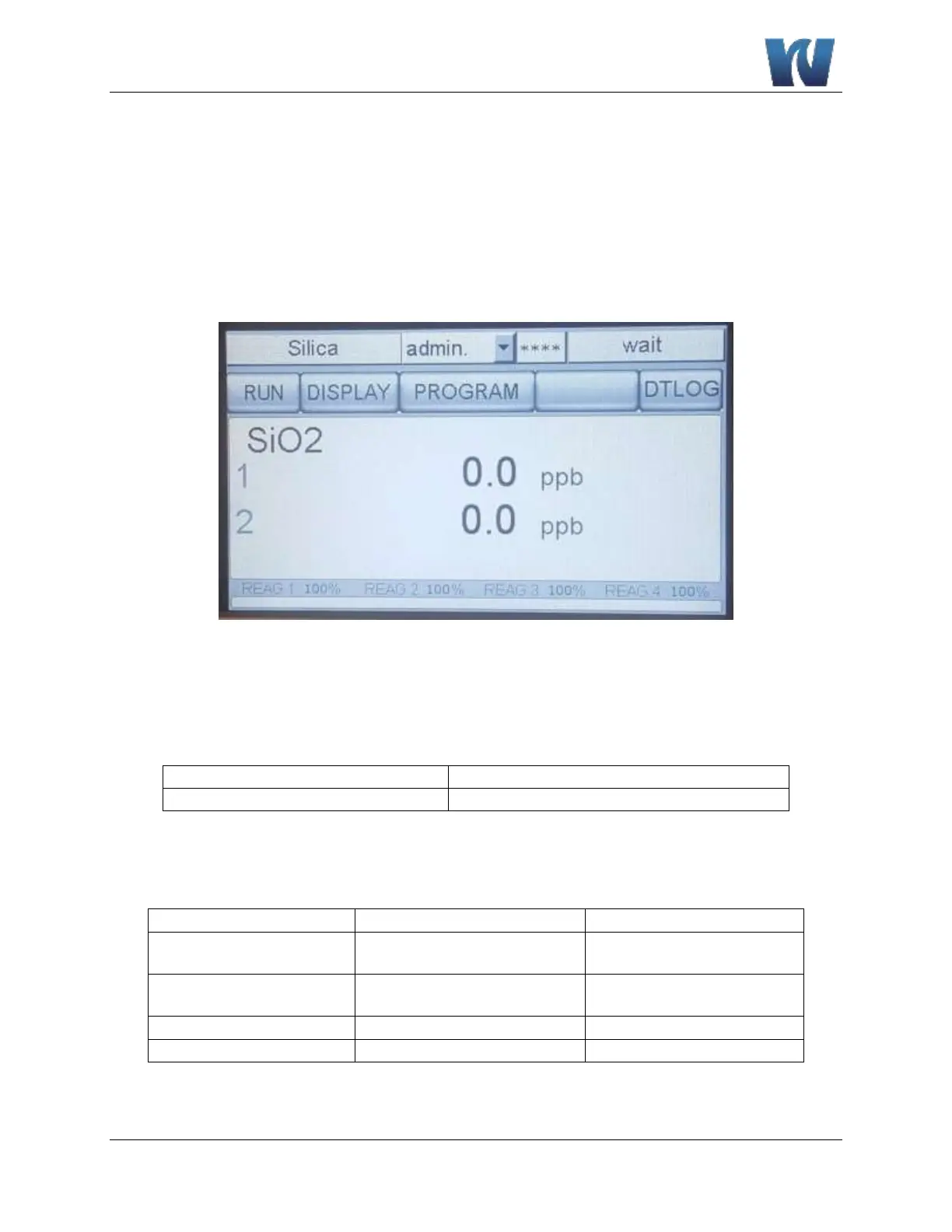
The user’s interface consists of the touchscreen located on the front panel of the analyzer
enclosure. All the input/output data, information, alarms and fault conditions are shown on the
display while all the commands and settings may be transferred to the analyzer simply pressing
the touchscreen buttons.
Figure 5.1: User interface main display screen.
5.2 USER PASSWORD
Table 5.1: User password.
First Level Password (service)
Second Level Password (admin.)
Table 5.2 shows the menus and sub-menus that are available based on which level of password is
input.
Table 5.2: Menu access level with password.
Display Menu – Manual Step
Program Menu – Analysis
Cycle
Display Menu – Display
process values
Program Menu – Calibration
Menu
Program Menu – Extra
Cycle


 To Next Page