Waltron User Manual 101-016-B.3
3041 Silica Analyzer
5.8 PROGRAM MENU
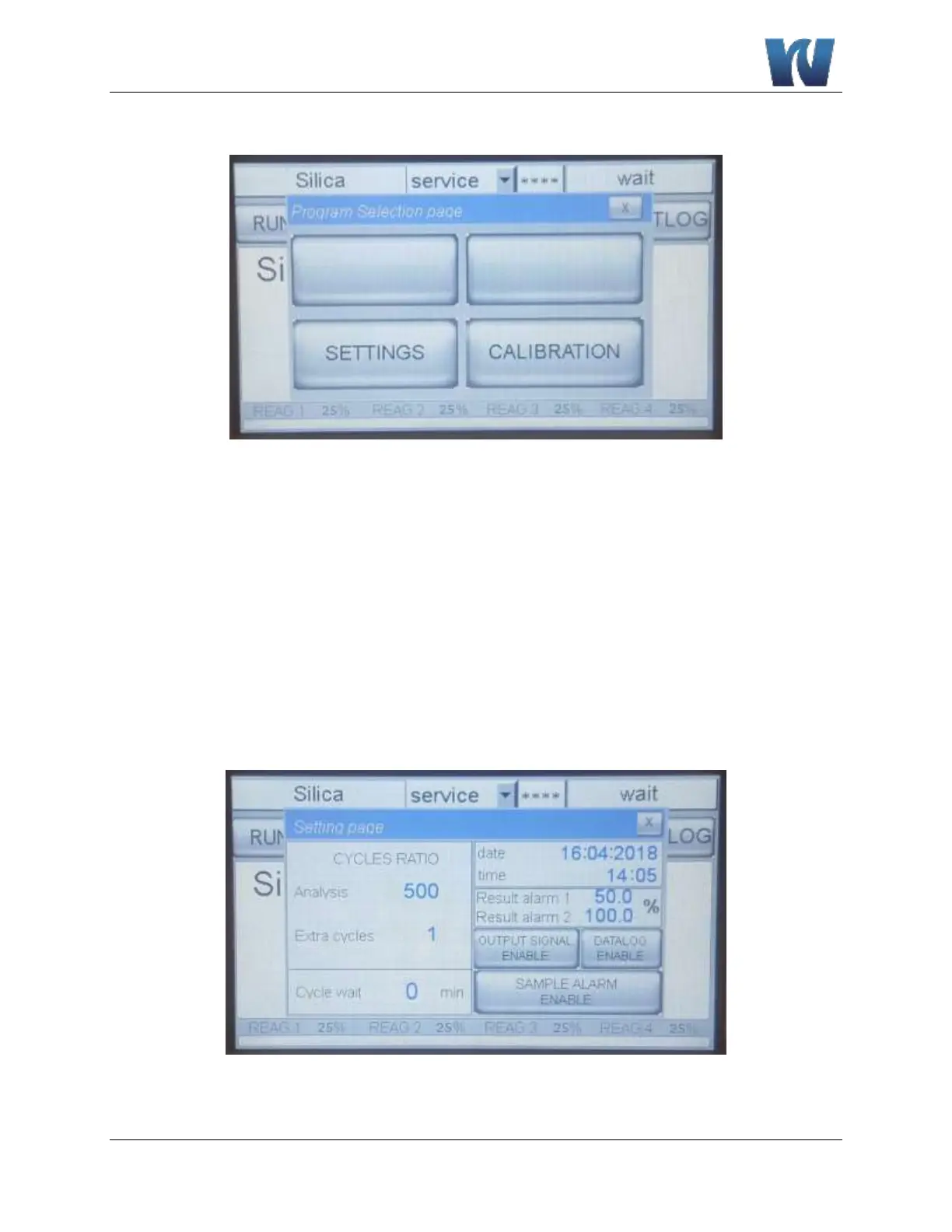
Figure 5.7: User interface after pressing the PROGRAM Menu.
The PROGRAM Menu allows access to the following operations:
SETTINGS:
Allows the user to set the ratio of the analysis cycles versus the extra cycles, the alarm value
(low or high) and to enable or disable the loss of sample alarm and the 4-20 mA output.
CALIBRATION MENU:
This function is protected with the 1st level of password. Allows the user to set the value of
the standard used for calibration and to perform blank and calibration cycles.
5.8.1 SETTINGS MENU
Figure 5.8: The SETTINGS Menu and options are displayed.


 To Next Page