EasyManua.ls Logo

Wang 5536 - Initial Power-Up

Default Icon
112 pages
Print Icon
To Next Page IconTo Next Page
To Previous Page IconTo Previous Page
Loading...
3402
o
Perform
a
careful
internal
inspection
of
the
unit.
Look
for
broken
or
shifted
boards
or
other
components,
and
wiring,
screws,
or
hardware
that
might
have
loosened
during
shipment.
Ensure
that
no
dirt
or
other
debris
exists
on
the
boards
or
other
electrical
connections.
Carefully
examine
the
fan
and
ensure
that
the
blades
turn
freely.
A
MALFUNCTION-
ING
FAN
MAY
CAUSE
OVERHEATING,
SERIOUSLY
DAMAGING
THIS
EQUIPMENT.
4.4
INSTALLATION
Th·Ls
section
describes
workstation
installation
procedures.
4.~.l
INITIAL
POWER-UP
o
Locate
the
POWER
switch
on
the
rear
panel
of
the
CRT
unit
and
ensure
that
the
switch
is
in
the
OFF
position.
o
Check
the
serial
tag
attached
to
the
workstation
power
cord.
Set
the
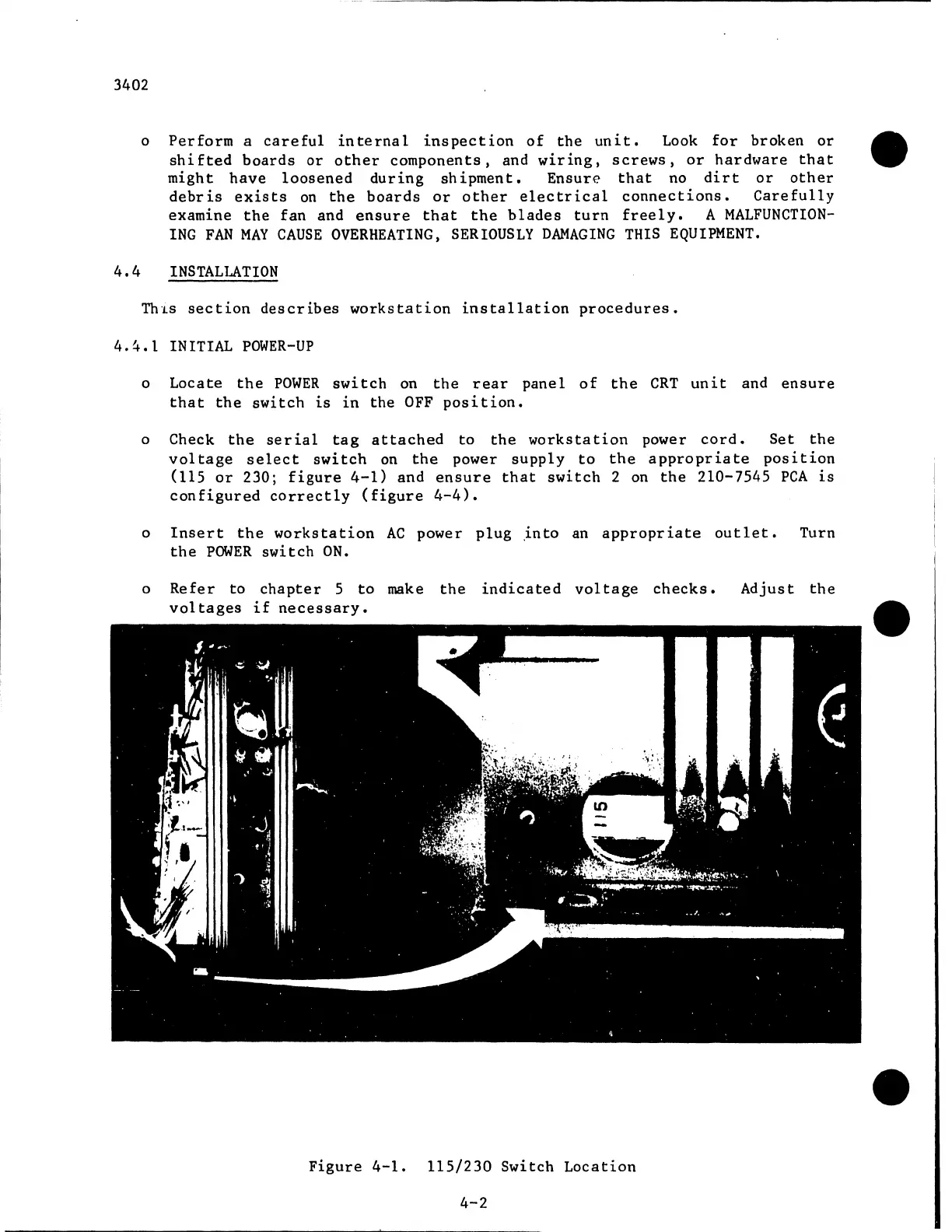
voltage
select
switch
on
the
power
supply
to
the
appropriate
position
(115
or
230;
figure
4-1)
and
ensure
that
switch
2 on
the
210-7545
PCA
is
configured
correctly
(figure
4-4).
o
Insert
the
workstation
AC
power
plug
.into
an
appropriate
outlet.
Turn
the
POWER
switch
ON.
o
Refer
to
chapter
5
to
make
the
indicated
voltage
checks.
Adjust
the
voltages
if
necessary.
Figure
4-1.
115/230
Switch
Location
4-2

Related product manuals