UNPACKING YOUR WANHAO DUPLICATOR
4/4x
--------------------------------------------------------------------------------------------------------------------------------------------
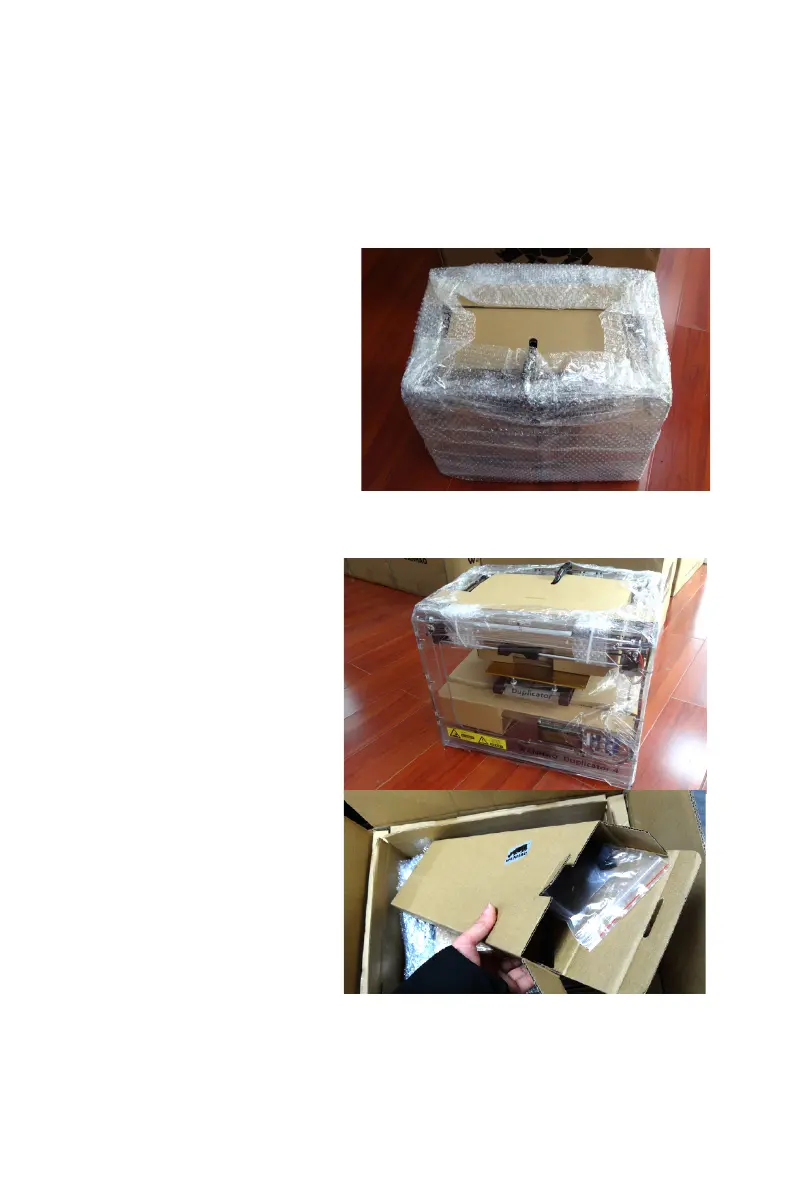
2. Removing the WANHAO Duplicator 4/4x from the Box
A.
Open the plastic covering and
firmly grasp the frame of the
WANHAO Duplicator 4/4x from
the outside. Lift it out of the
box and place it on a stable
surface.
NOTE: The black cable is not a
handle. Do not pull or twist the
black cable at any time.
3. Removing the Accessory Box
A.
Remove the two remaining
protective foam pieces
from the bottom of the
Duplicator 4/4x’s box.
B.
Pull out the accessory box.
This box contain the
remaining items from the
“What’s in the Box”section.
NOTE: Your WANHAO Duplicator 4/4x should now be fully unpacked.
We recommend that you keep the box and foam inserts in case you
need to transport your WANHAO Duplicator 4 in the future.
-----------------------------------------------------------------------------------------------------------------------------------------
--------
12
SETTING UP YOUR WANHAO DUPLICATOR 4/4x DESKTOP 3D PRINTER














 To Next Page