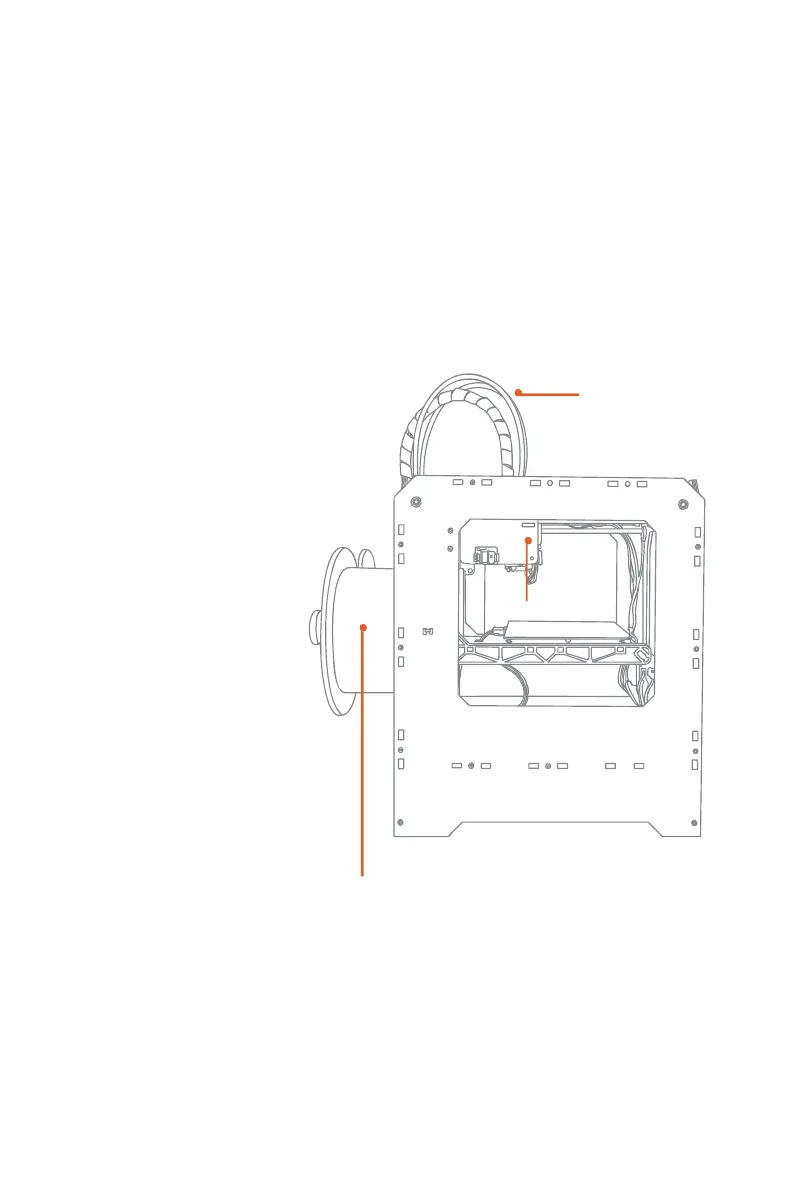
Loading PLA Filament
--------------------------------------------------------------------------------------------------------------------------------------------
When you have completed the initial leveling tasks, the LCD menu will display the
following text: “I am Ready”. Before building, youmust load the PLA Filament
into the extruder. The extruder will heat the PLA Filament and use the melted
material to build things.
*
What You Will Do
• Remove the end of the
filament guide tube
from the hole in the top
of the extruder.
• Feed the free end of the
PLA Filament from the
spool into the end of
the filament guide tube
where it attaches to the
back of the Printer
• Push the PLA Filament
all the way through the
filament guide tube.
• Wait for the PLA
Filament to heat and
extrude.
extruder
Filament
Guide Tube
Filament Spool
C
Startup process: leveling, loading , testing
24
------------------------------------------------------------------------------------------------------------------------------------------
--------














 To Next Page