Power Supply
ATTACHING POWER SUPPLY AND POWERING ON
--------------------------------------------------------------------------------------------------------------------------------------------
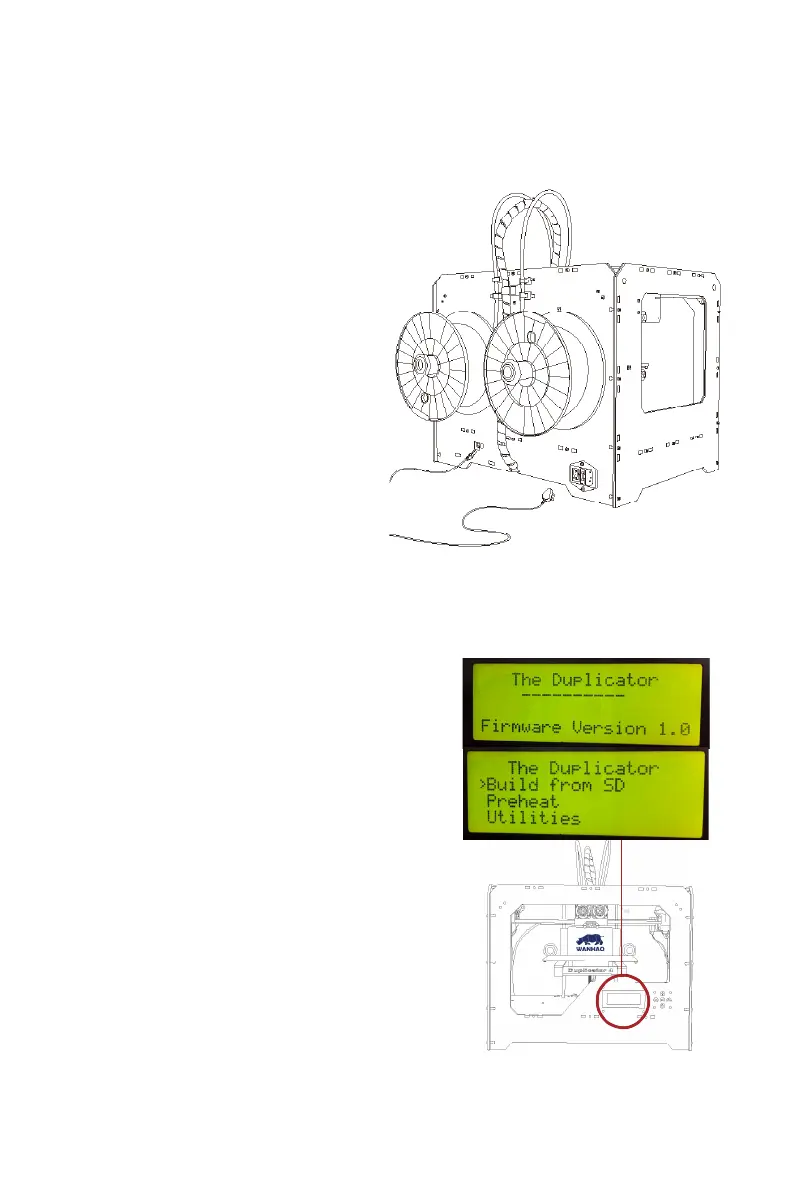
10. Attaching the Power Supply
A. Locate the power supply cable.
Attach the cable to the power supply.
B. Ensure that the power switch on the
WANHAO Duplicator 4/4x is set to
the OFF position.
C. Insert the power supply connector
into the power input on the back
of the Duplicator 4/4x.
Ensure that the flat side of the
connector faces down.
11. Powering On the WANHAO Duplicator 4/4x
A.
Plug the AC power cord into an
electrical outlet.
B.
Set the power switch to the ON
position.
C.
The WANHAO Duplicator 4/4x will
display The Duplicator text on the LCD
panel. This is the beginning of
the startup script that will guide
you through initial calibration
and your first build.
NOTE: The socket-outlet shall be installed
near the equipment and shall be easily
accessible.
------------------------------------------------------------------------------------------------------------------------------------------
--------
16SETTING UP YOUR WANHAO DUPLICATOR 4/4x DESKTOP 3D PRINTER














 To Next Page