E
How to install D8
Procedure
1.0
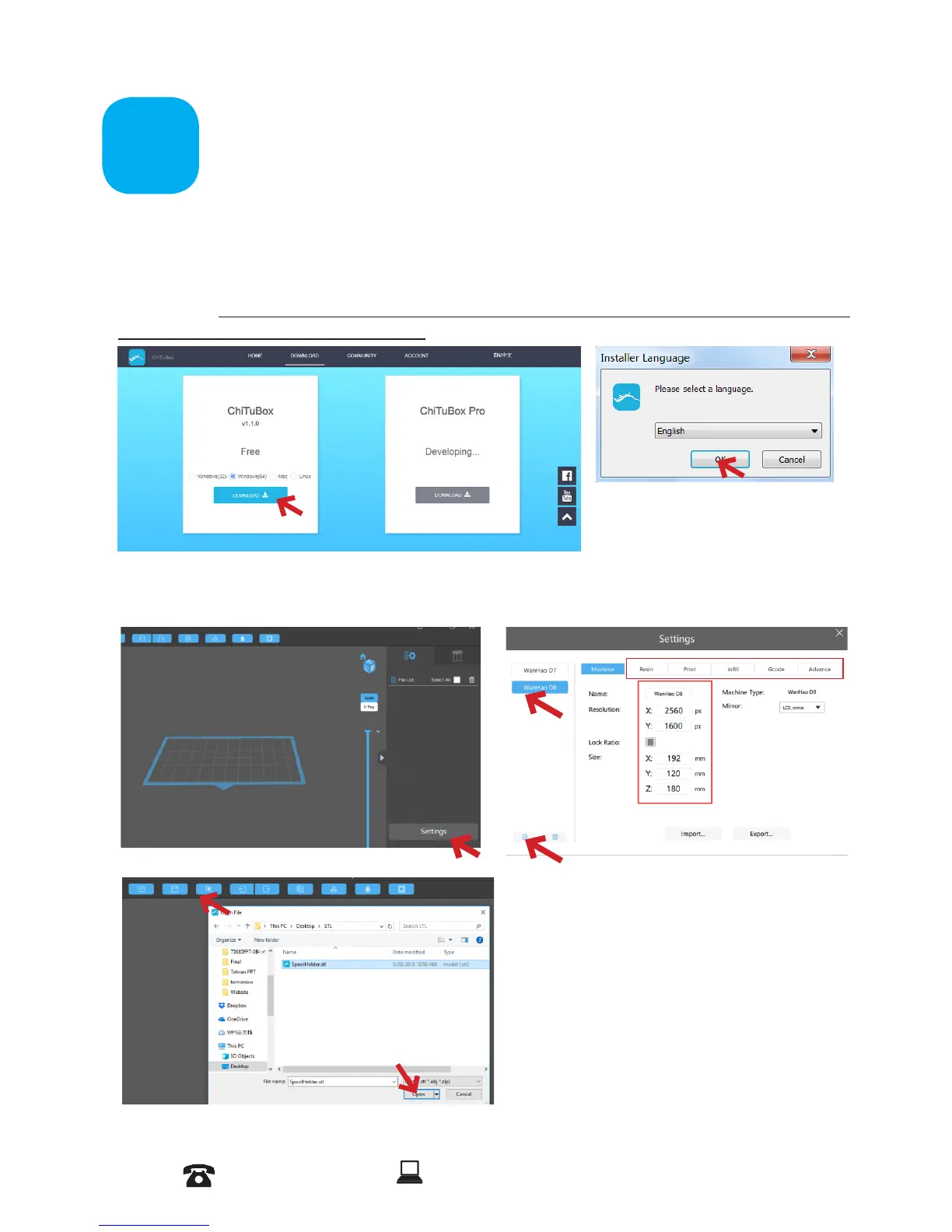
Download the Chitu software from the link below based on your
PC System.
https://www.chitubox.com/download.html?fbclid=IwAR3Jn2D91b42PjfRIIKMezmtvTTCIW
u7ne88i_KXEofp7ryCGL6Z0M7FT9Y
AFTER SALES SUPPORT
86-571-23290996
support@wanhao3dprinter.com
Model : Duplicator 8 MARK I
12
Follow up with steps
and Install the software.
2.1
Click on Setting and choose D8 printer and click on OK. D8 printer Displays and
settings are pre congured. Based on the model and your preferences you can modify
setting in these menus.
2.2
Load a model on the platform.














 To Next Page