CURA WANHAO EDITION USER MANUEL REV.B 17 / 23
outside of your object. If you go too fast compared to your inner and outer shells, you can have
adhesion issues or globs of filament left behind from the print head.
Outer Shell Speed
This will be the outermost surface of the model. This is the most important setting, as it controls
the speed of your print head on the visible layers. As a general rule of thumb, the slower you go
the better looking print you will get.
Inner Shell Speed
This affects vertical walls that are in between the outer shell and infill. This will not be visible but
will help support the outer shell and the infill. Were commend keeping this speed setting
between your infill and your outer shell speed.
Minimal Layer Time
This will determine a minimum amount of time your printer will spend laying down each layer. If
your layer print time falls below this your printer will automatically slow down to reach this time
before moving onto the next layer. Tweaking this can help get cleaner, crisper prints.
Enable Cooling Fan
Enables operation of your extruder’s active cooling fan. The fan settings can be adjusted in the
Expert Settings options.
1.10 Plugins
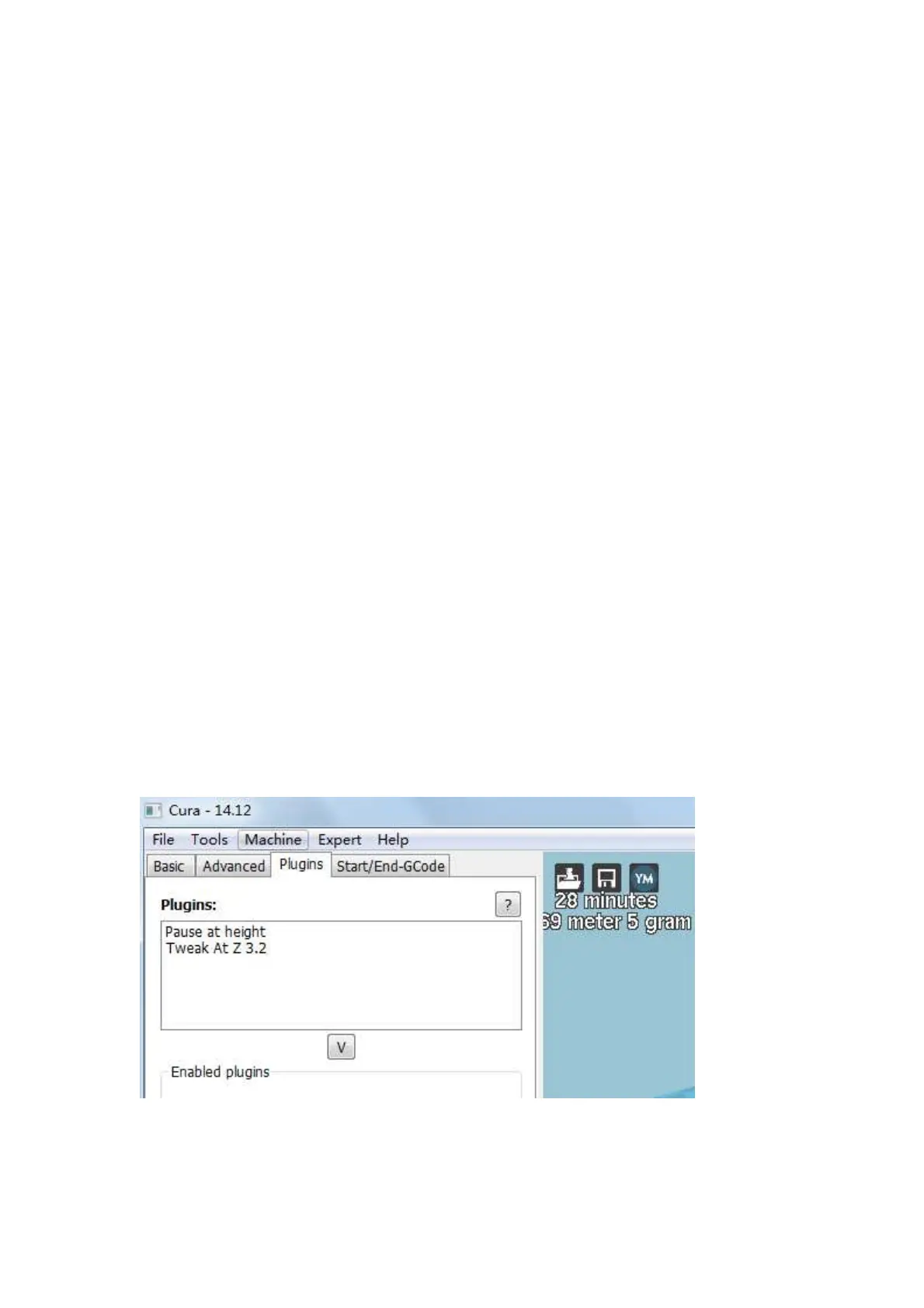
Plugins are custom settings which will alter your print at specific points. The two that come
pre-loaded with Cura are Tweak at Z, and Pause at Height. More plugins and information can be
found here: http://wiki.ultimaker.com/Category:CuraPlugin To activate one of these highlight the
desired plugin and click the drop-down arrow directly below the Plugins box.
Figure 1.20: View of Plugins
Tweak at Z















 To Next Page