WL2FLT Manual Page 32 – Revision 10-26-2021
2. Connect WL2FLT Water Treatment System to power.
NOTE: Filters should not be flushed prior to 24 hours before installation to limit
Microbial Growth
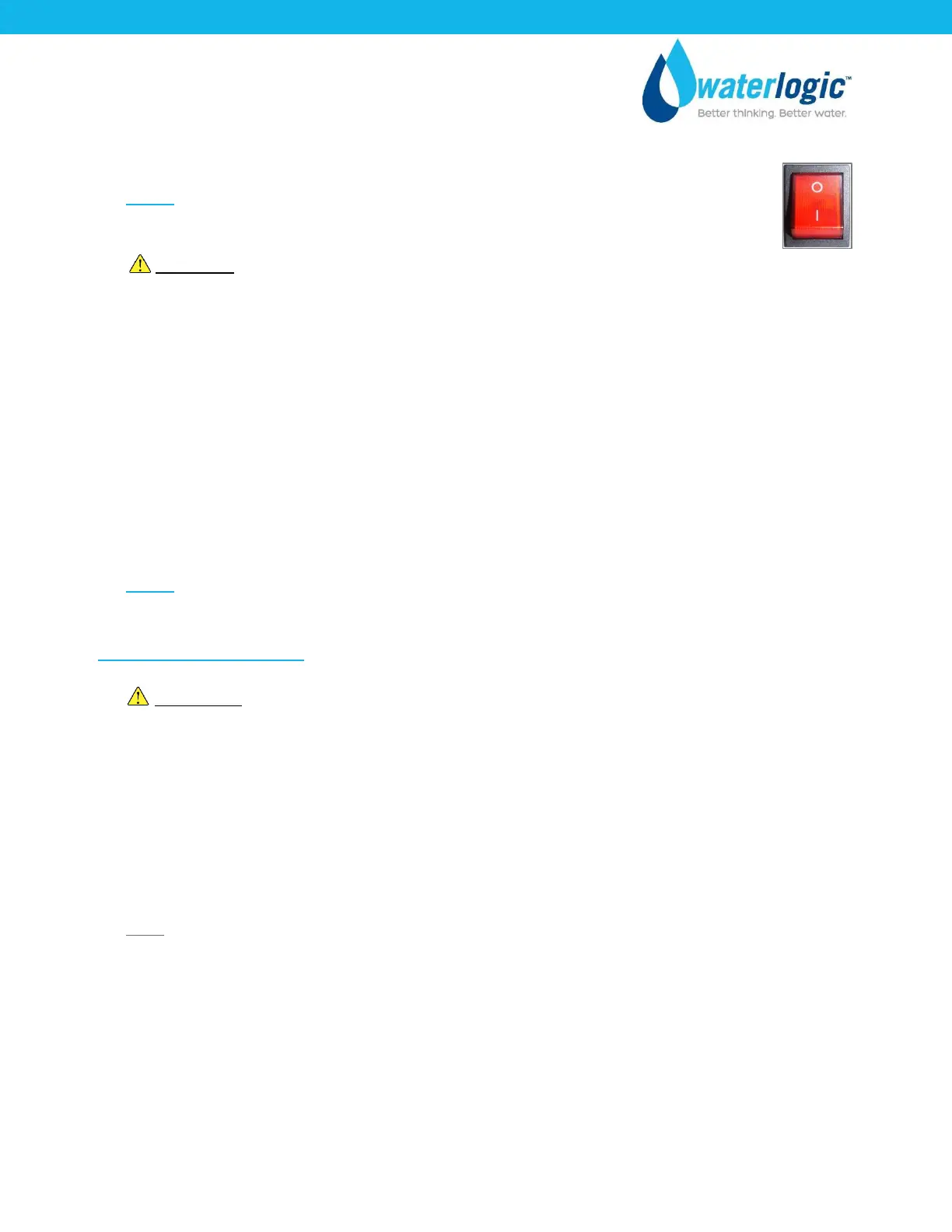
CAUTION! NEVER TURN ON HEATER BEFORE FILLING HOT TANK.
Red Heater & Compressor Switch must be in the O=OFF position while the hot
tank is empty. Damage could occur within one minute and the overload (high
limit) will require manual reset if heater is turned on with an empty hot tank.
O=OFF
3. Flush thoroughly per filter manufacturers’ recommendation with fresh water to drain. Flush 2
gallons of water through both the GAC and the CBC filters separately, isolated from the RO
system. Reinstall the filters.
4. Disconnect product water line and route to drain. Flush the entire RO system for 1 hour, running
both product and reject water to drain.
NOTE: Filters should not be flushed prior to 24 hours before installation to limit Microbial
Growth.
UV System Functional Test
WARNING! ULTRAVIOLET RADIATION. Protect your skin and eyes against ultraviolet rays.
Never look directly at an operating UV light. Disconnect wiring before removing.
5. Remove UV Firewall™ Lamp from Firewall™ housing. Remove Top Cover from Firewall™ housing.
Carefully remove Quartz Spiral from Firewall™ Housing and inspect for cracks or other damage.
Reinsert Quartz Spiral, replace Top Cover of Housing. Inspect UV lamp and reinsert into Housing.
6. Press dispensing button and check for blue glow from top of Firewall™ Housing and at Faucet
dispensing area to ensure UV lamp is operational.
Note: UV Lamp Sensor is temperature sensitive. During extended periods of use, especially when
filling or draining the unit, when water is not being dispensed UV lamp sensor can overheat
initiating a UV fault. If this occurs turn off unit for 5 minutes and allow sensor to cool before
resuming operation
7. Disconnect UV lamp to test UV lamp sensor operation. Unit should alarm and green indication
LED on front of unit should flash.
8. Disconnect power to WL2FLT Water Treatment System.
9. Reconnect UV lamp.



 To Next Page