Column trough
APH inlet tubing
Fluidics compartment door hinge
6. Loosen the #2 locking cap nut on the APH before assembling the column or in-line filter.
Note: For instructions on how to install the column in-line filter, see Installation
recommendations for fittings.
7. Connect the column assembly to the APH.
Note: For installation instructions, see Dual threaded fitting with locking cap nut.
8. Connect the column outlet tubing into the column.
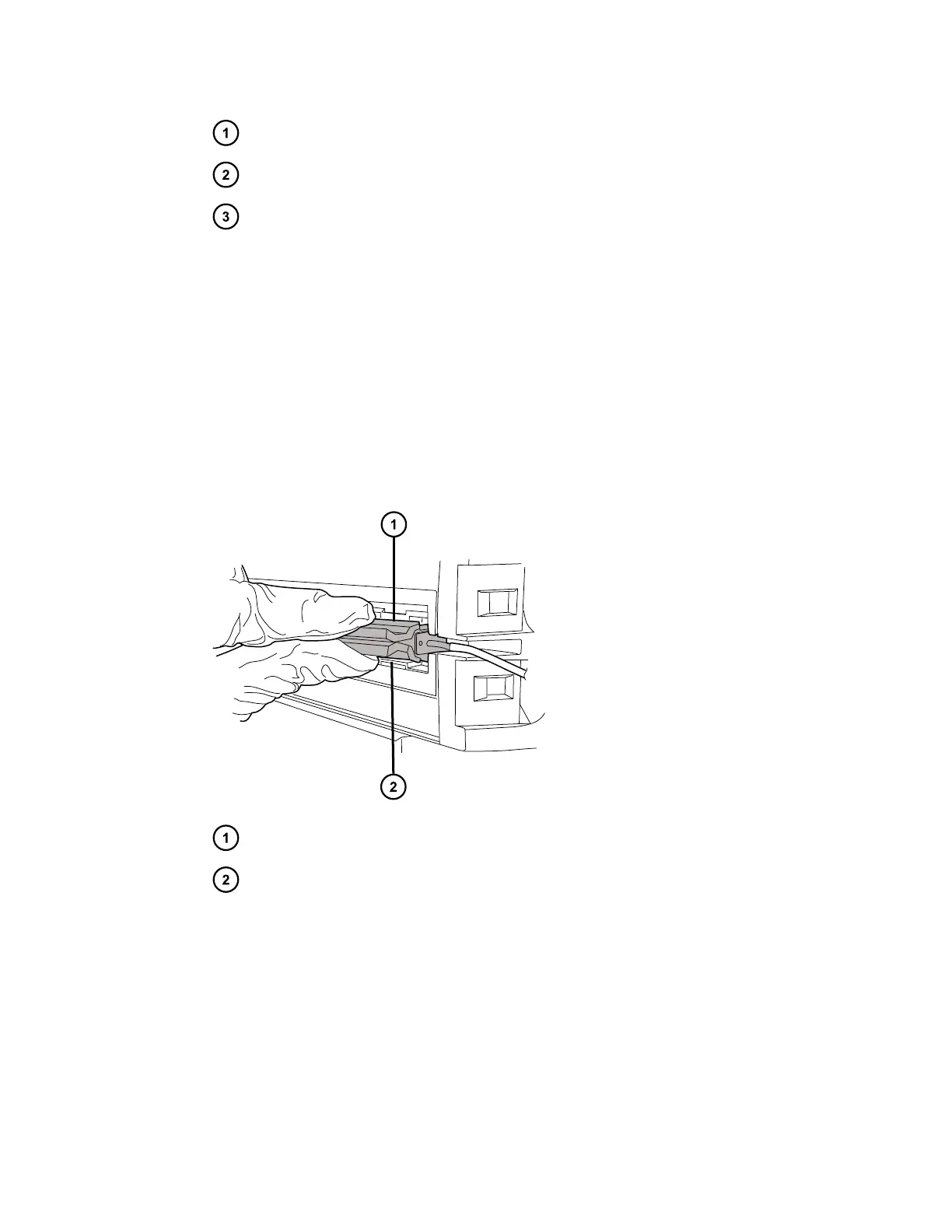
9. Insert the APH assembly into the APH retainer clip and push the column assembly into the
trough.
Figure 2–36: Inserting the APH assembly into the retainer clip
APH assembly
APH retainer clip
10. Close the column compartment door and ensure that the door is clasped shut.
Important: Before operating the column manager with active preheating, verify that the
column preheater setting in the console is set to Active. For instructions, see Specifying
the preheater setting.
December 4, 2019, 715005052 Version 02 (previously released as Rev.B)
Page 52



 To Next Page