30
If checked, a header value of “Body: “ will be included in front of the Body: address value in the message
delivered by the system.
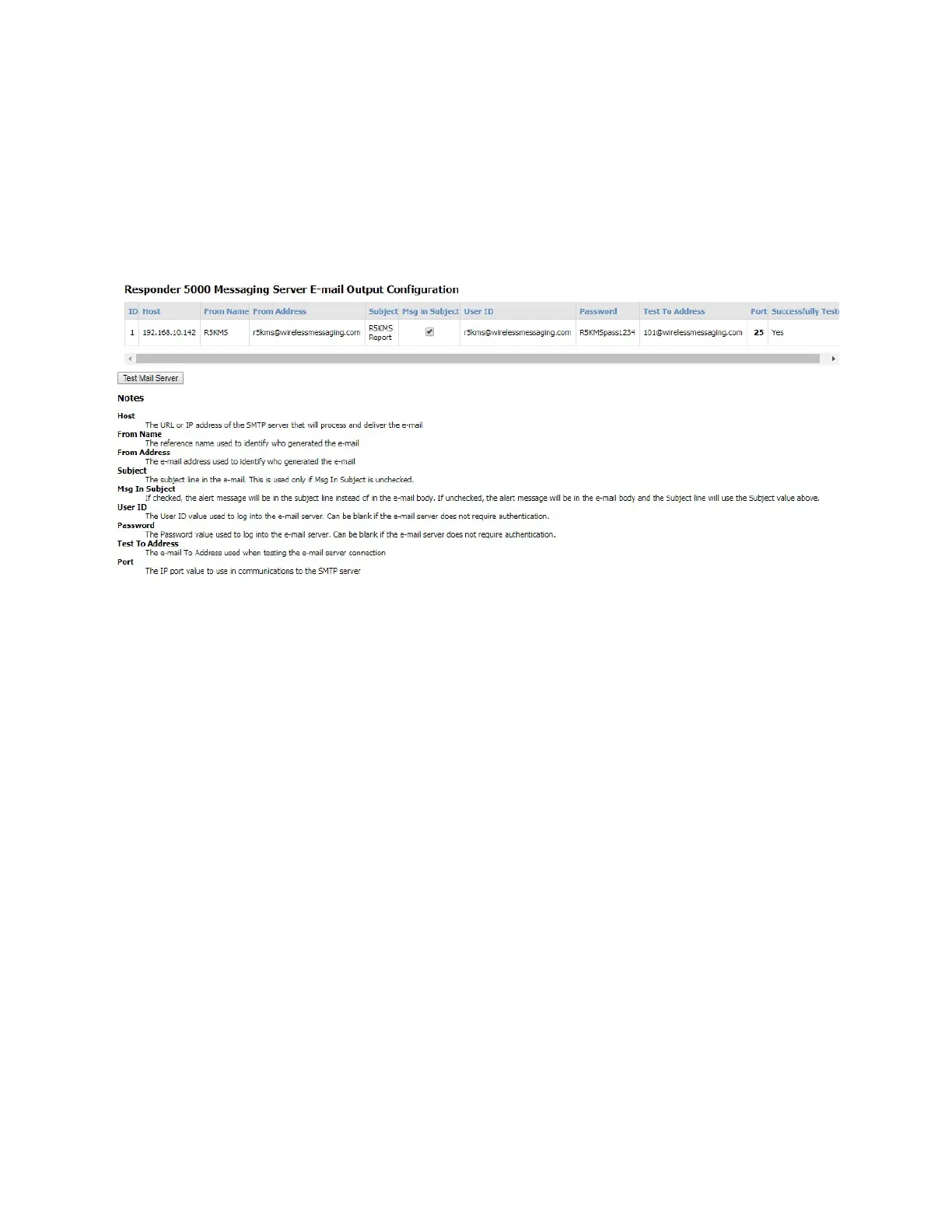
E-mail Output
The E-mail Output page allows configuration of how e-mail output processing should be performed.
This is required only if you have enabled SMTP protocol on a Data Output, you have scheduled Reports,
or you intend to e-mail user generated reports.
Figure 9 - E-mail Output Configuration
Host
The URL or IP address of the SMTP server that will process and deliver the e-mail
From Name
The reference name used to identify who generated the e-mail, e.g. RMS
From Address
The e-mail address used to identify who generated the e-mail, e.g. RMS@somewhere.com
Subject
The subject line in the e-mail. This is used only if Msg In Subject is unchecked
Msg In Subject
If checked, the alert message will be in the subject line instead of in the e-mail body. If unchecked, the
alert message will be in the e-mail body and the Subject line will use the Subject value above.
User ID
The User ID value used to log into the e-mail server. Can be blank if the e-mail server does not require
authentication



 To Next Page