32
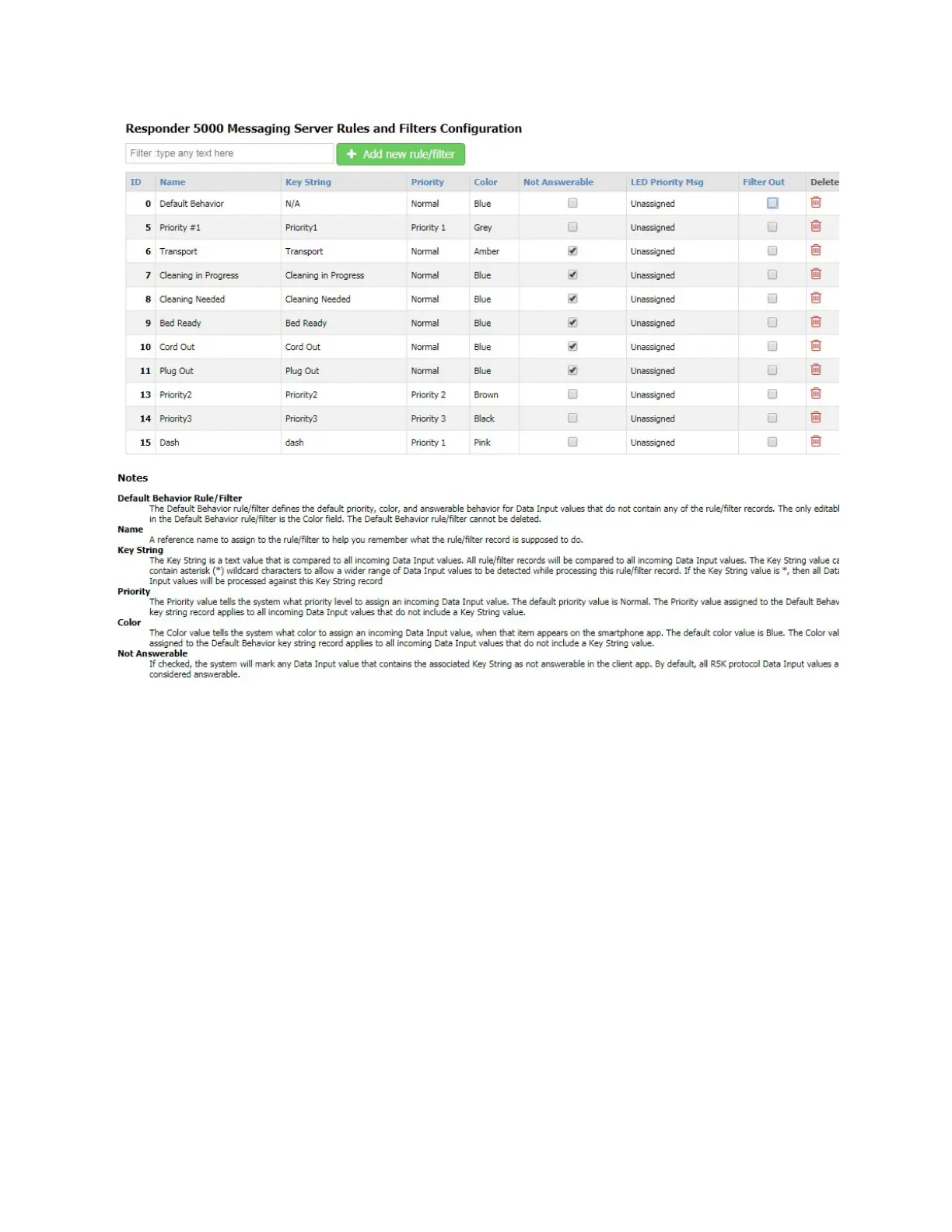
Figure 10 - Rules and Filters Configuration
Filter
The Filter field allows you to search the grid for any text value. The grid auto-adjusts to show you
records that contain the filter value. To clear the filter, remove the filter text, press the Enter key when
the cursor is in a blank Filter field, or refresh the page.
Add new rule/filter
The Add new rule/filter button allows you to create a new record. To create a new record, click the Add
new key string button.
Default Behavior rule/filter
The Default Behavior rule/filter defines the default priority, color, and answerable behavior for Data
Input values that do not contain any of the rule/filter records. The only editable field in the Default
Behavior rule/filter is the Color field. The Default Behavior rule/filter cannot be deleted.



 To Next Page