75
Priority
Checked if any alerts generated by this sensor associated with this Text Input Alert message should be
automatically marked as priority.
Audio File
The audio file assigned to the sensor. The audio file will be played by the either the audio file to two
way radio interface device or in a Digital Alert Viewer in either a desktop browser or on a digital TV
screen. Default is Unassigned. Audio files are configured in the Outputs/Audio Files section.
MNS Msg
The priority message to be used for mass notification, including being displayed on all LED Displays
connected to the system, if the associated alert is activated. Default is Unassigned. Once the alert is
completed, the priority message will be removed from all LED Displays. Note that any MNS Msg defined
here can be overridden by any defined within the Rules and Filters section.
Delete
If the Delete function fails, it is probably caused by the existence of associated Zones/ Text Input
Alerts
records, which should be removed first before the deletion can be successful.
Alert Recipients
User Accounts
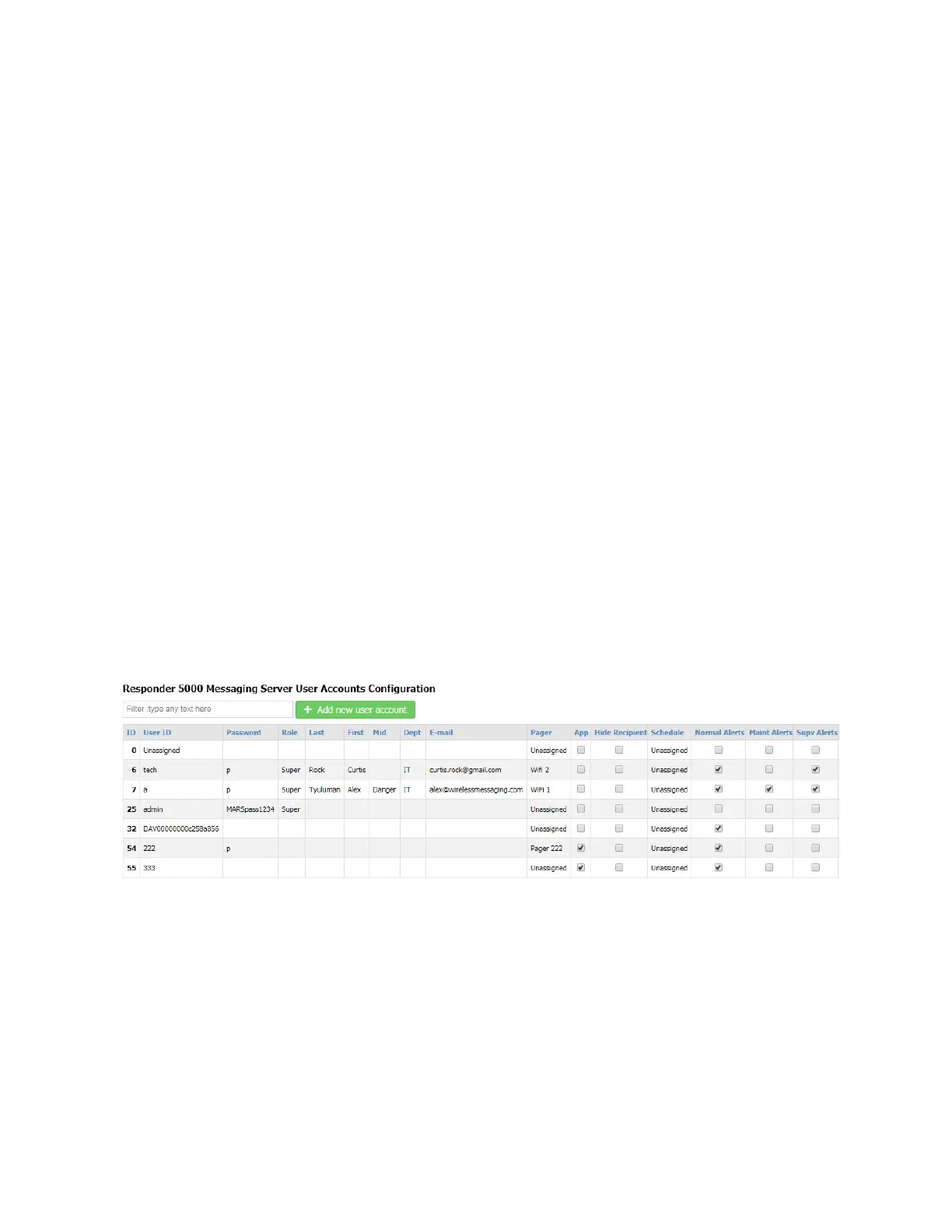
The User Accounts page allows configuration of alert types. Alert types are required to help the system
properly format alert messages.
Figure 41 - User Accounts Configuration when Event Processing is Enabled



 To Next Page