99
Appendix C - Adjusting the RMS Boot Up Method
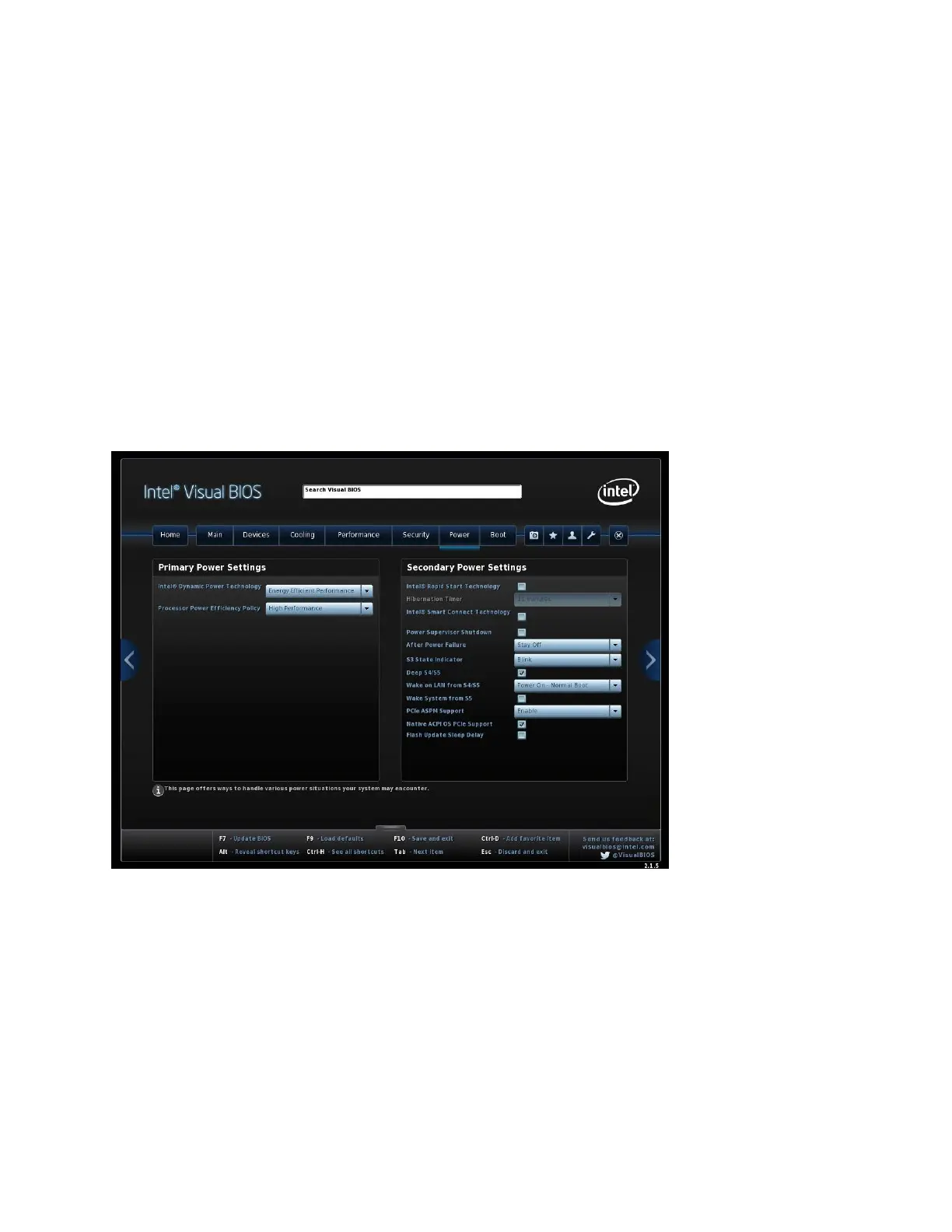
The RMS is designed to boot up immediately when power is applied. If you want the RMS to only boot
up when you press the power button, you can adjust the RMS (Intel NUC) BIOS. The following BIOS
screen shows an After Power Failure drop box in the Secondary Power Settings section of the Power tab.
The options are:
• Power On
• Stay Off
• Last State
The RMS should be configured to use the Power On option, which allows a full boot up process to
automatically occur each time power is applied. If you need to adjust the RMS BIOS, attach a mouse,
keyboard, and monitor with HDMI adapter to the RMS. BIOS Setup is accessed by pressing F2 after the
Power-On Self-Test (POST) memory test begins and before the operating system boot begins.



 To Next Page