Operating software
2967530000/00/06.202312
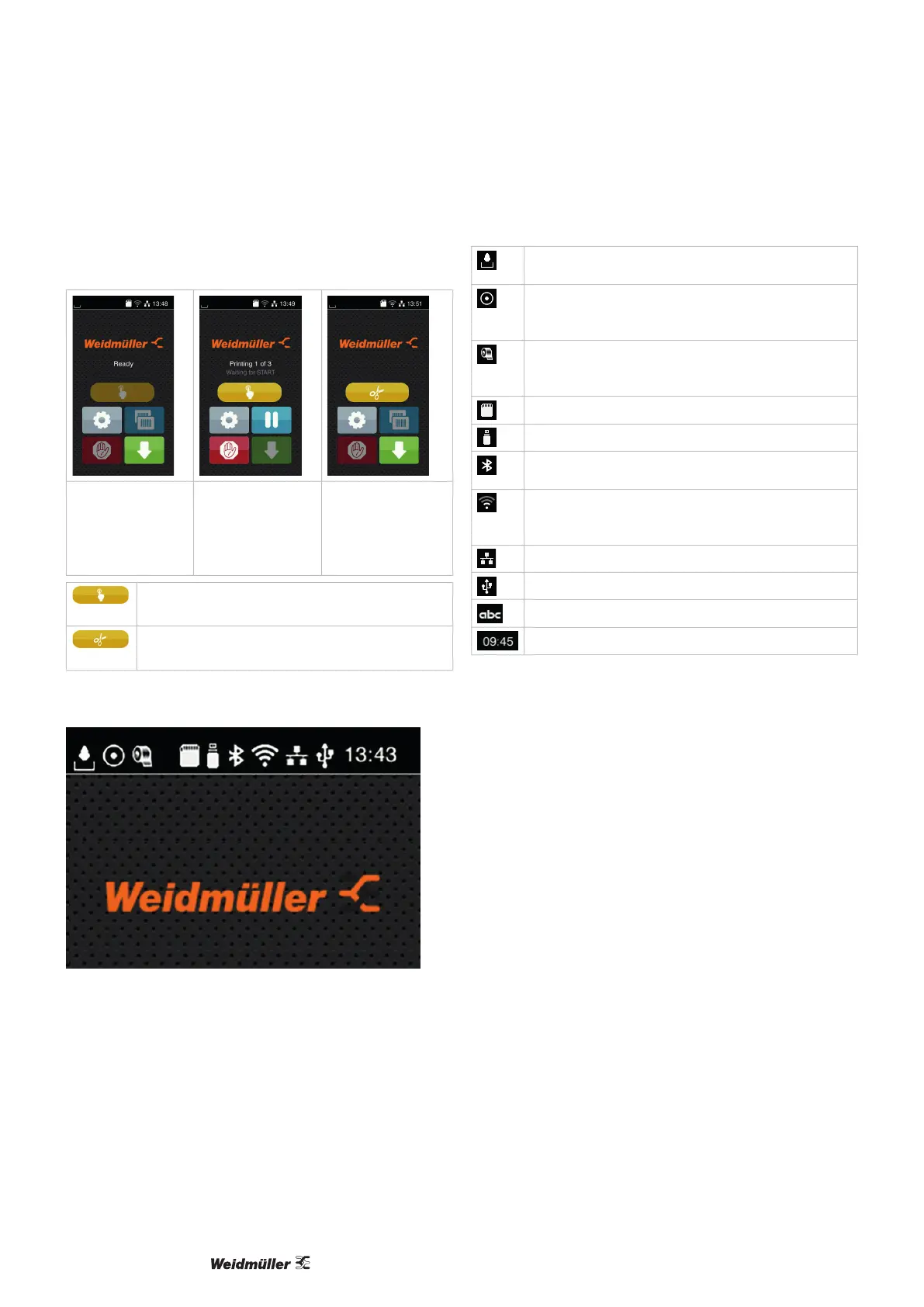
For certain software or hardware congurations, additional
icons are displayed on the start screen:
Print on request
without print job
Print on request in
print job
Direct cut
with connected PCU
cutter
Start processing a single label in the print job (printing
incl. dispensing, cutting etc.).
Trigger a direct cut without material transport.
The header shows various information in the form of widg-
ets depending on the conguration:
Figure 5.2 Widgets in the header
The receipt of data from an interface is signalled by a
falling drop
The Save data stream function is active.
All data received are saved in an .lbl le, see congura-
tion instructions
Prewarning Out of ribbon: the residual diameter of the
ribbon reel has fallen below a set value, see congura-
tion instructions
SD card installed
USB stick installed
Grey: Bluetooth adapter installed
White: Bluetooth connection active
WLAN connection active
The number of white arches symbolises the WLAN eld
strength.
Ethernet connection active
USB connection active
abc program active
Time
Figure 5.3 Widgets in the header on the start screen



 To Next Page