______________
10. Setting
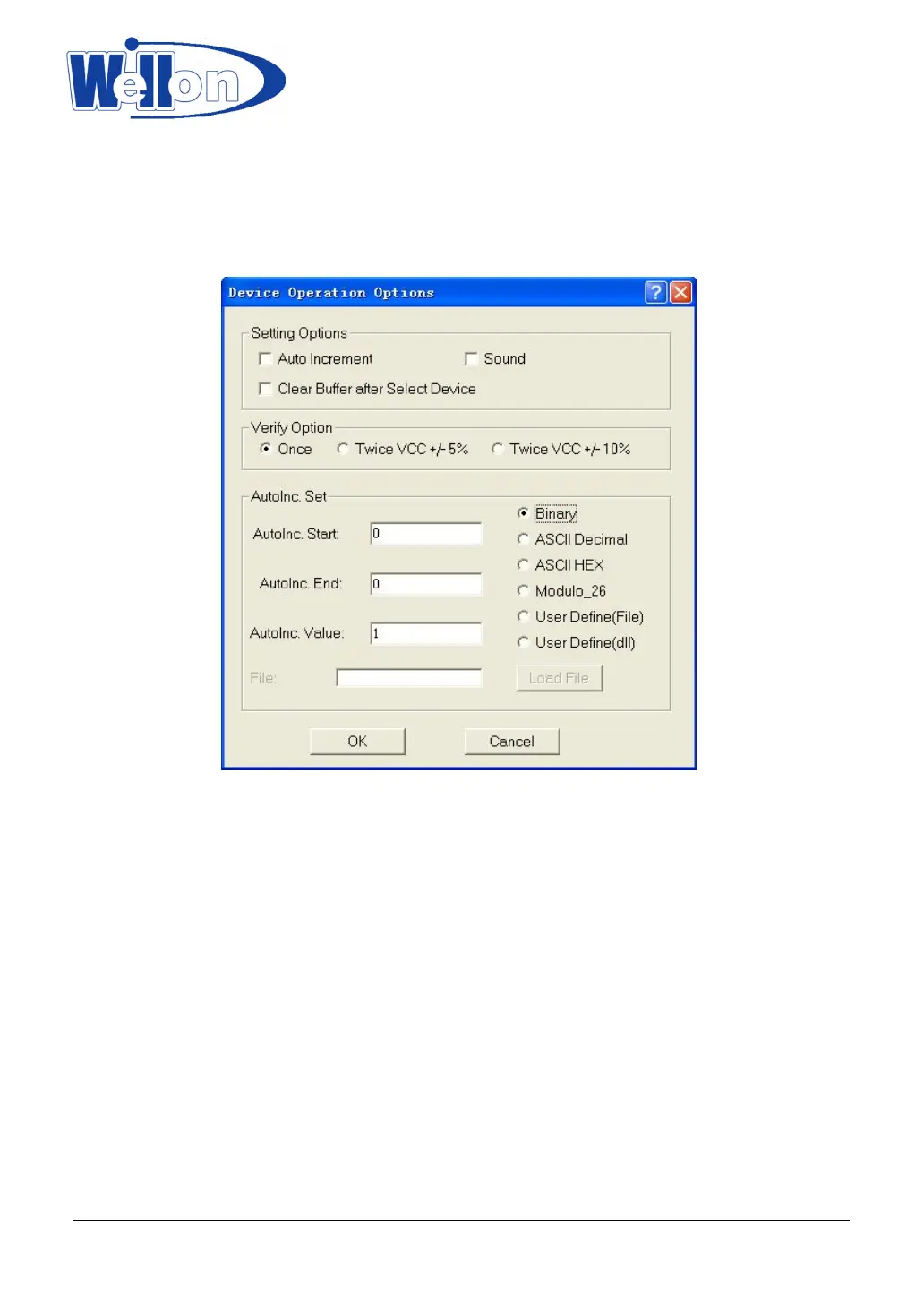
This option is used to set the operation option for the system.
10.1 Modify Operation Options
10.1.1 Setting Option
Auto Increment: For E(E)PROM,SPROM and MPU, check this option, to use it, let the code increment be
enabled.
Sound: Click this option if you want the programmer to beep after any operation.
Clear Buffer after select Device: If you want clear buffer every time after select device, click it.
10.1.2 AutoInc.Set
For mass production, you can use this option to set production series.
When it is active, data is given a position which will increment after IC is programmed ok.
You can set ‘AutoInc.Start’ and ‘AutoInc.End’ in the buffer, you can also set ‘AutoInc.Value’. The increment
format allows increment in Binary, ASCII Hex, ASCII Decimal and Modulo-26 format.
Tianjin Weilei Techonlogy Ltd.
www.weilei.com TEL:022-83945122
FAX:022-83945121 2018-03-08



 To Next Page