______________
7. Select
Use this command to change the active device type.
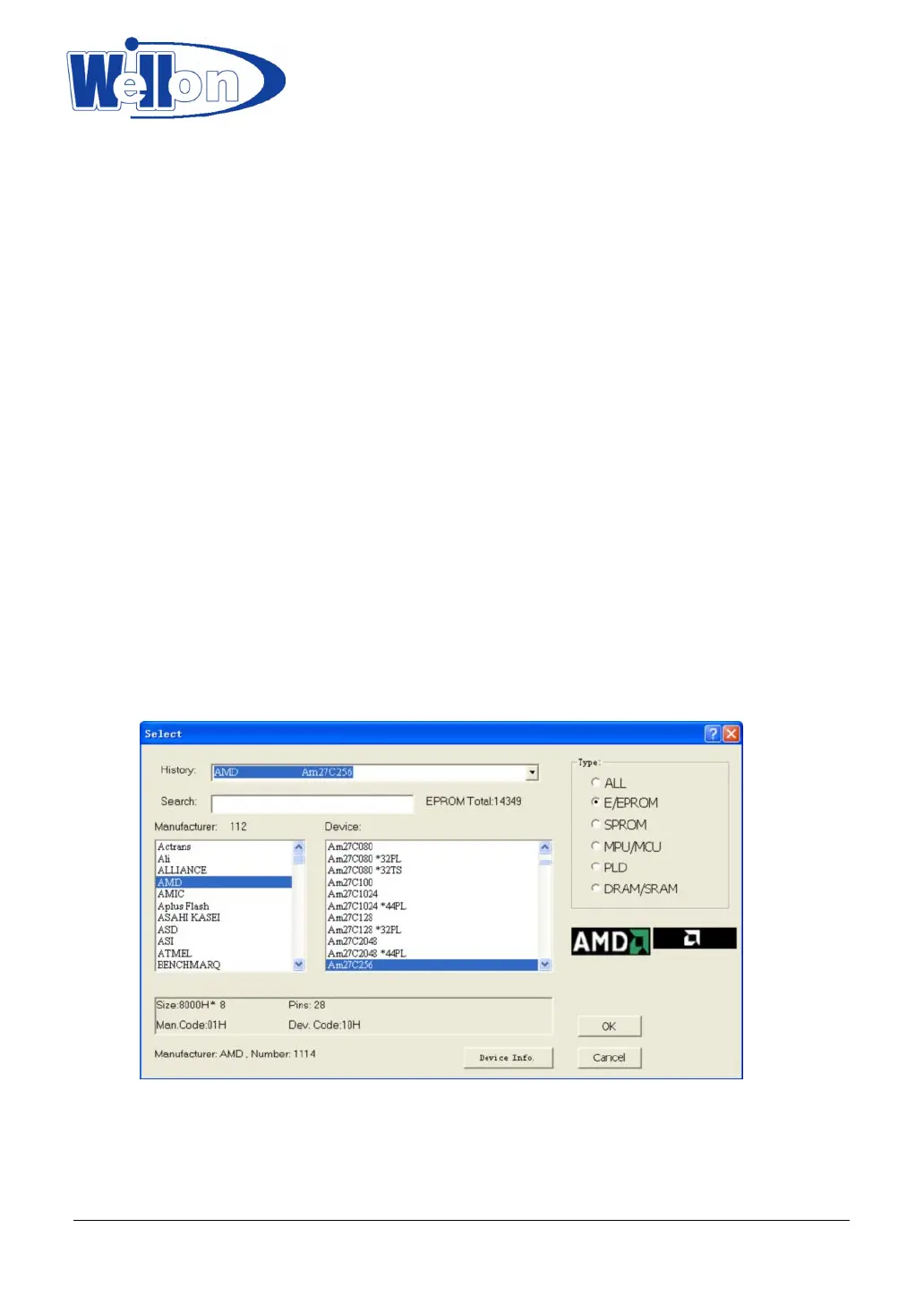
7.1 Select Device
When this command is selected the user is prompted with a list of all the manufacturers and devices currently
supported by the programmer.
Use the mouse to select a manufacturer or a device.
Press <TAB> to skip to the next field, and <Shift-TAB> to skip to the previous field.
Select a device by clicking on it with the mouse, or use <TAB> and the arrow keys to move to the device.
Pressing <ENTER> will select the device.
When the device type is changed, the active memory buffer area is automatically changed to accommodate
larger or smaller devices as necessary; however, data previously stored in the memory buffer remains
unchanged until either a device is read, or a file is loaded from disk.
Click Cancel at any time to cancel device selection without affecting the currently selected device.
This command can be selected from the menu or by pressing the hot-key <F5>.
Click 'Device Info.', it will be shown the following items:
‘Adapter’--include the name of adapter for device you select, demintion of adapter, connection table.
'Package'--introduction package of device selected.
'Part number description' -- introduction how to name the part number.
Tianjin Weilei Techonlogy Ltd.
www.weilei.com TEL:022-83945122
FAX:022-83945121 2018-03-08



 To Next Page