______________
12. ISP Program Mode
HOW TO USE:
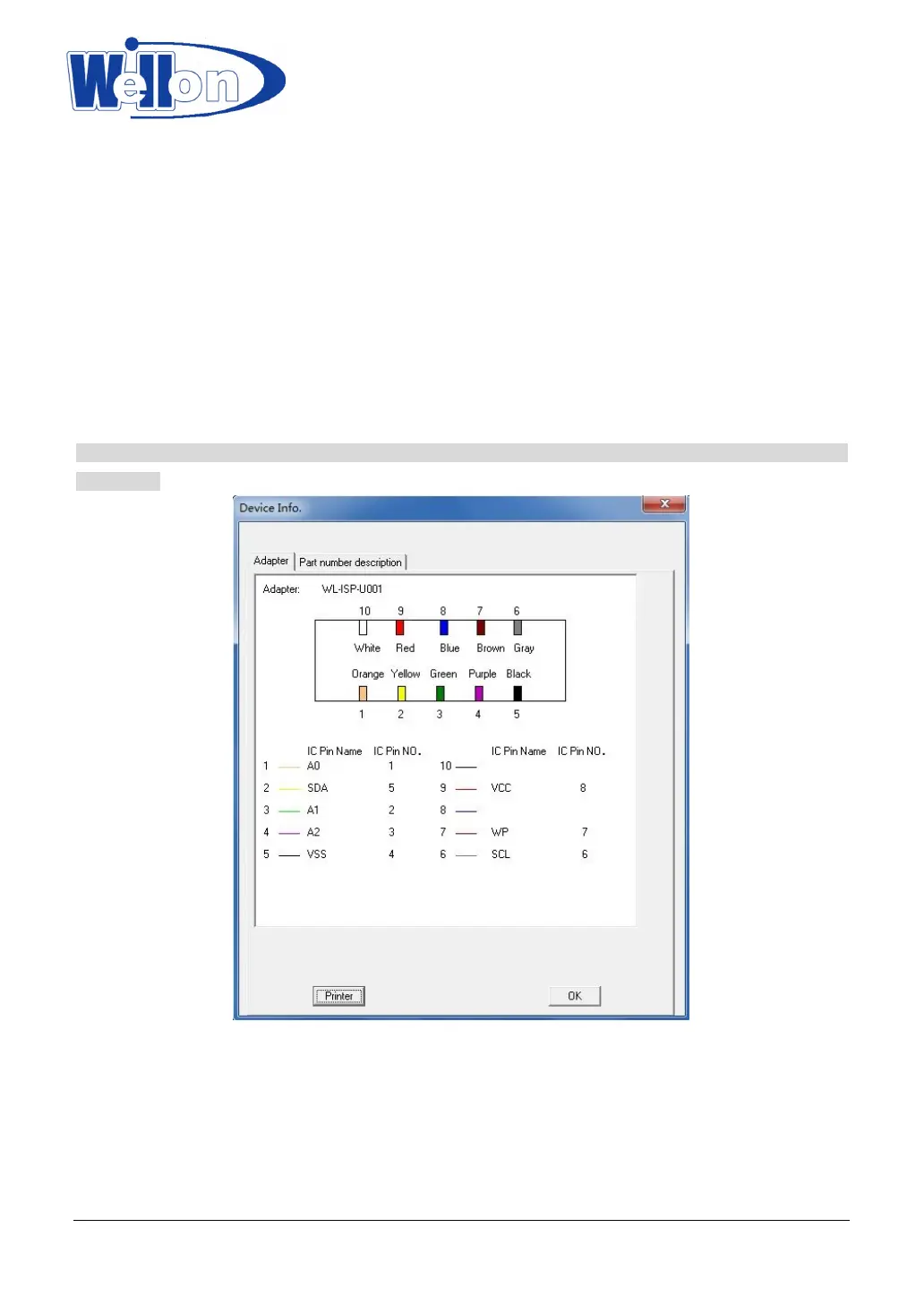
1 .Insert mode: Please put the plug in the socket.
the top row: write、 red、 blue、 brown 、gray
the bottom row: orange、 yellow 、green、 purple、 black
2. Connect computer and programmer with USB cable. Open the software and wait until the programmer
initial success.
3. Select the model of chip and press the OK button. The adapter interface will be shown.
4. Connect programmer and user board with electrical cords according to adapter.
5. Run the programmer and execute your operations.
Note that if you need high current, please connect the board power. The programmer can only supply current
for the chip.
Tianjin Weilei Techonlogy Ltd.
www.weilei.com TEL:022-83945122
FAX:022-83945121 2018-03-08



 To Next Page