______________
11. Test
The programmer can test logic ICs and RAM devices, as well as perform vector testing on PLDs. The
programmer provides a 74/54 and 4000/4500 TTL/CMOS logic device test library, and memory test
algorithms. The following sections describe the functions available for testing logic ICs and RAMs. Applying
the input(s) specified in the test pattern (see below) and checking for the specified output(s).
11.1 TTL & CMOS Test
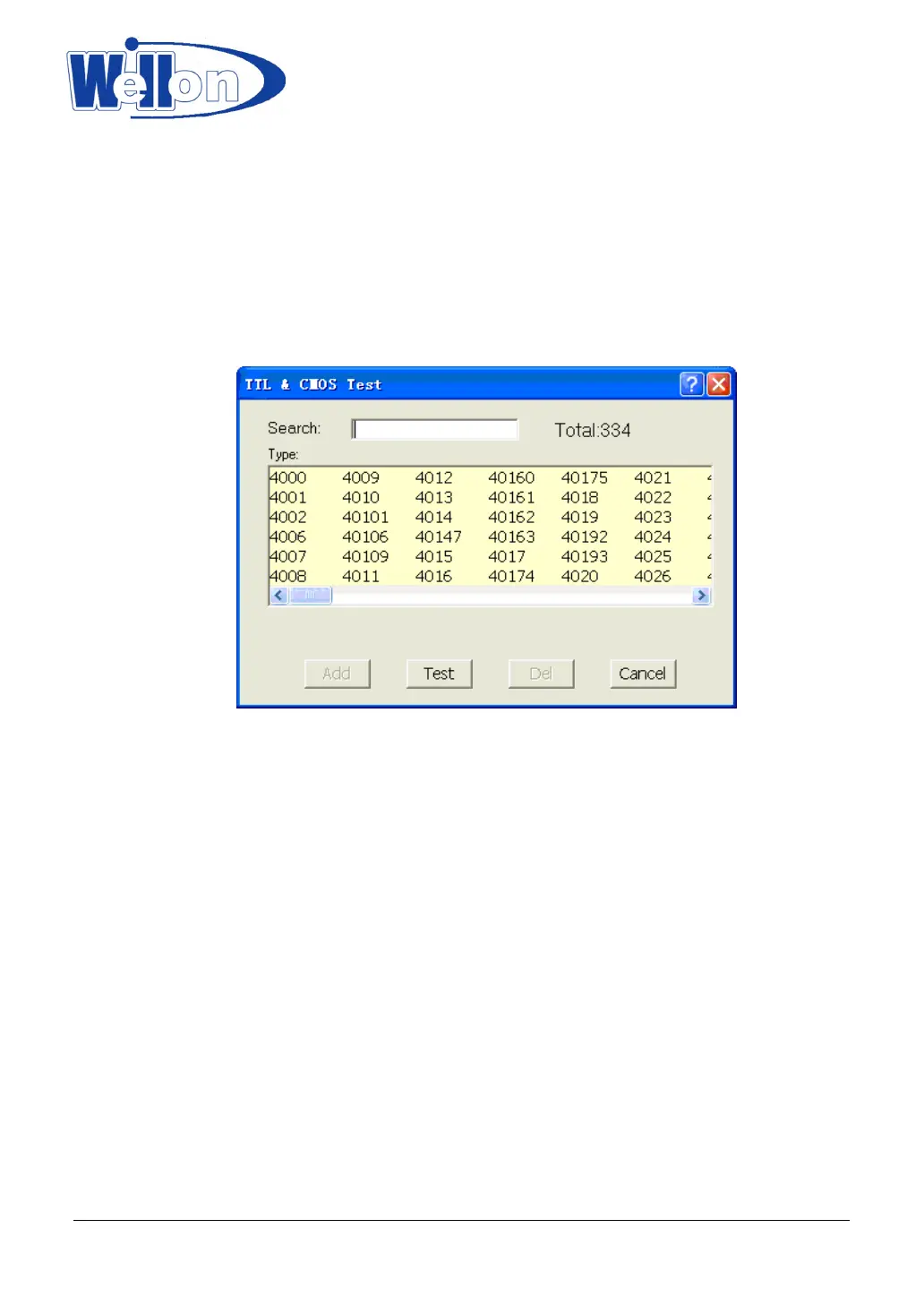
This selection tests TTL & CMOS devices. Click on the sub-menu TTL&CMOS test in the Test menu. This will
open the select chip dialogue box. Highlight device that you wish to test and then click on the Test button.
The result of test will be displayed in the window Test TTL. If the device passes the test, a passed test
message will be displayed. If the test fails, the information about where it failed is displayed. If you want to
repeat the test, click on the Repeat button. Otherwise click on the Cancel button.
11.2 Auto Find Device
This selection finds out the number of an unknown device (TTL&CMOS). Click on the sub-menu Auto find
device. This will initiate a search for the device type inserted in the programmer. The device name found will
be listed in the list viewer, List of Detected devices. If the device can’t be found, it will display a message
‘Device not found!’
11.3 Edit and Test Pattern
This select is used for adding, editing, or deleting a test pattern in the library.
11.3.1 Edit Pattern
This selection is used for editing a test pattern in the library. When you are in the Test menu, click on Edit
Tianjin Weilei Techonlogy Ltd.
www.weilei.com TEL:022-83945122
FAX:022-83945121 2018-03-08



 To Next Page