______________
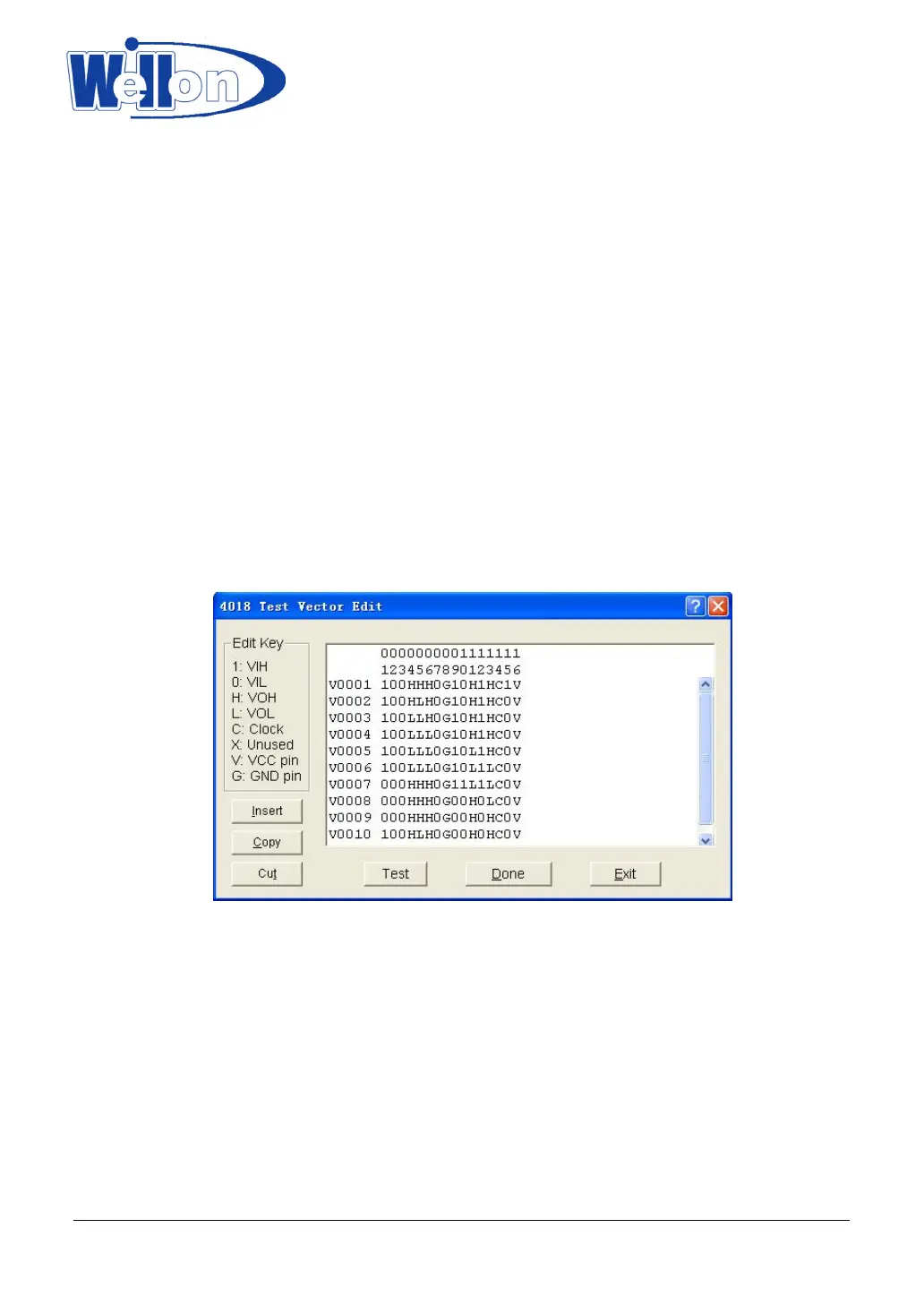
Pattern. This brings up the Select Chip to Edit dialogue box. It consists of Select Type input line, a device list
viewer, and the OK and Cancel buttons. You can enter the device number into the input line, or select from
the list viewer. On accepting the device number, the software opens the edit window with the name of the
device at the top. You may now use the above information to edit your pattern.
X: Don’t care state
V: VCC (output pins are not tested)
G: Ground (output pins are not tested)
H: Output logic High (VOH)
L: Output logic Low (VOL)
C: Clock pin
1: Input logic High (VIH)
0: Input logic Low (VIL)
<PgUp>: Page up
<PgDn>: Page down
<TAB>: Skip to the next field.
Note that the voltage is TTL voltage.
11.3.2 Add Pattern
To test a new device that is not included in TTL.LIB, a new test pattern may be created.
To access this function, click on Add Pattern from Edit Pattern. This selection brings up the Append dialogue
box, which consists of IC Type input line, Pin number input line, and the OK buttons. You can input the new
IC name and number of pins in the input lines. If the name and the number of pins is not in the current library,
pressing OK will open the XXXXXXXX edit window (XXXXXXXXX is the new device name that was entered).
You may now use the above information to add your pattern.
X: Don’t care state
V: VCC (output pins are not tested)
Tianjin Weilei Techonlogy Ltd.
www.weilei.com TEL:022-83945122
FAX:022-83945121 2018-03-08



 To Next Page