Merrychef eikon
®
e2s service and repair manual
_______________________________________________________________________________________________________________________________
_______________________________________________________________________________________________________________________________
4 Accessing the easyTouch
®
screen
PM (Personality Module) replacement - firmware update
The personality module on the SRB contains the SRB firmware and error log file
The personality module on the QTS contains the QTS firmware, serial number of your appliance, temperature calibration,
cooking profiles, application icons and the recipe images.
Firmware may have to updated on replacement of Personality Module. The operator’s menu file will have to be reloaded on
replacement of the QTS PM. Procedures as covered in this section (4.5) should be followed.
See section 6.10 for replacing components
Manual updates
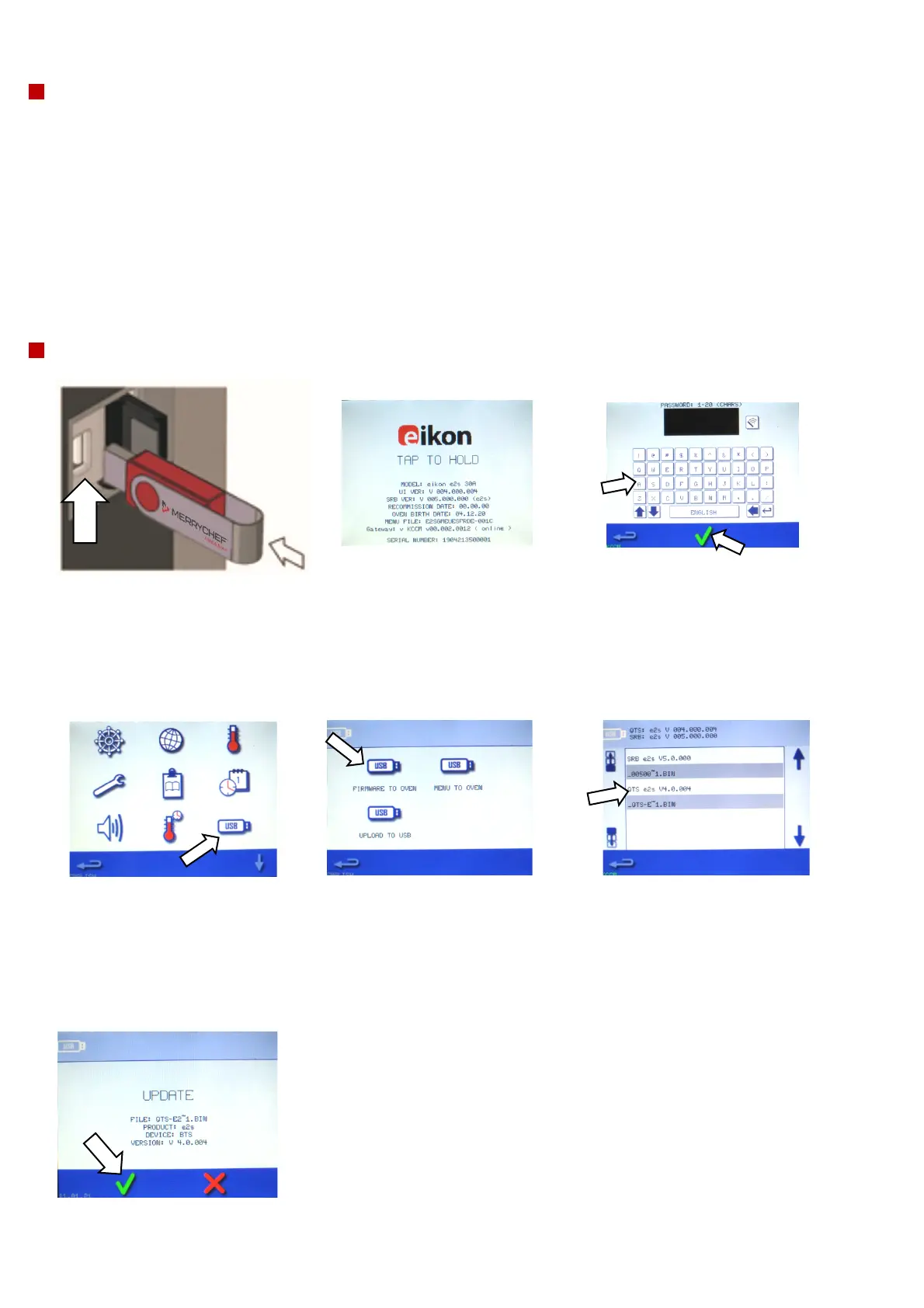
1. With the oven switched off, open
the cover of the USB port and insert
the USB memory stick into the slot.
The USB memory stick should be
formatted to FAT32 with firmware
loaded (without the autoupd.ate file)
2. Switch on the oven and tap
the top-right hand corner.
3. Enter the MANAGER
password and select the
green check mark.
4. Select the USB symbol
from the settings menu.
5. Select from the USB
screen ‘Firmware To
Oven’ (for QTS and SRB
updates).
6. Install updates by selecting the correct files.
If loading all firmware, updates should be installed
in this order:
1. QTS update – see below for instructions
2. SRB update – see below for instructions
3. APP icons – see below for instructions
7. The update screen will display the file version
and product. Select the green check mark to
confirm the installation.



 To Next Page