Merrychef eikon
®
e2s service and repair manual
_______________________________________________________________________________________________________________________________
_______________________________________________________________________________________________________________________________
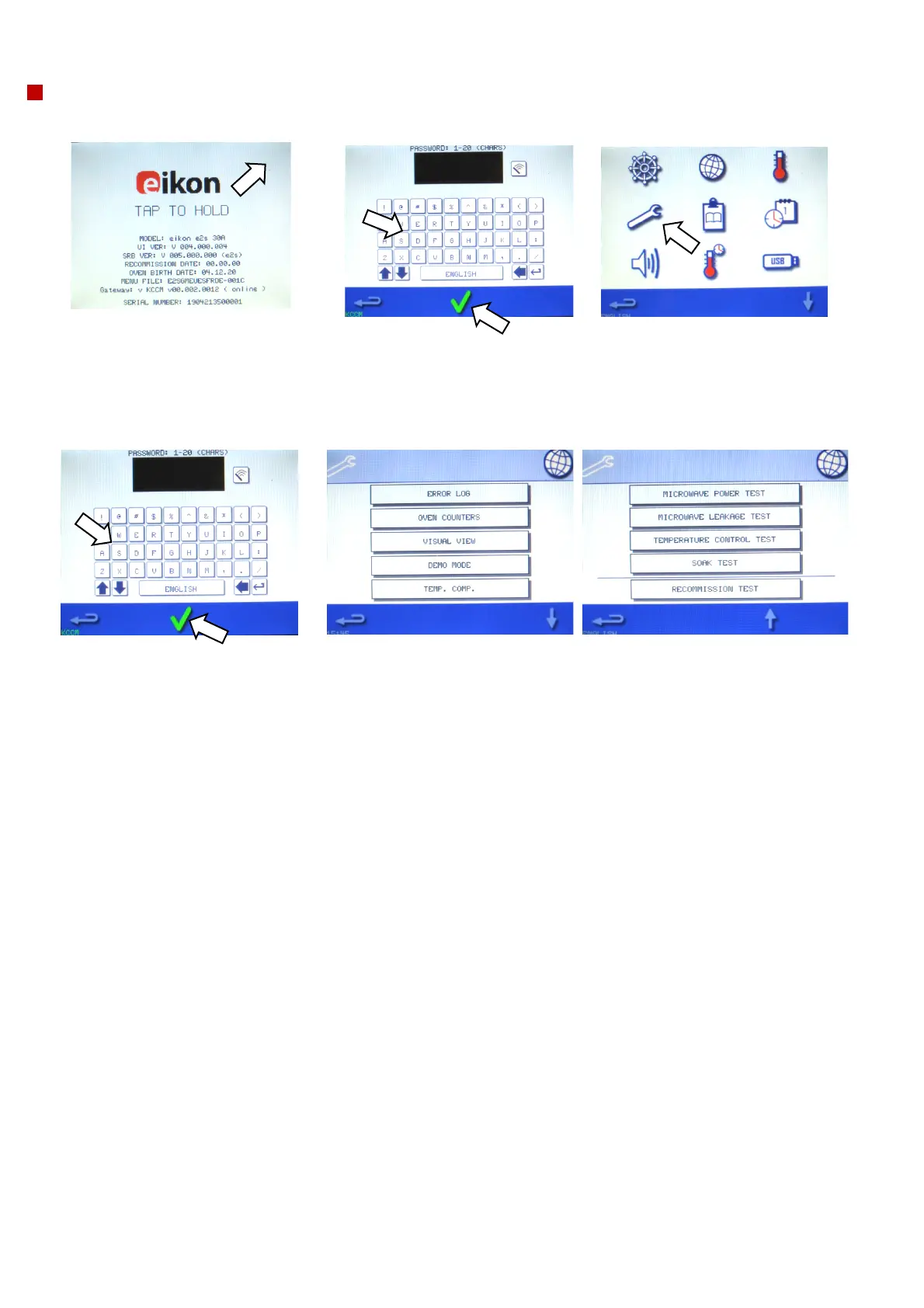
Enter service mode
1. On start up, tap the top right of
the splash screen to bypass
preheat of the cavity.
2. Enter the authorised user
password, for example,
"MANAGER" on the keypad.
Select OK (green tick) to display
the ‘Settings’ menu.
3. Select the spanner symbol.
4. Enter the service password. For
example; ‘SERVICE’ on the keypad.
Select OK (green tick) to display
service tabs.
5. Select the relevant tab to display the error log, service information and test
options.



 To Next Page