8
Merrychef eikon e2s Quick Start Guide
Part Number 32Z3922 CE, GBR Issue 02 06/2018
Settings Menu
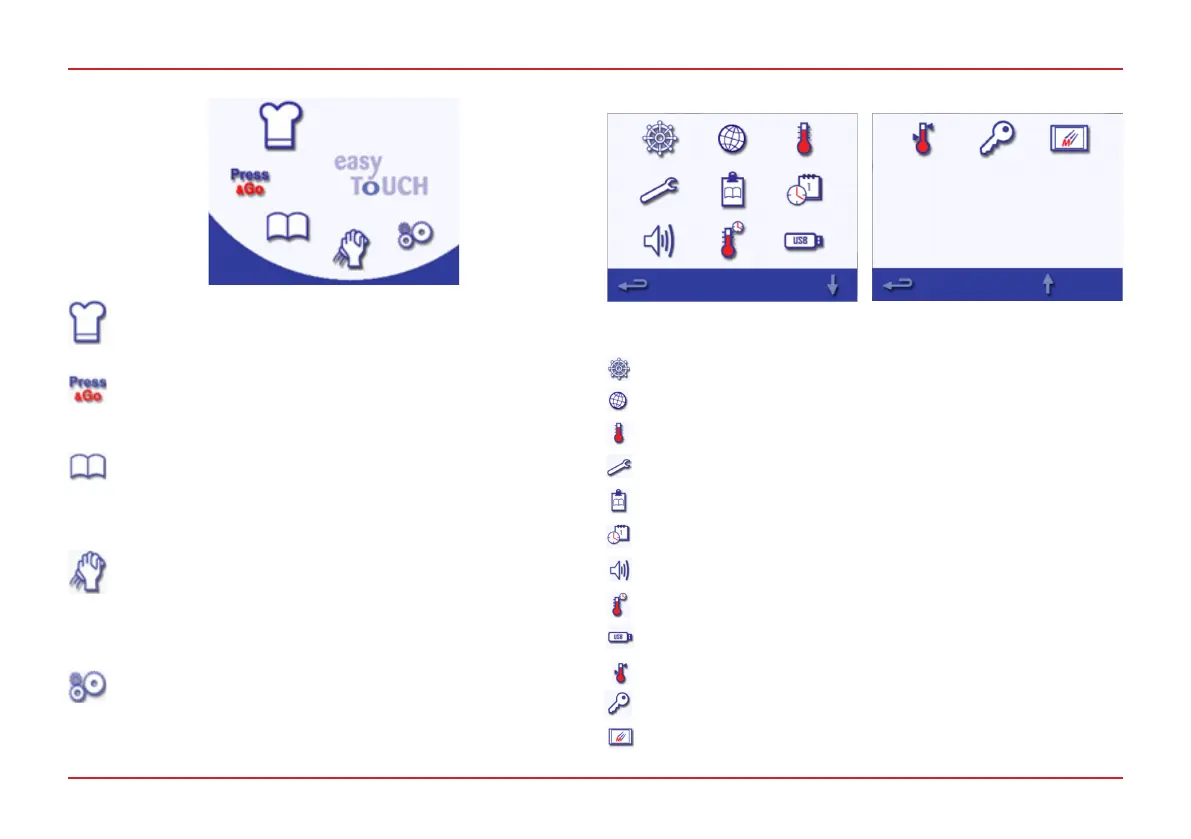
The Settings Menu comprises the following functions:
Main Menu
MAIN MENU AND SETTINGS
Development Mode
Development Mode enables multistage cooking proles
to be developed and stored for reuse.
Press&Go
Press&Go allows quick access to use the cooking
proles that are already stored.
Cookbook
Cookbook contains the cooking proles stored in the
memory of the appliance. It displays favourites, cooking
prole groups and a list of all cooking proles available.
Cleaning/Temp Change
Cleaning/Temp Change allows the cavity temperature
to be changed and the appliance to be prepared for
cleaning, with reminders displayed to assist during the
cleaning process.
Settings
Settings are used to control the appliance settings and
functions, including setting time and language, loading
cooking proles and displaying service and maintenance
information.
Operating mode/navigation settings (see page 11)
Language options
Temperature settings and labels
Service information and error logs (password required)
Cooking prole counters
Date and time settings (see page 10)
Speaker sound levels
Timer (Temperature/ON/OFF)
USB program connection
Temperature band
Change settings/service access passwords
Screen saver



 To Next Page