CM2P201 User Guide
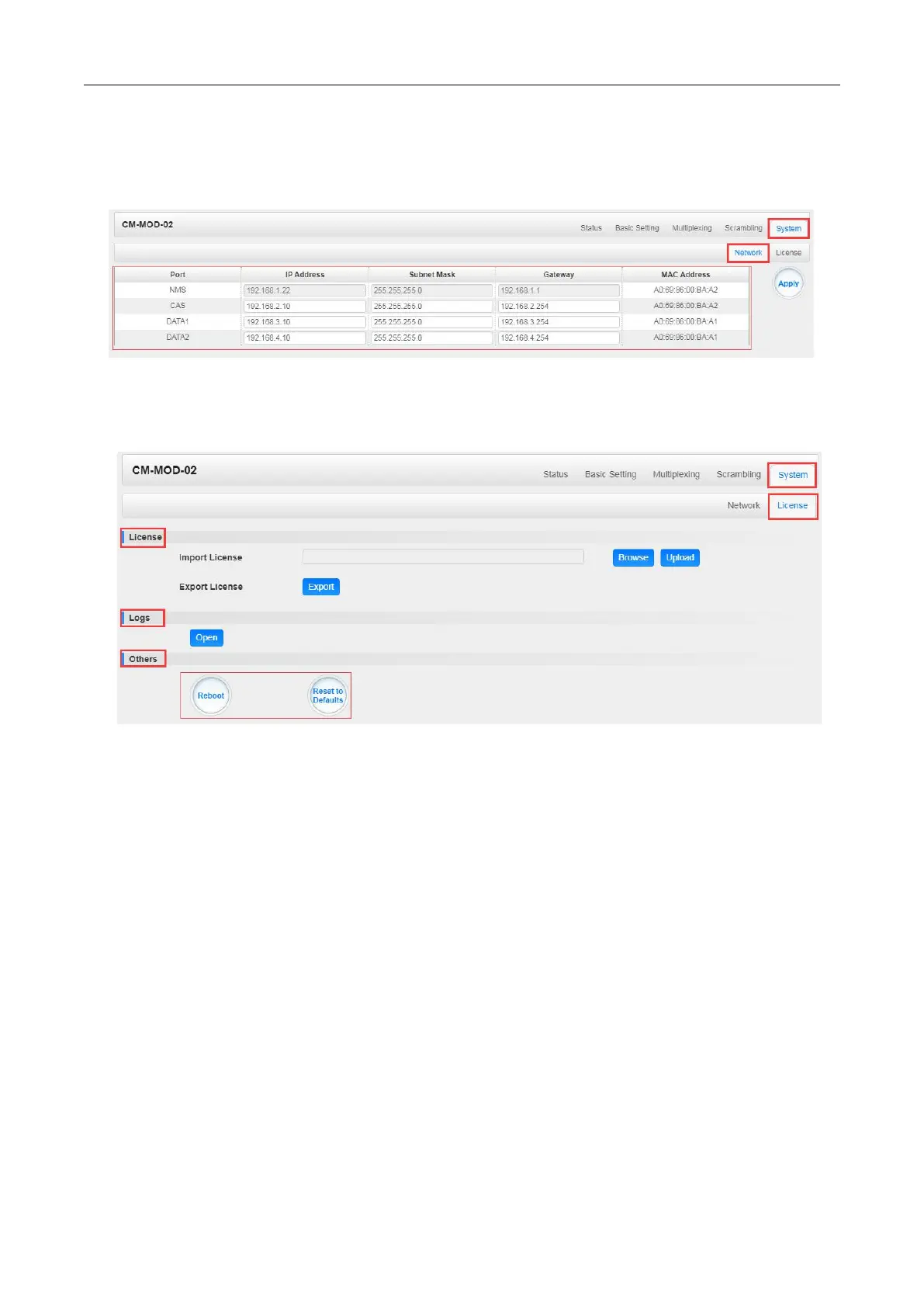
Network> Here you can modify the IP Address, Subnet Mask and Gateway for each port of the
module, except for the address of the module itself. This also shows the MAC Address of each port
of the module. See the image below for reference.
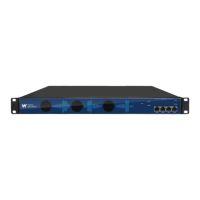
License> Here you can import/export license, reboot module, restore factory default setting
s and manage logs.
Log Manage> This page shows the logs of the module. If there are issues encountered on this
module, exporting the logs will help R&D team to analyze and fix them.
Turn on Enable Real-time Log switch to see the real time log messages and the severity level of
each message below.



 To Next Page