CM2P201 User Guide
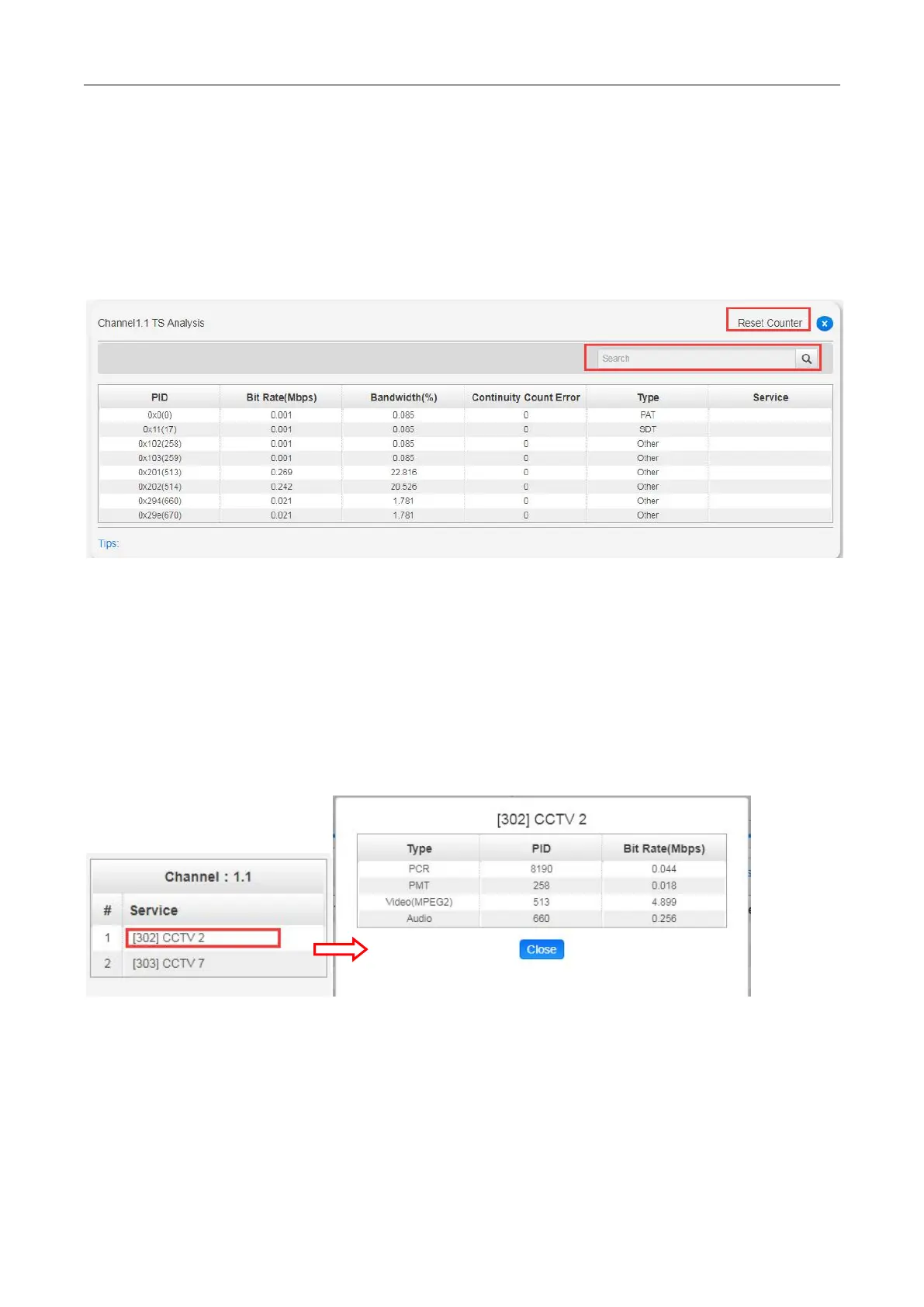
TS Analysis
Click Reset Counter button to clear continuity count errors and restart counting. Fill in the search bar
with the key words of PID / Bit rate / bandwidth / table type / service name in the search bar to get the
info you want.
Service List
Click a service name to check the detailed info of this service.
IP Input >Settings
Here you can configure IP input parameters: Source IP Address, Source Port, Protocol
(UDP/RTP), TS Packets Per IP Packet , VLAN Enable, and TSIP Port. Click Apply to make the
setting take effect.



 To Next Page