CM2P201 User Guide
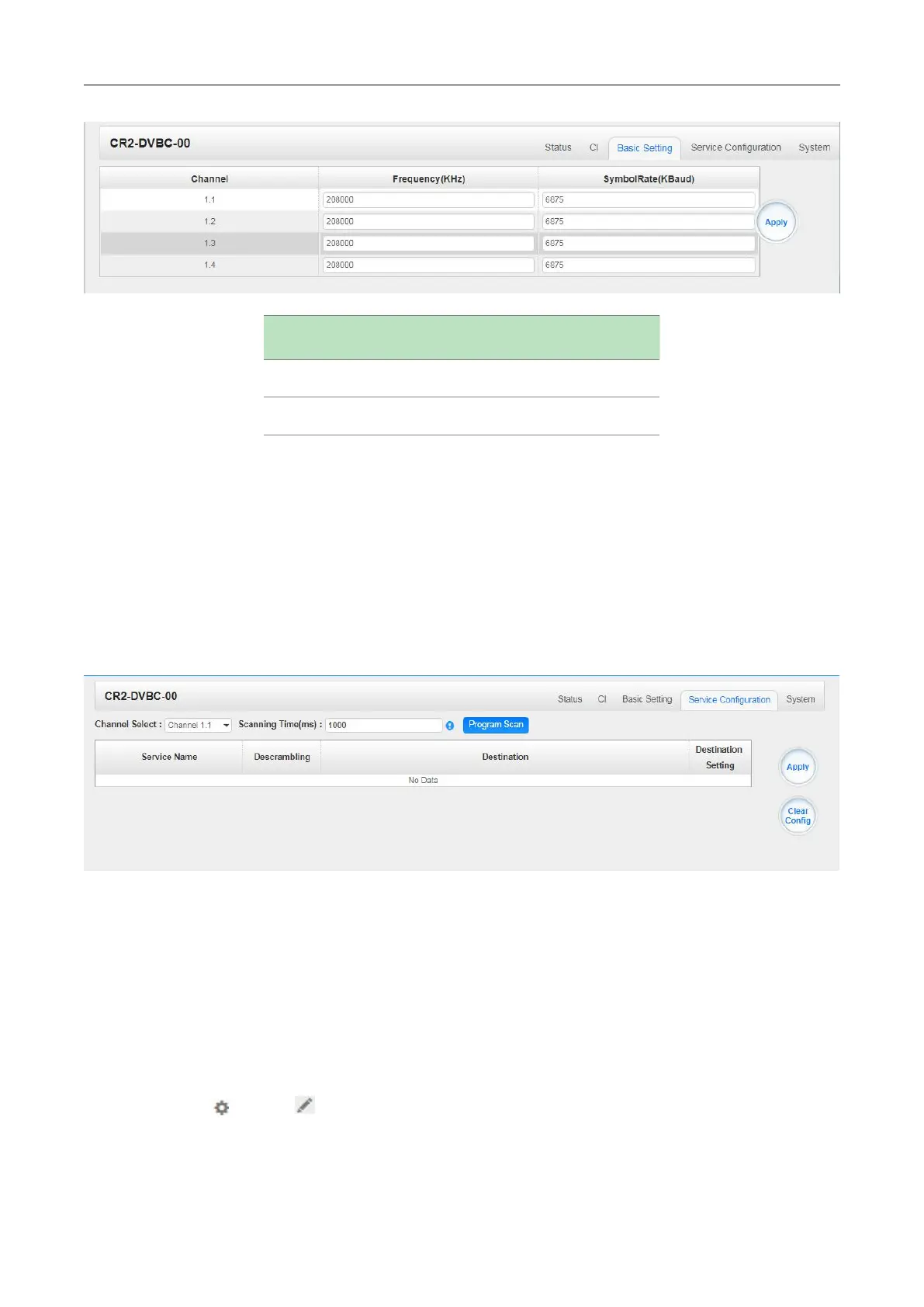
Click the Apply button on the right side to make the change take effect.
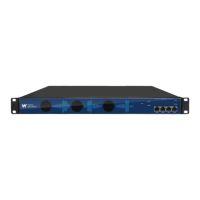
CR2-DVBC-00 >Service Configuration
Service Configuration page is where you can manage the received services and output them to their
designated interface. The configuration of all modules in CMP201 is mostly the same.
First, you need to scan the port on each LOCKED TS. Each port might be scanned automatically or
needed to be scanned manually when its source is changed.
After scanning each channel, you can start to configure the services. You need to click Apply button
after you configure service to CAM for descrambling, otherwise the descrambling configuration will
not be saved. Then you can choose the services to be routed, you can output each service by
clicking the icon and below “Destination Settings”. You can route a whole stream or a
service(s) from the input channel toward the available output channels (IP or RF). Two types of
routing are possible.



 To Next Page