CM2P201 User Guide
Click the Apply button on the right side to make the change take effect.
Digital(IP)
Analogue(Dry Contact)
Analogue(Relay)
Normally Open
Normally Closed
AC3, Mpeg-1 Layer 2
Mpeg2-AAC, Mpeg4-AAC
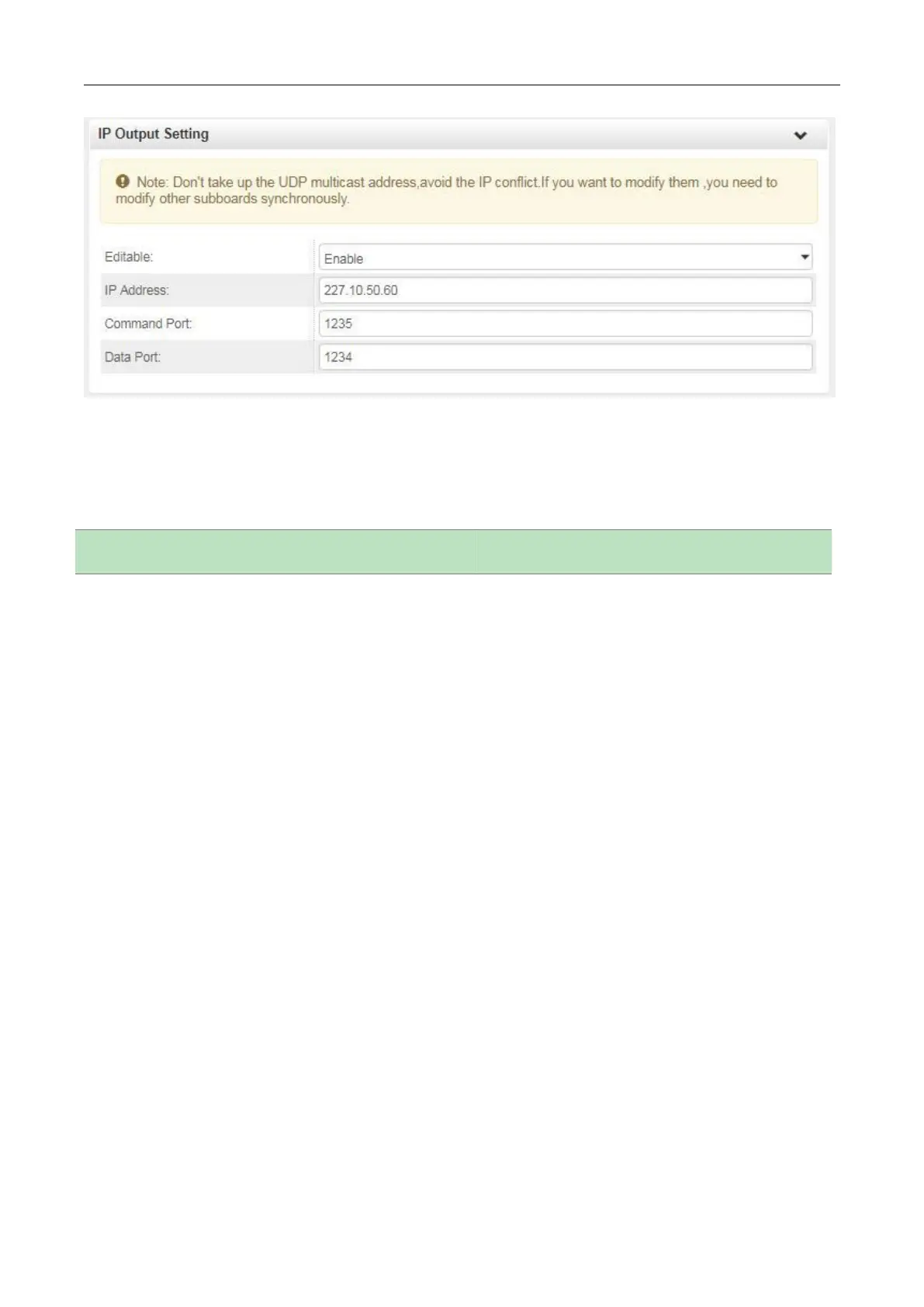
When you set the IP output of the EAS module, you should set the same parameters for other
modules that the service(s) will be paved by EAS input (ASI or AV signal). Then the EAS module will
be detected automatically by other modules to complete more configuration. When it is triggered by
external IP or analogue (Dry Contact) signals, the configured services(s) on other modules will be
switched to the AV or ASI services from EAS module.



 To Next Page