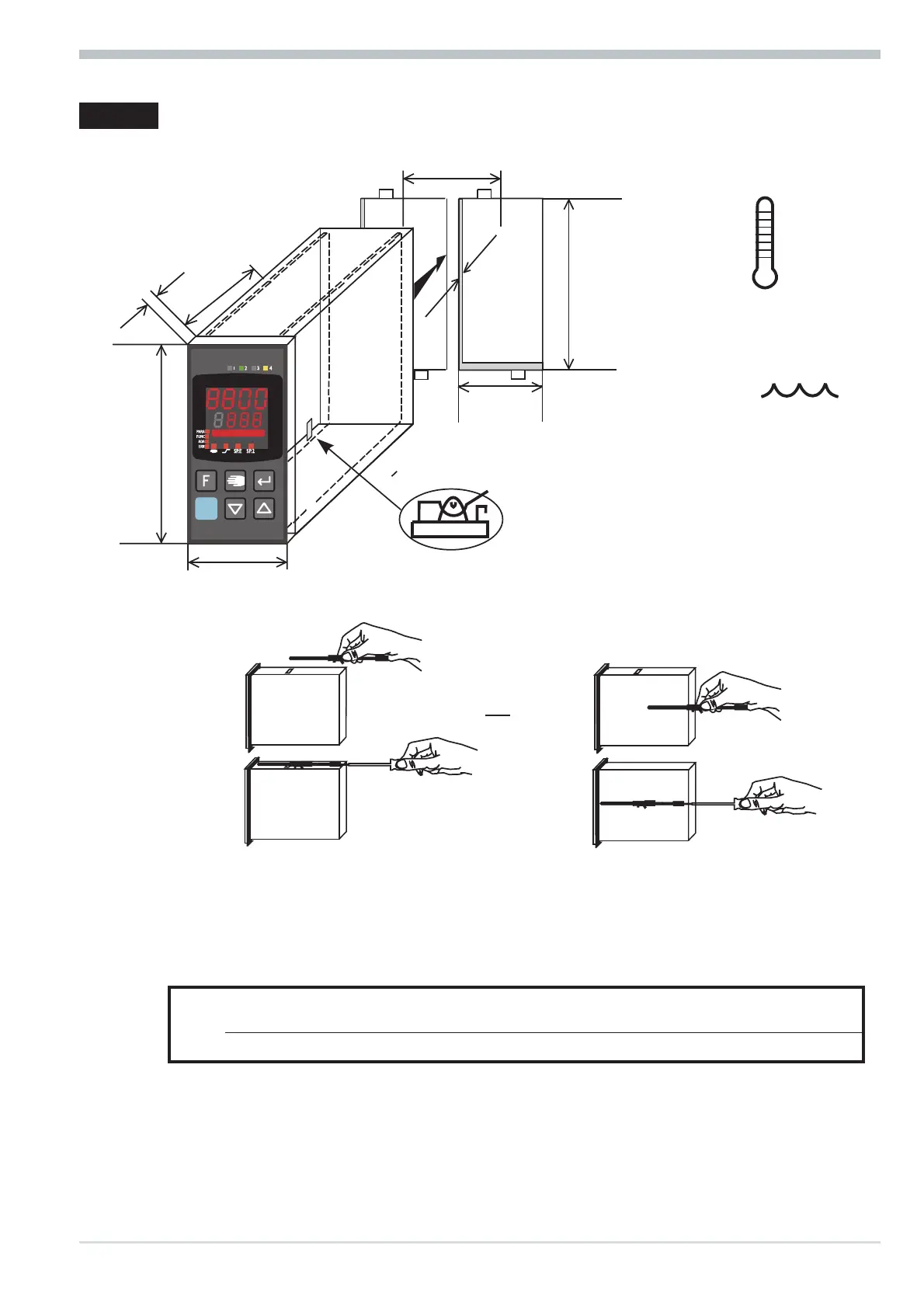
1 Mounting
Safety switch:
For access to the safety switch, the controller must be withdrawn from the
housing. Squeeze the top and bottom of the front bezel between thumb and
forefinger and pull the controller firmly from the housing.
1 Factory setting 2 Default setting: display of all levels
suppressed, password PASS = OFF
l
Caution! The unit contains ESD-sensitive components.
Mounting
8800 process controller 5
or
%
max.
95% rel.
max.
60°C
0°Cmin.
96 (3.78")
48 (1.89")
Loc
min.48 (1.89")
10
(0.4")
1..10
(0.04..0.4")
118
(4.65")
45
+0,6
(1.77" )
+0.02
92
+0,8
(3.62" )
+0.03
Ü
*
Ü
security switch
WEST
8800
Process Controller
Loc open Access to the levels is as adjusted by means of 8800/8840 configurator
(engineering tool) 2
closed 1 all levels accessible wihout restriction



 To Next Page