GETTING STARTED
10
WD CLOUD USER MANUAL
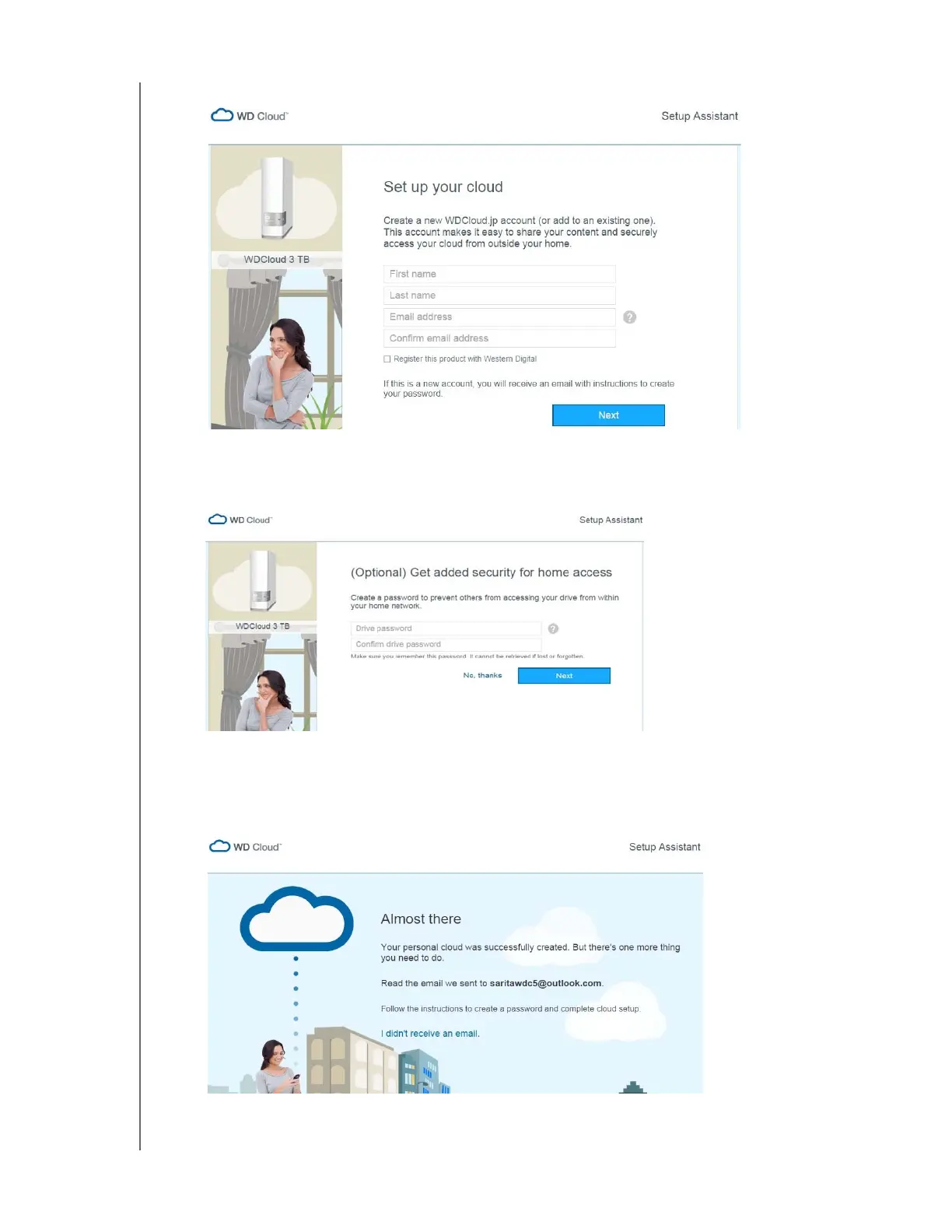
5. Fill out the above form to set up your WD Cloud account or add to an existing one, and
click Next.
6. If you want added security for home access to your Dashboard, enter a password on
this optional screen, and click Next. Otherwise, click No Thanks.
Note: This will only prevent unauthorized access to your Dashboard. Other users
on your home network could still access the public files on your device.
Congratulations! Your WD Cloud was successfully created.













 To Next Page