WHEATON
®
OmniSpense
®
ELITE Peristaltic Pump
WHEATON | 800.225.1437 (U.S. & Canada Only) | 856.825.1100 | www.wheaton.com | P/N 50099067 Rev. 5/15/12 WMAN_001
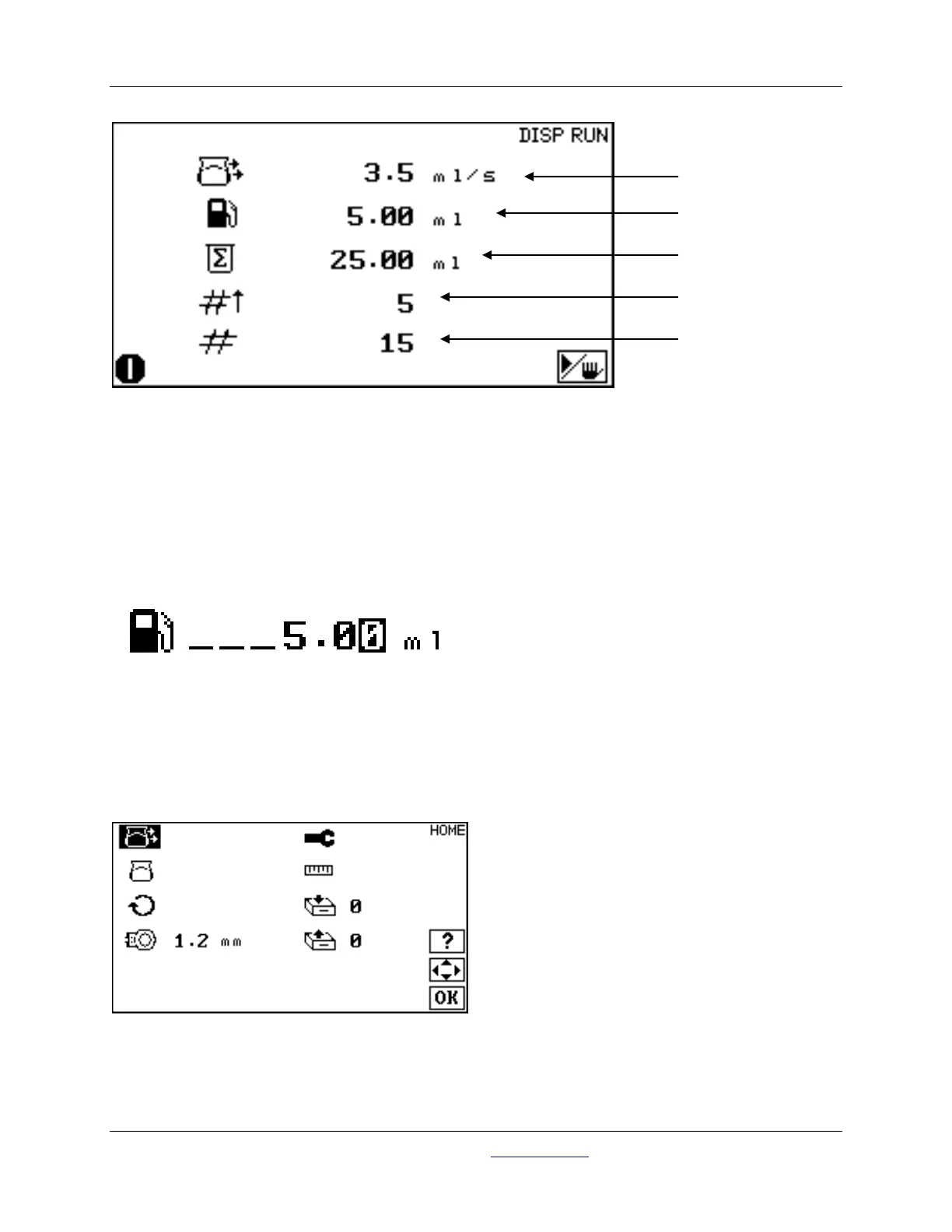
The pump will make dispenses with the settings programmed, and stop when the total number of
dispenses are made.
11.8 To Adjust the Volume During a Batch Dispense
The dispensed volume can be adjusted during a batch dispense, by pressing the Start / Stop button, and
then using the UP and DOWN and the LEFT and RIGHT keys to enter the dispense volume. Press OK
when done. Press the Start / Stop button to resume batch dispensing.
11.9 To Run Additional Batches with the Same Settings
Press the Start / Stop button to start a fresh dispense batch.
12.0 Constant Flow Rate Dispensing
Press OK to navigate to the HOME screen.
Use the LEFT and RIGHT keys to change the pump function to FLOW MODE.



 To Next Page